115
◆ The ports at both ends of a connection must be configured as trunk ports.
◆ When configuring static trunks on switches of different types, they must be compatible with
the Cisco EtherChannel standard.
◆ The ports at both ends of a trunk must be configured in an identical manner, including
communication mode (i.e., speed, duplex mode and flow control), VLAN assignments, and
CoS settings.
◆ Any of the Gigabit ports on the front panel can be trunked together, including ports of
different media types.
◆ All the ports in a trunk have to be treated as a whole when moved from/to, added or
deleted from a VLAN.
◆ STP, VLAN, and IGMP settings can only be made for the entire trunk.
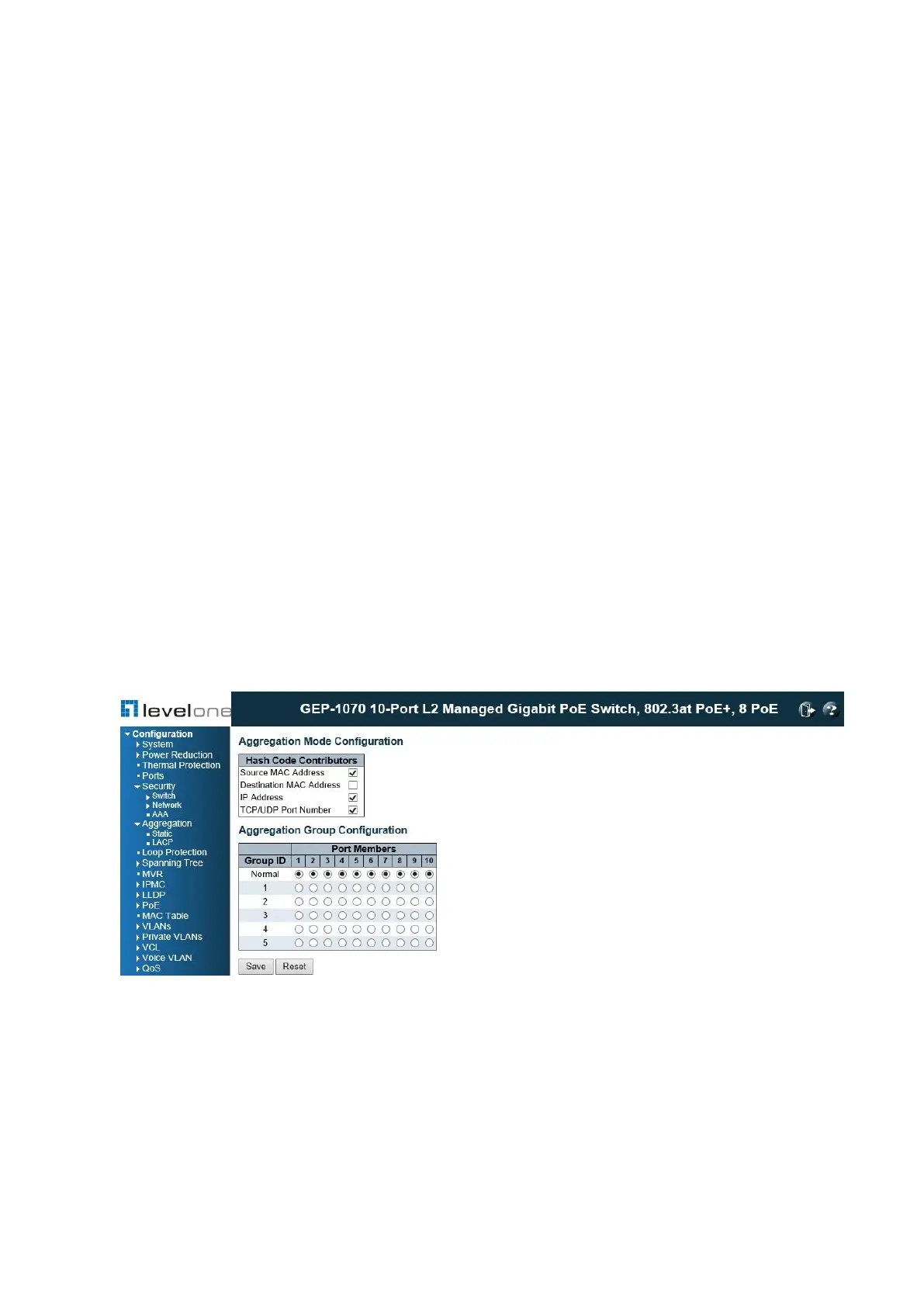
Static Trunks Configuration
Use the Aggregation Mode Configuration page to configure the aggregation mode and
members of each static trunk group.
PATH
Configuration \ Aggregation \ Static
Figure 42: Static Trunk Configuration
USAGE GUIDELINES
◆ When configuring static trunks, you may not be able to link switches of different types,
depending on the manufacturer's implementation. However, note that the static trunks on
this switch are Cisco EtherChannel compatible.
◆ To avoid creating a loop in the network, be sure you add a static trunk via the
configuration interface before connecting the ports, and also disconnect the ports before














 To Next Page