203
4.19. Configuring Port Mirroring
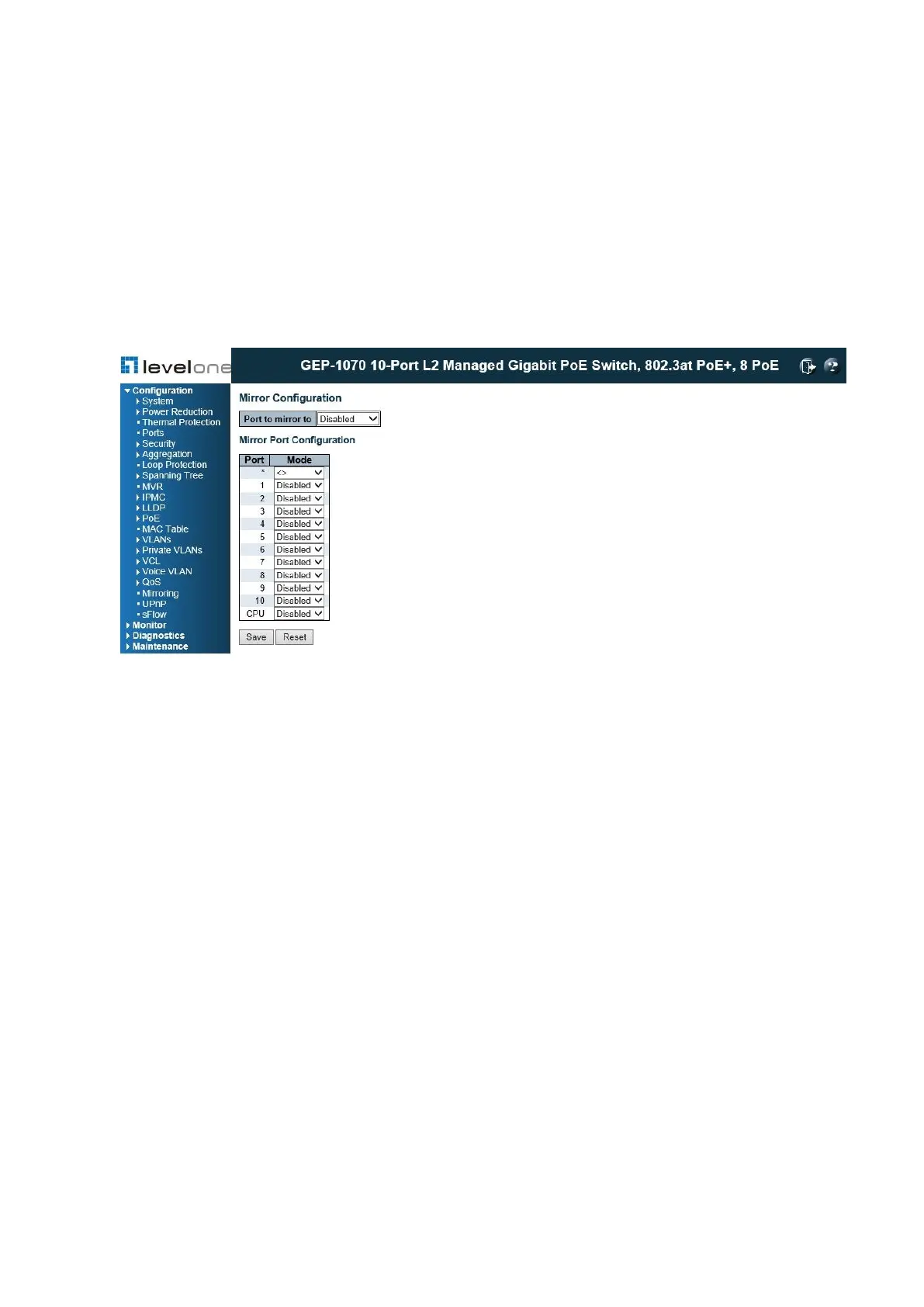
Use the Mirror Configuration page to mirror traffic from any source port to a target port for
real-time analysis. You can then attach a logic analyzer or RMON probe to the target port
and study the traffic crossing the source port in a completely unobtrusive manner.
PATH
Configuration \ Mirroring
Figure 88: Mirror Configuration
COMMAND USAGE
General port mirroring configured on the Mirror Configuration page and ACL-based port
mirroring are implemented independently. When port Source port(s) Single target port
mirroring is enabled on the Mirror Configuration page by setting the destination port in the
“Port to mirror on” field, and enabling the “Mode” for any port, mirroring will occur regardless
of any configuration settings made on the ACL Ports Configuration page (see "Filtering
Traffic with Access Control Lists") or the ACE Configuration page (see "Configuring Access
Control Lists").
PARAMETERS
These parameters are displayed:
◆ Port to mirror on – The destination port that will mirror the traffic from the source port. All
mirror sessions must share the same destination port. (Default: Disabled)
◆ Port – The port whose traffic will be monitored.
◆ Mode – Specifies which traffic to mirror to the target port.
(Options: Disabled, Enabled (receive and transmit), Rx only (receive), Tx only (transmit);
Default: Disabled)














 To Next Page