218
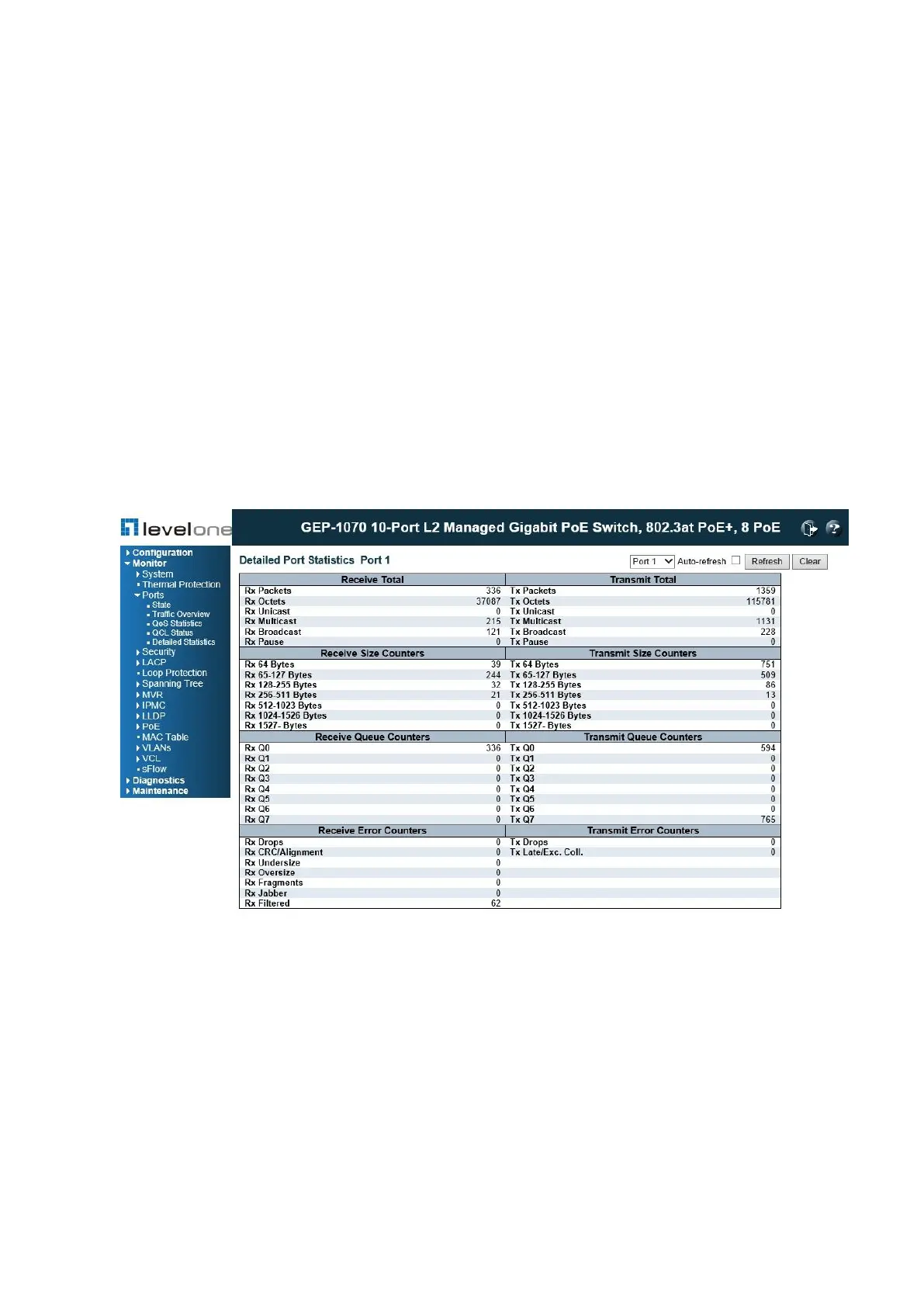
Displaying Detailed Port Statistics
Use the Detailed Port Statistics page to display detailed statistics on network traffic. This
information can be used to identify potential problems with the switch (such as a faulty port or
unusually heavy loading).
All values displayed have been accumulated since the last system reboot, and are shown as
counts per second. Statistics are refreshed every 60 seconds by default.
PATH
Monitor \ Ports \ Detailed Statistics
Figure 100: Detailed Port Statistics
PARAMETERS
These parameters are displayed:
◆ Receive/Transmit Total
■ Packets – The number of received and transmitted packets (good and bad).
■ Octets – The number of received and transmitted bytes (good and bad), including Frame
Check Sequence, but excluding framing bits.
■ Unicast – The number of received and transmitted unicast packets (good and bad).
■ Multicast – The number of received and transmitted multicast packets (good and bad).














 To Next Page