193
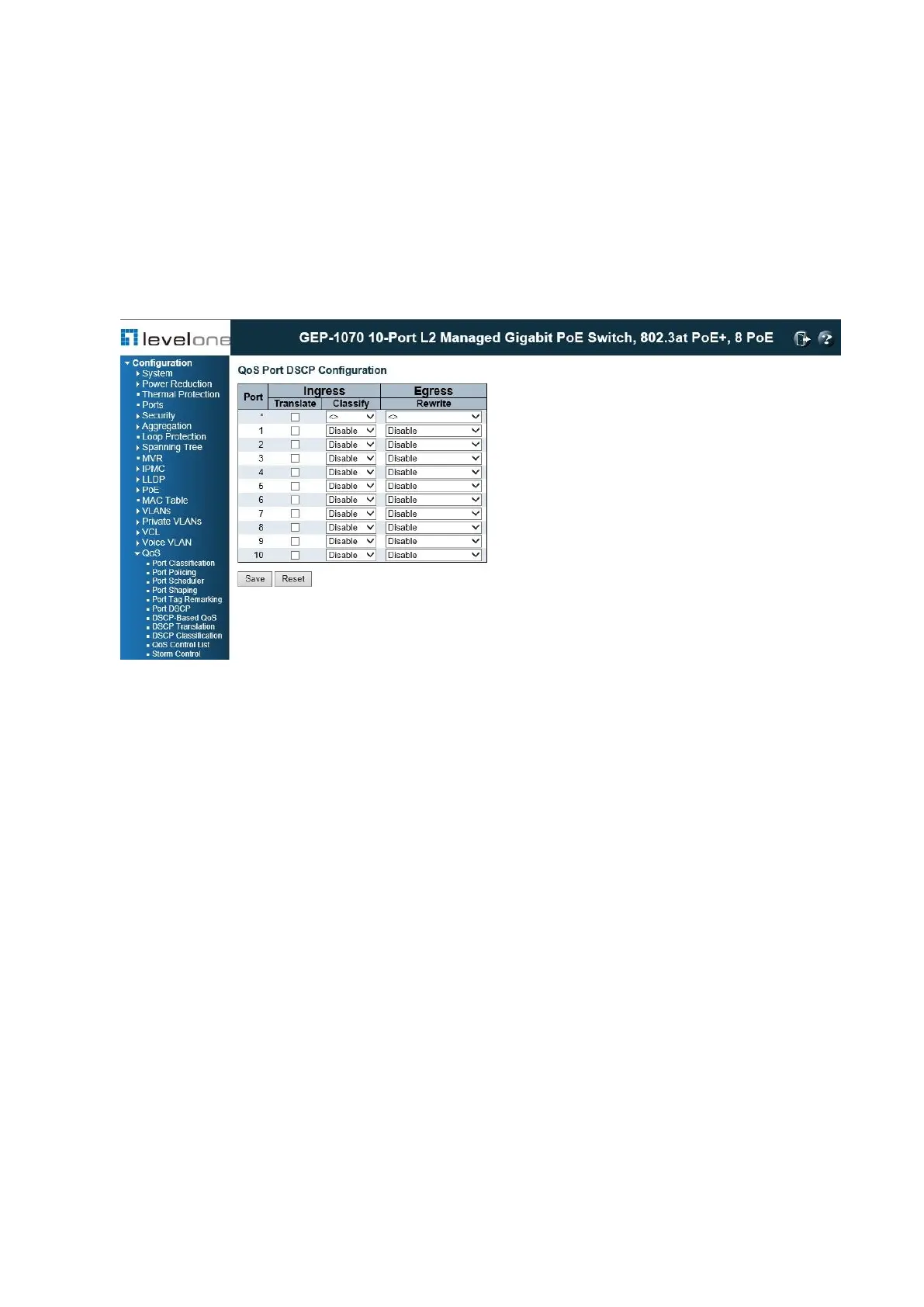
Configuring Port DSCP Translation and Rewriting
Use the QoS Port DSCP Configuration page to configure ingress translation and
classification settings and egress re-writing of DSCP values.
PATH
Configuration \ QoS \ Port DSCP
Figure 82: Configuring Port DSCP Translation and Rewriting
PARAMETERS
These parameters are displayed:
◆ Port – Port identifier.
◆ Ingress Translate – Enables ingress translation of DSCP values based on the specified
classification method.
◆ Ingress Classify – Specifies the classification method:
■ Disable – No Ingress DSCP Classification is performed.
■ DSCP=0 – Classify if incoming DSCP is 0.
■ Selected – Classify only selected DSCP for which classification is enabled in DSCP
Translation table.
■ All – Classify all DSCP.
◆ Egress Rewrite – Configures port egress rewriting of DSCP values:
■ Disable – Egress rewriting is not performed.
■ Enable – Egress rewriting is performed without remapping.
■ Remap DP Aware – Frame with DSCP from analyzer is remapped and remarked with the
remapped DSCP value. Depending on the frame’s DP level, the remapped DSCP value is
either taken from the DSCP Translation table, Egress Remap DP0 or DP1 field.














 To Next Page