206
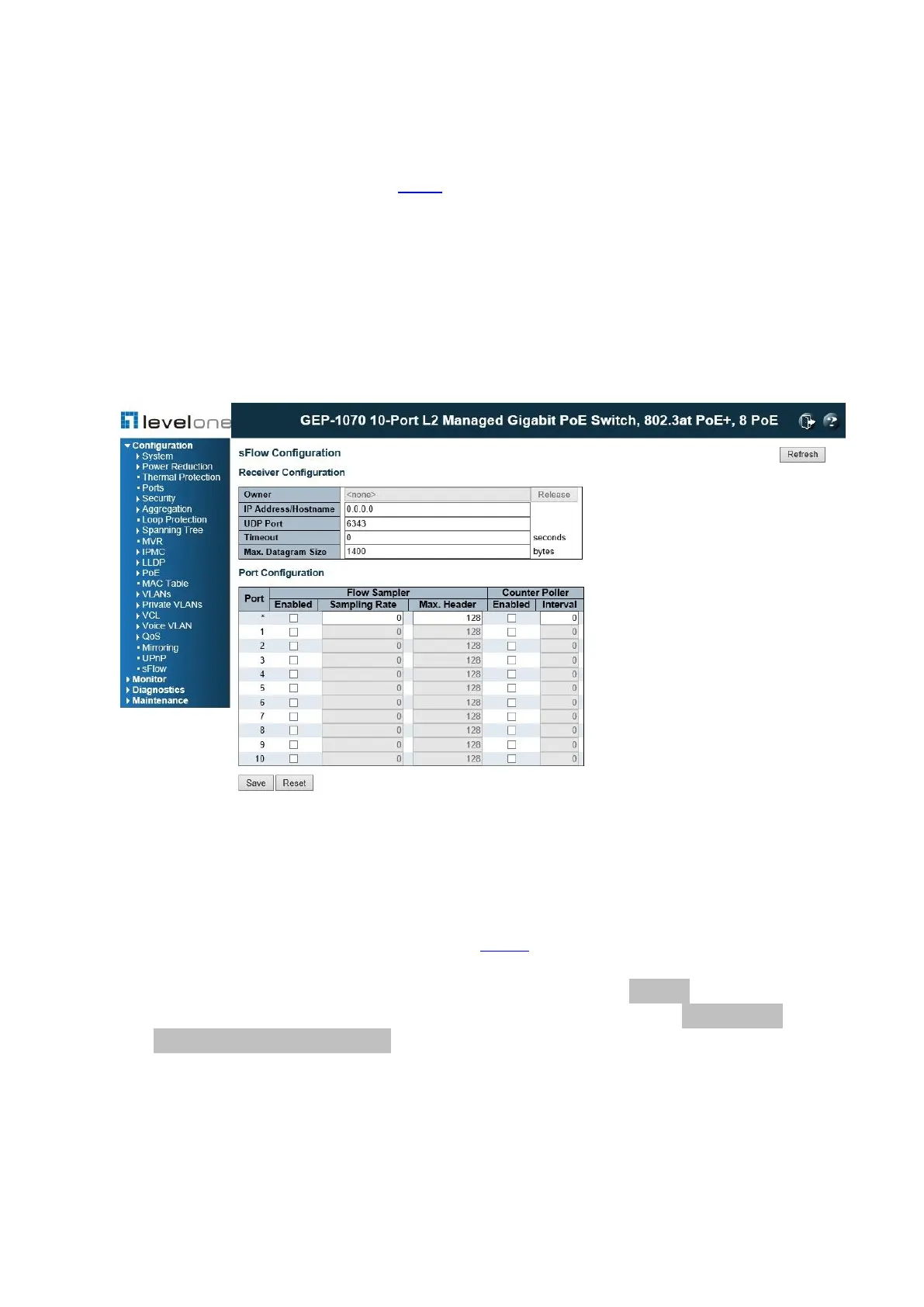
4.21. sFlow Agent
This page allows for configuring sFlow. The configuration is divided into two parts:
Configuration of the sFlow receiver (also known as sFlow collector) and configuration of per-
port flow and counter samplers. sFlow configuration is not persisted to non-volatile memory,
which means that a reboot will disable sFlow sampling.
PATH
Configuration \ sFlow Agent \ Receiver
Figure 90: sFlow Configuration
PARAMETERS
The Receiver Configuration parameters are displayed as follows:
◆ Owner – sFlow, basically can be configured in two ways: through local management
using the Web or CLI interface or through SNMP. This read-only field shows the owner
of the current sFlow configuration and assumes values as follows:
• If sFlow is currently unconfigured/unclaimed, Owner contains <none>.
• If sFlow is currently configured through Web or CLI, Owner contains <Configured
through local management>.
• If sFlow is currently configured through SNMP, Owner contains a string identifying the
sFlow receiver. If sFlow is configured through SNMP, all controls - except for the
[Release] button - are disabled to avoid inadvertent reconfiguration.
The [Release] button allows for releasing the current owner and disabling sFlow
sampling. The button is disabled if sFlow is currently unclaimed. If configured through
SNMP, the release must be confirmed (a confirmation request will appear).














 To Next Page