286
6. DIAGNOSTICS
This chapter describes how to test network connectivity using Ping for IPv4 or IPv6, and how
to test network cables.
6.1. Pinging
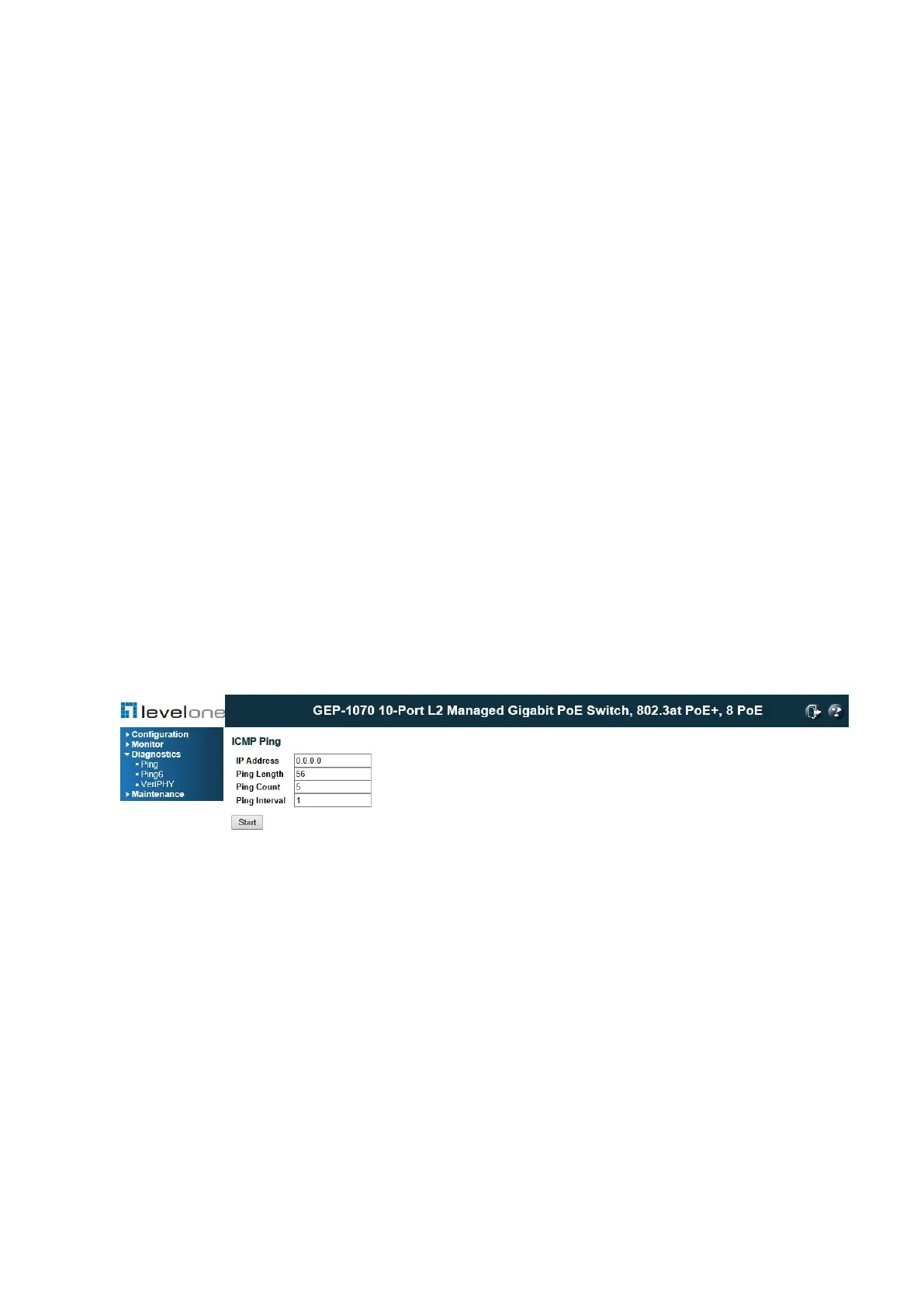
This Ping page allows you to issue ICMP ping packets to troubleshoot IP connectivity
issues.It is used to send ICMP echo request packets to another node on the network to
determine if it can be reached.
After you press , ICMP packets are transmitted, and the sequence number and roundtrip time
are displayed upon reception of a reply. The amount of data received inside of an IP packet
of type ICMP ECHO_REPLY will always be 8 bytes more than the requested data space (the
ICMP header). The page refreshes automatically until responses to all packets are received,
or until a timeout occurs.
PATH
Diagnostics \ Ping
Figure 147: ICMP Ping
PARAMETERS
These parameters are displayed on the Ping page:
◆ IP Address – IP address of the host. An IPv4 address consists of 4 numbers, 0 to 255,
separated by periods.
◆ Ping Length –The payload size of the ICMP packet. Values range from 2 bytes to 1452
bytes.
◆ Ping Count – The count of the ICMP packet. Values range from 1 time to 60 times.
◆ Ping Interval –The interval of the ICMP packet. Values range from 0 second to 30 seconds.
WEB INTERFACE
To ping another device on the network:














 To Next Page