284
5.15. sFlow Statistics
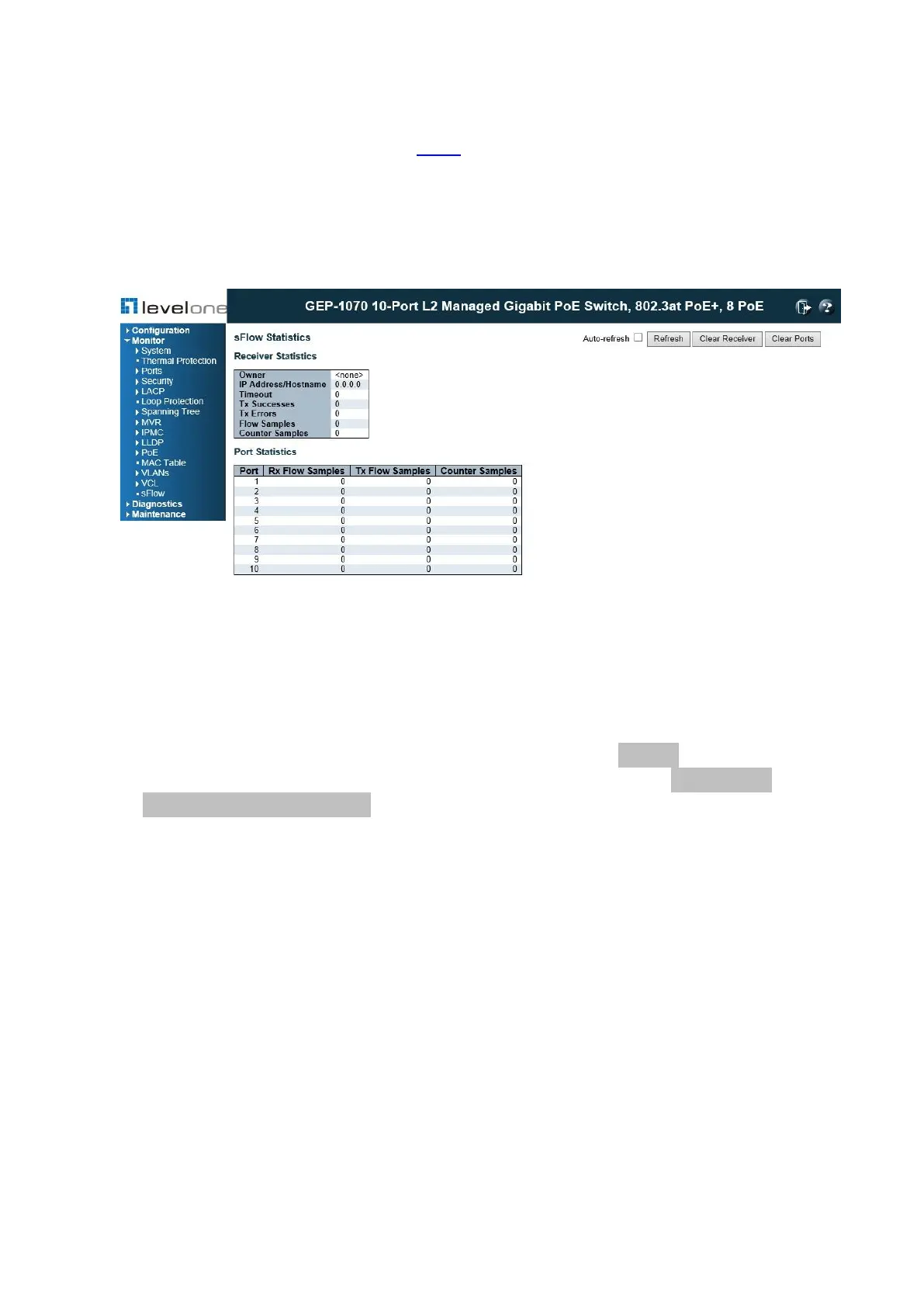
This page shows receiver and per-port sFlow statistics.
PATH
Monitor \ sFlow
Figure 146: sFlow Statistics
PARAMETERS
The Receiver Statistics parameters are displayed as follows:
◆ Owner – This field shows the current owner of the sFlow configuration. It assumes one of
three values as follows:
• If sFlow is currently unconfigured/unclaimed, Owner contains <none>.
• If sFlow is currently configured through Web or CLI, Owner contains <Configured
through local management>.
• If sFlow is currently configured through SNMP, Owner contains a string identifying the
sFlow receiver.
◆ IP Address/Hostname – The IP address or hostname of the sFlow receiver.
◆ Time Out – The number of seconds remaining before sampling stops and the current
sFlow owner is released.
◆ Tx Successes – The number of UDP datagrams successfully sent to the sFlow receiver.
◆ Tx Errors –The number of UDP datagrams that has failed transmission.
The most common source of errors is invalid sFlow receiver IP/hostname configuration.
To diagnose, paste the receiver's IP address/hostname into the Ping Web page
(Diagnostics → Ping/Ping6).
◆ Flow Samples – The total number of flow samples sent to the sFlow receiver.
◆ Counter Samples – The total number of counter samples sent to the sFlow receiver.














 To Next Page