165
retries, the switch will issue a PoE reboot to restart the PoE IP device.
PATH
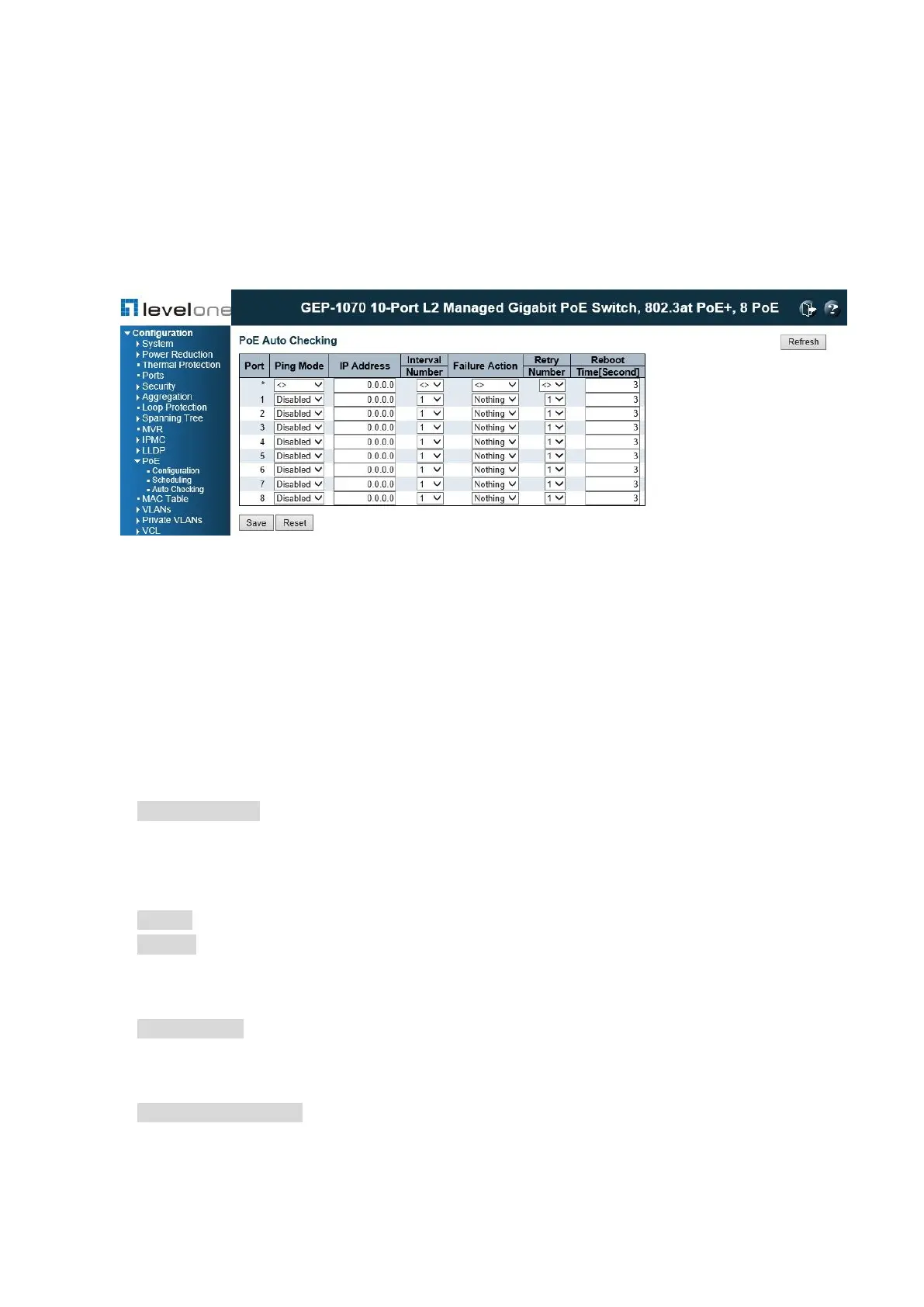
Configuration \ PoE \ Autochecking
Figure 65: Configuring PoE Autochecking
PARAMETERS
These parameters are displayed:
◆ Port – This is the logical port number for setting autochecking.
◆ Ping Mode – This is to enable / disable the PoE autochecking for the selected port.
◆ IP Address – This IP address is used to ping the PoE IP device connecting to the port.
◆ Interval Number – The Interval Number is the number of interval for IP checking. It takes
about 1 second to check each port, and about 9 seconds for one cycle interval.
Interval Number: = 1(9sec), 2(18sec), 3(27sec), 4(36sec), 6(54sec), 8(72sec), 12(108sec),
16(144sec).
◆ Failure Action – The Failure Action indicates the action will be taken when IP check fails
during the interval.
Reboot: To reboot the IP PoE device connecting to the port.
Nothing: To do nothing.
◆ Retry Number – The Retry Number indicates the number of retries of the IP check failures
before the failure action is taken.
Retry Number: 1 ~ 5. It starts counting the retry number after the first IP check fails.
◆ Reboot Time – The Reboot Time indicates the time duration of PoE OFF, before turning
PoE ON again.
Reboot Time[Second]: 3 ~ 120 seconds.














 To Next Page