185
PARAMETERS
These parameters are displayed:
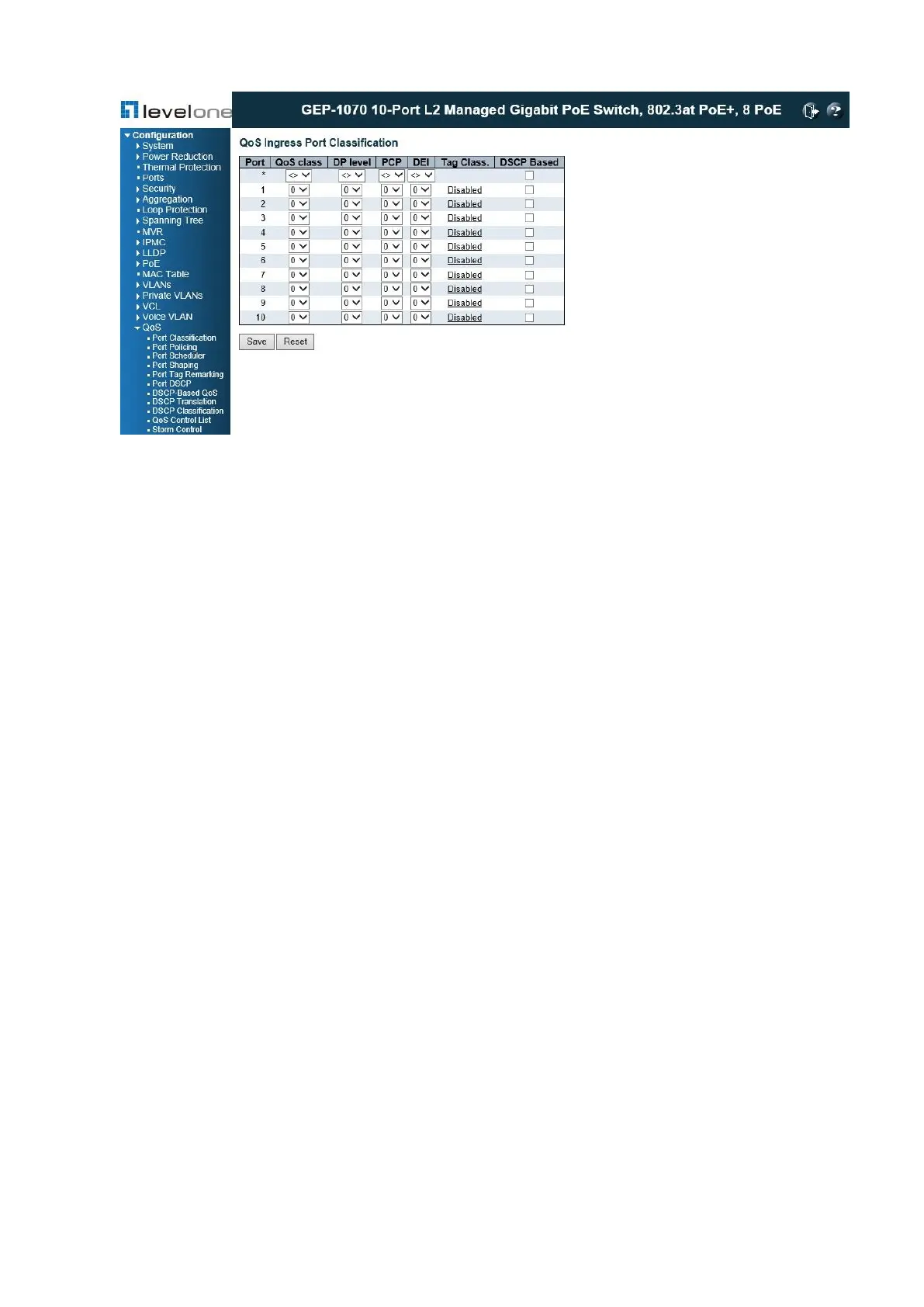
QoS Ingress Port Classification
◆ Port – Port identifier.
◆ QoS class – Controls the default QoS class, i.e., the QoS class for frames not classified in
any other way. There is a one to one mapping between QoS class, queue and priority. A
QoS class of 0 (zero) has the lowest priority. (Range: 0-7; Default: 0)
◆ DP level – Controls the default drop priority for frames not classified in any other way.
(Range: 0-1; Default: 0)
◆ PCP – Controls the default Priority Code Point (or User Priority) for untagged frames.
(Range: 0-7; Default: 0)
◆ DEI – Controls the default Drop Eligible Indicator for untagged frames. (Range: 0-1;
Default: 0)
◆ Tag Class. – Shows classification mode for tagged frames on this port:
■ Disabled – Uses the default QoS class and DP level for tagged frames.
■ Enabled – Uses the mapped versions of PCP and DEI for tagged frames. Click on the
mode in order to configure the mode and/or mapping.
◆ DSCP Based – Click to Enable DSCP Based QoS Ingress Port Classification.
QoS Ingress Port Tag Classification
◆ Tag Classification – Sets classification mode for tagged frames on this port:
■ Disabled – Uses the default QoS class and DP level for tagged frames. (This is the
default.)
■ Enabled – Uses the mapped versions of PCP and DEI for tagged frames.














 To Next Page