211
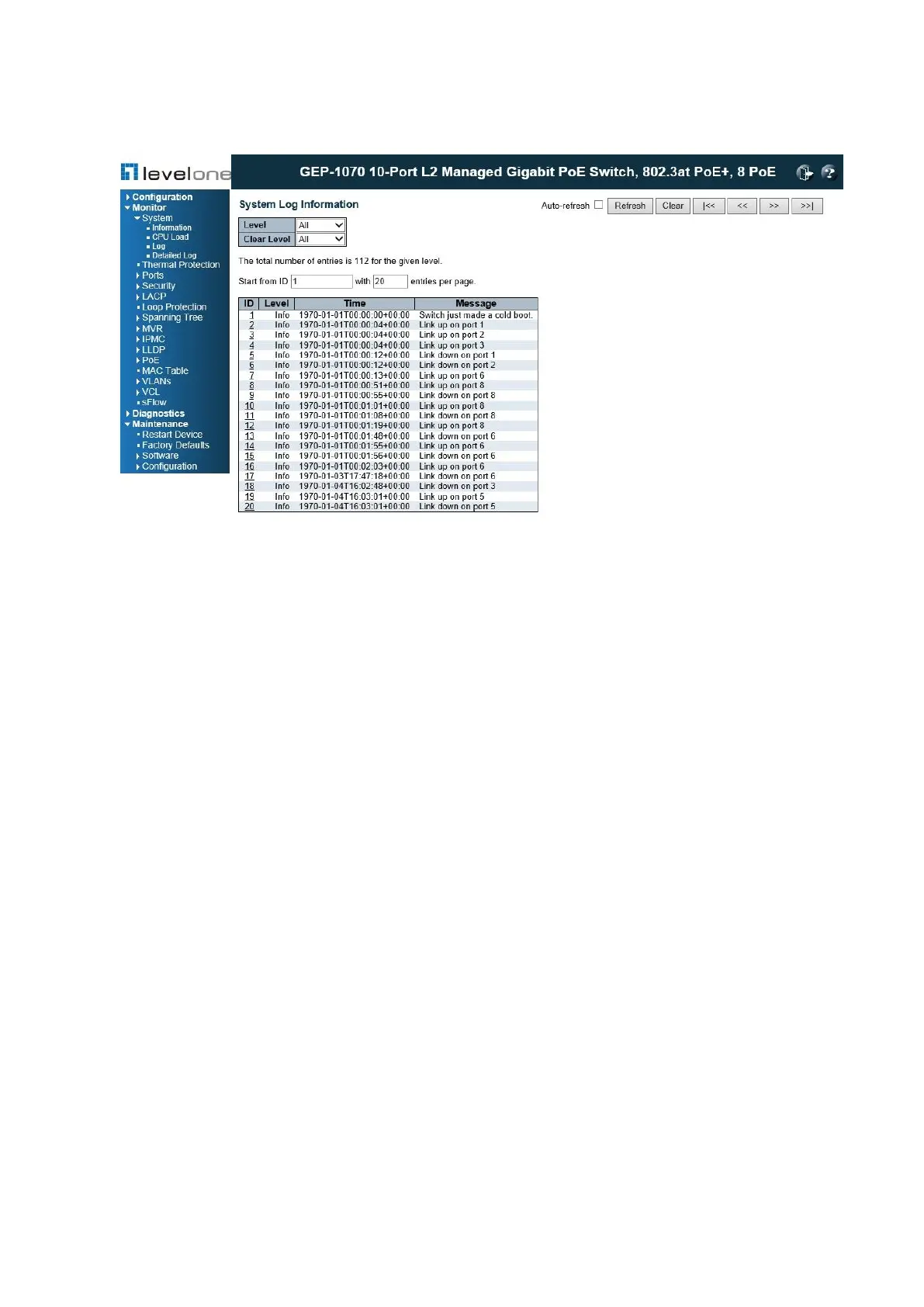
Figure 93: System Log Information
PARAMETERS
These parameters are displayed:
Display Filter
◆ Level – Specifies the type of log messages to display.
■ Info – Informational messages only.
■ Warning – Warning conditions.
■ Error – Error conditions.
■ All – All levels.
◆ Start from ID – The error ID from which to start the display.
◆ with # entries per page – The number of entries to display per page.
Table Headings
◆ ID – Error ID.
◆ Level – Error level as described above.
◆ Time – The time of the system log entry.
◆ Message – The message text of the system log entry.
WEB INTERFACE
To display the system log:














 To Next Page