231
WEB INTERFACE
To display ACL status:
1. Click Monitor, Security, Network, ACL Status.
2. Select a software module from the scroll-down list.
Displaying DHCP
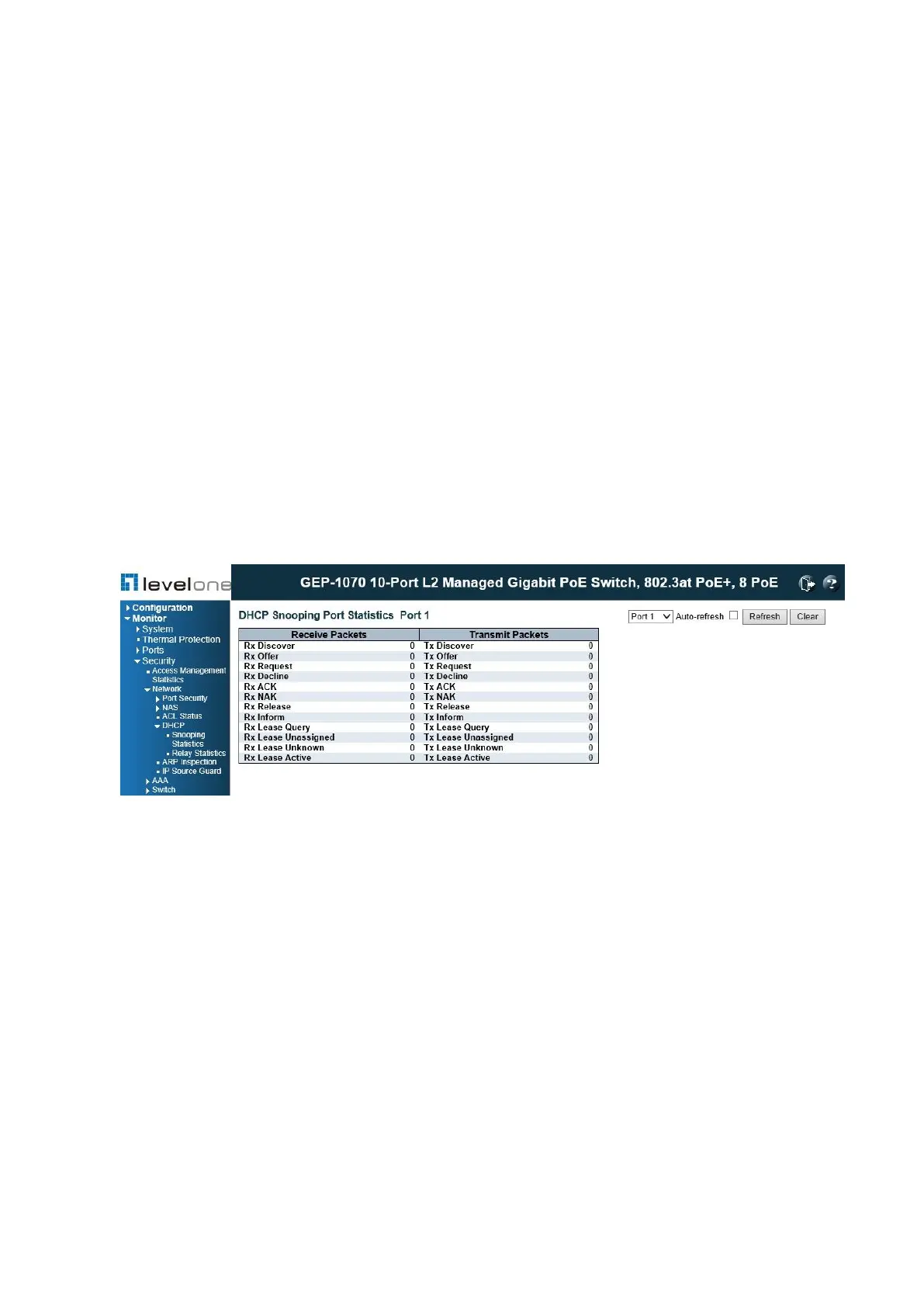
Displaying DHCP Snooping Statistics
Use the DHCP Snooping Port Statistics page to show statistics for various types of DHCP
protocol packets.
PATH
Monitor \ Security \ Network \ DHCP \ Snooping Statistics
Figure 107: DHCP Snooping Statistics
PARAMETERS
These parameters are displayed:
◆ Rx/Tx Discover – The number of discover (option 53 with value 1) packets received and
transmitted.
◆ Rx/Tx Offer – The number of offer (option 53 with value 2) packets received and
transmitted.
◆ Rx/Tx Request – The number of request (option 53 with value 3) packets received and
transmitted.
◆ Rx/Tx Decline – The number of decline (option 53 with value 4) packets received and
transmitted.
◆ Rx/Tx ACK – The number of ACK (option 53 with value 5) packets received and
transmitted.














 To Next Page