294
primary image slot and activate this.
2. The firmware version and date information may be empty for older firmware releases.
This does not constitute an error.
PATH
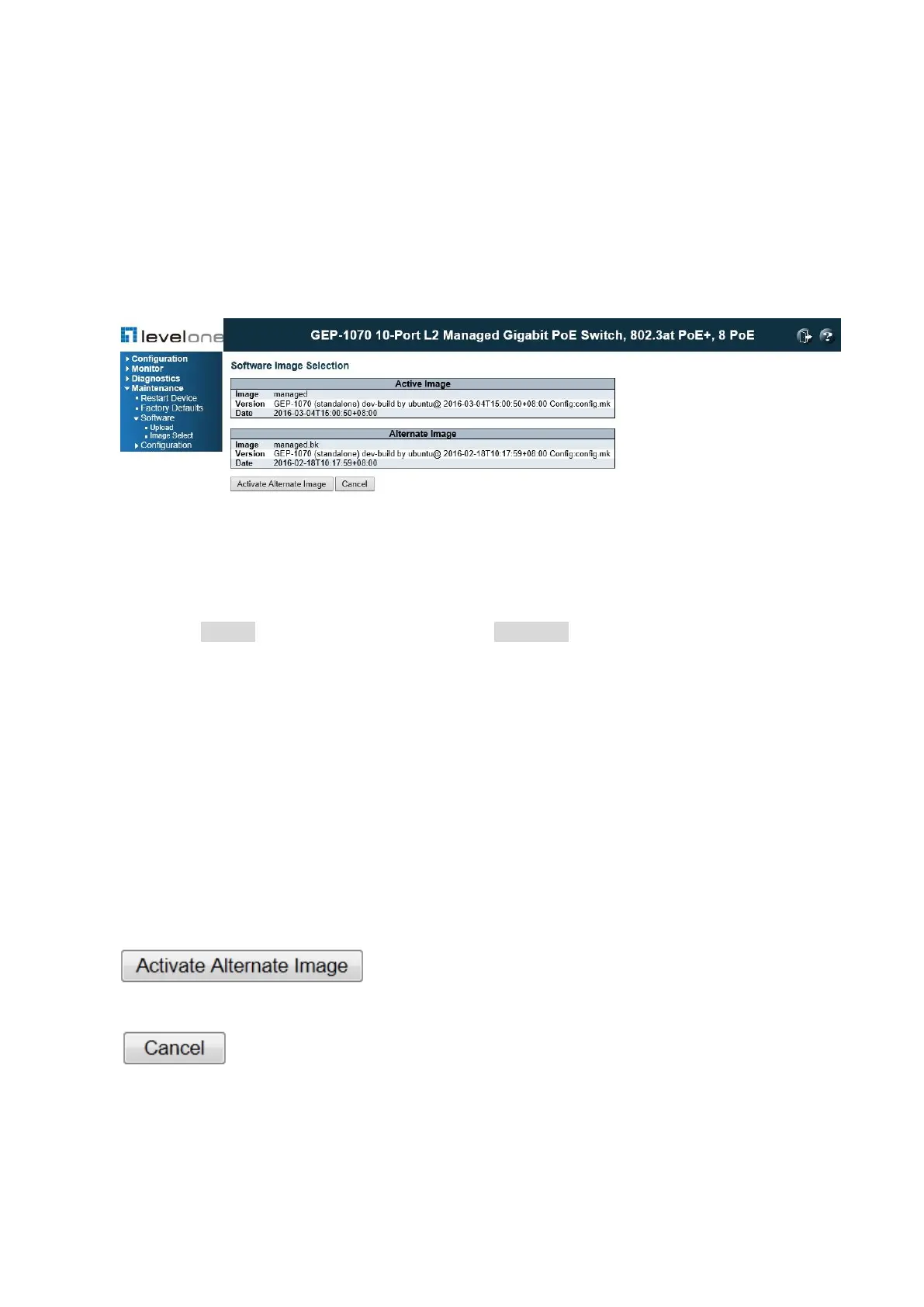
Maintenance \ Software \ Image Select
Figure 153: Software Image Select
PARAMETERS
These parameters are displayed on the Ping page:
◆ Image – The flash index name of the firmware image. The name of primary (preferred)
image is image , the alternate image is named image.bk .
◆ Version – The version of the firmware image.
◆ Date –The date where the firmware was produced.
WEB INTERFACE
To upgrade firmware:
1. Click Maintenance, Software, Upload.
2. Click the Browse button, and select the firmware file.
3. Click the Upload button to upgrade the switch’s firmware.
: Click to use the alternate image. This button may be disabled
depending on system state.
: Cancel activating the backup image. Navigates away from this page
After the software image is uploaded, a page announces that the firmware update has been
initiated. After about a minute, the firmware is updated and the switch is rebooted.














 To Next Page