47
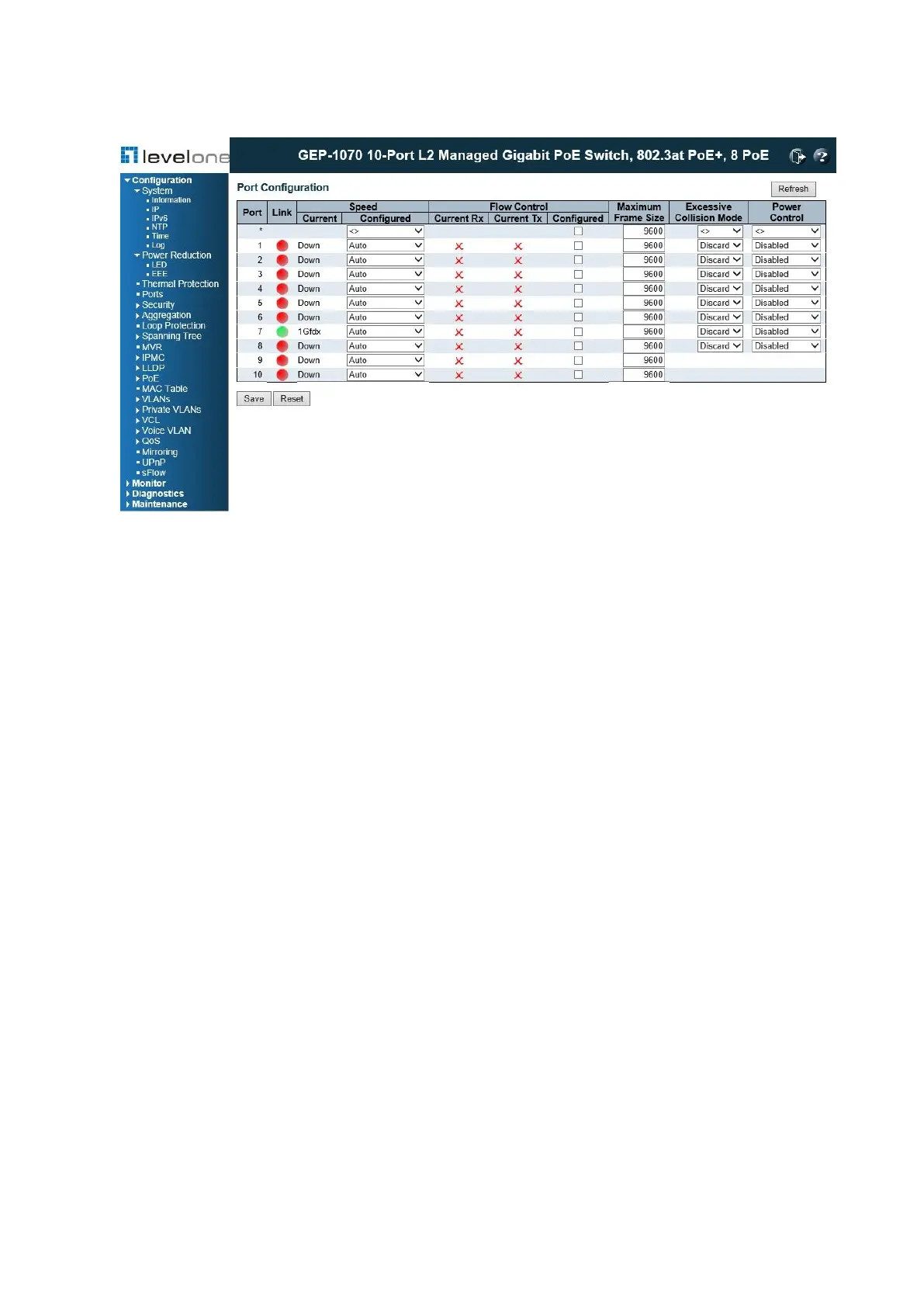
Figure 11: Port Configuration
PARAMETERS
These parameters are displayed:
◆ Link – Indicates if the link is up or down.
◆ Speed – Sets the port speed and duplex mode using auto-negotiation or manual selection.
The following options are supported:
■ Disabled - Disables the interface. You can disable an interface due to abnormal
behavior (e.g., excessive collisions), and then re-enable it after the problem has been
resolved. You may also disable an interface for security reasons.
■ Auto - Enables auto-negotiation. When using auto-negotiation, the optimal settings will
be negotiated between the link partners based on their advertised capabilities.
■ 1Gbps FDX - Supports 1 Gbps full-duplex operation
■ 100Mbps FDX - Supports 100 Mbps full-duplex operation
■ 100Mbps HDX - Supports 100 Mbps half-duplex operation
■ 10Mbps FDX - Supports 10 Mbps full-duplex operation
■ 10Mbps HDX - Supports 10 Mbps half-duplex operation
(Default: Autonegotiation enabled; Advertised capabilities for RJ-45: 1000BASE-T -
10half, 10full, 100half, 100full, 1000full; SFP: 1000BASE-SX/LX/LH - 1000full)
Note: The 1000BASE-T standard does not support forced mode. Auto- negotiation should
always be used to establish a connection over any 1000BASE-T port or trunk. If not used,
the success of the link process cannot be guaranteed when connecting to other types of
switches.














 To Next Page