65
Setting SNMPV3 Community Access Strings
Use the SNMPv3 Community Configuration page to set community access strings. All
community strings used to authorize access by SNMP v1 and v2c clients should be listed in
the SNMPv3 Communities Configuration table. For security reasons, you should consider
removing the default strings.
PATH
Configuration \ Security \ Switch \ SNMP \ Communities
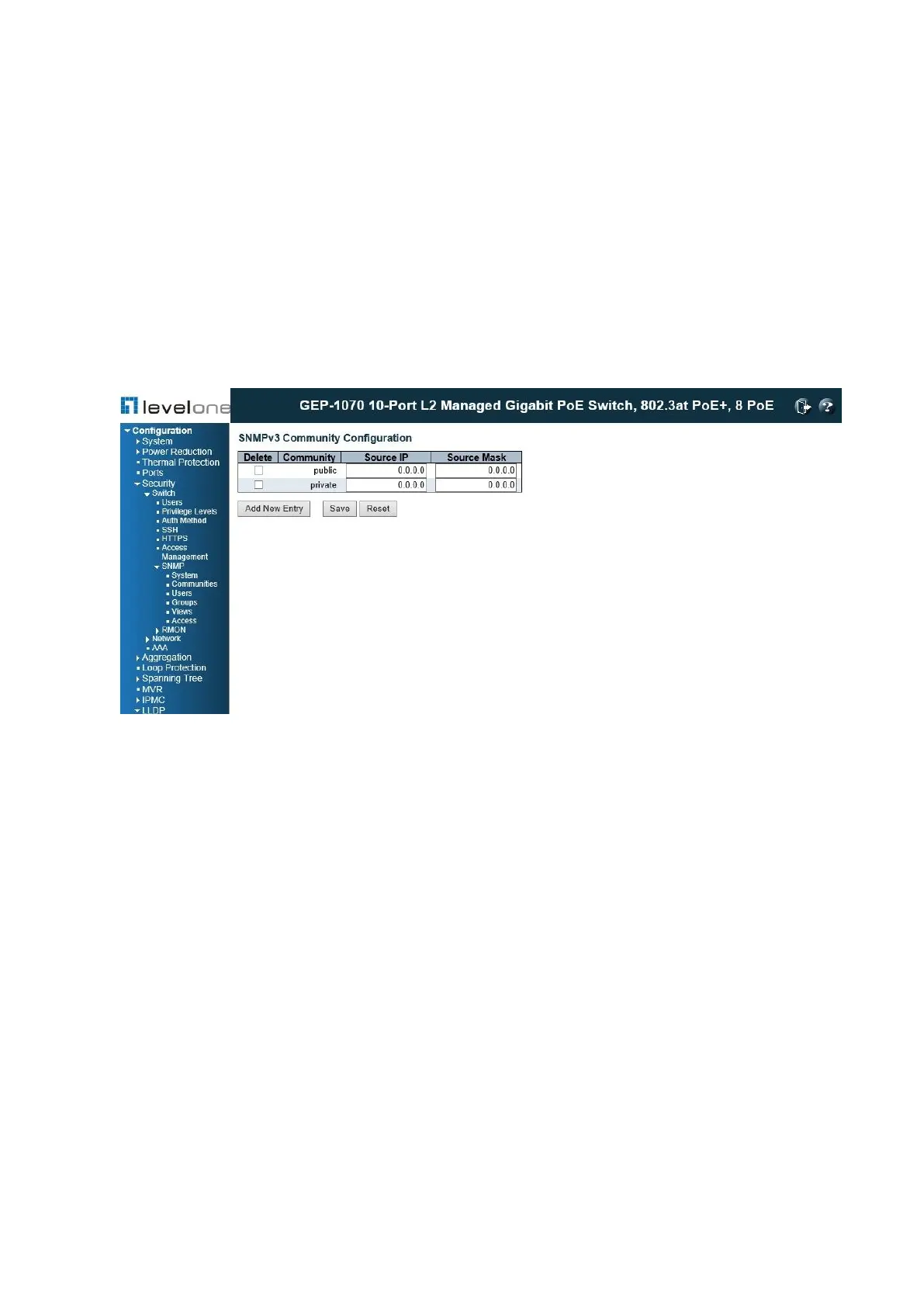
Figure 20: SNMPv3 Community Configuration
PARAMETERS
These parameters are displayed:
◆ Community – Specifies the community strings which allow access to the SNMP agent.
(Range: 1-32 characters, ASCII characters 33-126 only; Default: public, private) For
SNMPv3, these strings are treated as a Security Name, and are mapped as an SNMPv1
or SNMPv2 community string in the SNMPv3 Groups Configuration table.
◆ Source IP – Specifies the source address of an SNMP client.
◆ Source Mask – Specifies the address mask for the SNMP client.
WEB INTERFACE
To configure SNMP community access strings:
1. Click Configuration, Security, Switch, SNMP, Communities.
2. Set the IP address and mask for the default community strings. Otherwise, you should
consider deleting these strings for security reasons.
3. Add any new community strings required for SNMPv1 or v2 clients that need to access the














 To Next Page