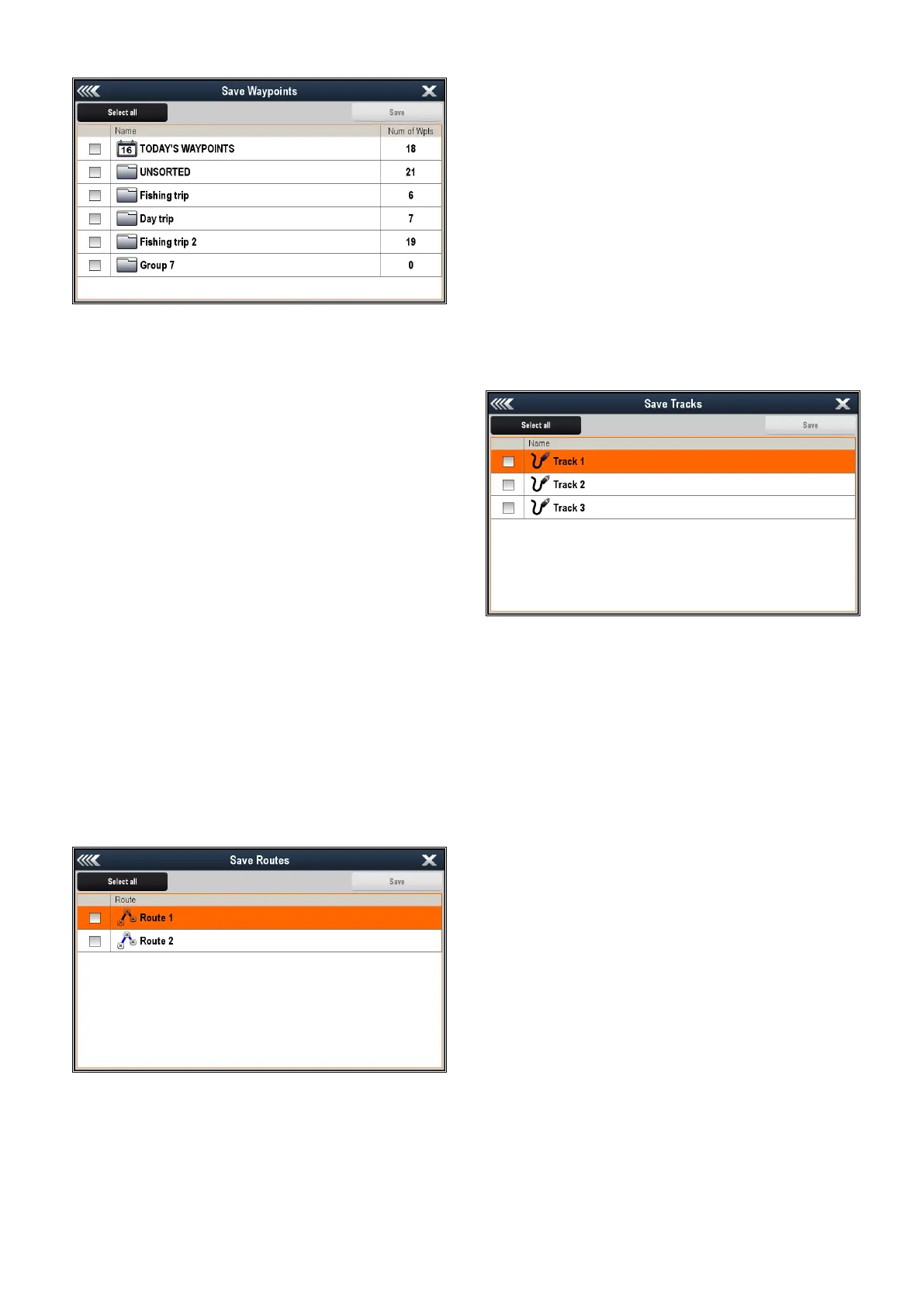
5.SelectSaveWaypointstoCard.
TheWaypointGrouplistisdisplayed.
6.Selectthegrouporgroupsyouwanttosave,or
selectSelectAll.
7.SelectSave.
Theon-screenkeyboardisdisplayed.
8.Usingtheon-screenkeyboardenterthelename
youwanttosavetheleas.
9.SelectSAVE.
Ifyourdisplayhasmorethan1cardslotthena
messageisdisplayedpromptingyoutoselectthe
slotyouwanttosavedatato,ifyourdisplayonly
has1cardslotthenyouwillnotbeprompted.
10.SelectSD1foramemorycardinthetopcardslot,
orSD2foramemorycardinthebottomcardslot.
Aconrmationdialogisdisplayed.
11.SelectOK.
Savingroutestoamemorycard
WiththeHomescreendisplayed:
1.Ensureyouhaveamemorycard(NOTachart
card)insertedintoacardslot.
2.SelectMyData.
3.SelectImport/Export.
4.SelectSaveDatatoCard.
5.SelectSaveRoutestoCard.
TheRouteslistisdisplayed.
6.Selecttherouteorroutesyouwanttosave,or
selectSelectAll.
7.SelectSave.
Theon-screenkeyboardisdisplayed.
8.Usingtheon-screenkeyboardenterthelename
youwanttosavetheleas.
9.SelectSAVE.
Ifyourdisplayhasmorethan1cardslotthena
messageisdisplayedpromptingyoutoselectthe
slotyouwanttosavedatato,ifyourdisplayonly
has1cardslotthenyouwillnotbeprompted.
10.SelectSD1foramemorycardinthetopcardslot,
orSD2foramemorycardinthebottomcardslot.
Aconrmationdialogisdisplayed.
11.SelectOK.
Savingtrackstoamemorycard
WiththeHomescreendisplayed:
1.Ensureyouhaveamemorycard(NOTachart
card)insertedintoacardslot.
2.SelectMyData.
3.SelectImport/Export.
4.SelectSaveDatatoCard.
5.SelectSaveTrackstoCard.
TheTrackslistisdisplayed.
6.Selectthetrackortracksyouwanttosave,or
selectSelectAll.
7.SelectSave.
Theon-screenkeyboardisdisplayed.
8.Usingtheon-screenkeyboardenterthelename
youwanttosavetheleas.
9.SelectSAVE.
Ifyourdisplayhasmorethan1cardslotthena
messageisdisplayedpromptingyoutoselectthe
slotyouwanttosavedatato,ifyourdisplayonly
has1cardslotthenyouwillnotbeprompted.
10.SelectSD1foramemorycardinthetopcardslot,
orSD2foramemorycardinthebottomcardslot.
Aconrmationdialogisdisplayed.
11.SelectOK.
Importingwaypoints,routes,ortracksfrom
amemorycard
WiththeHomescreendisplayed:
1.Ensureyouhaveamemorycardcontainingthe
userdataingpxformatinoneofthecardslots.
2.SelectMyData.
3.SelectImport/Export.
4.SelectRetrievefromCard.
Thelebrowserisopened.
126aSeries/cSeries/eSeries



 To Next Page