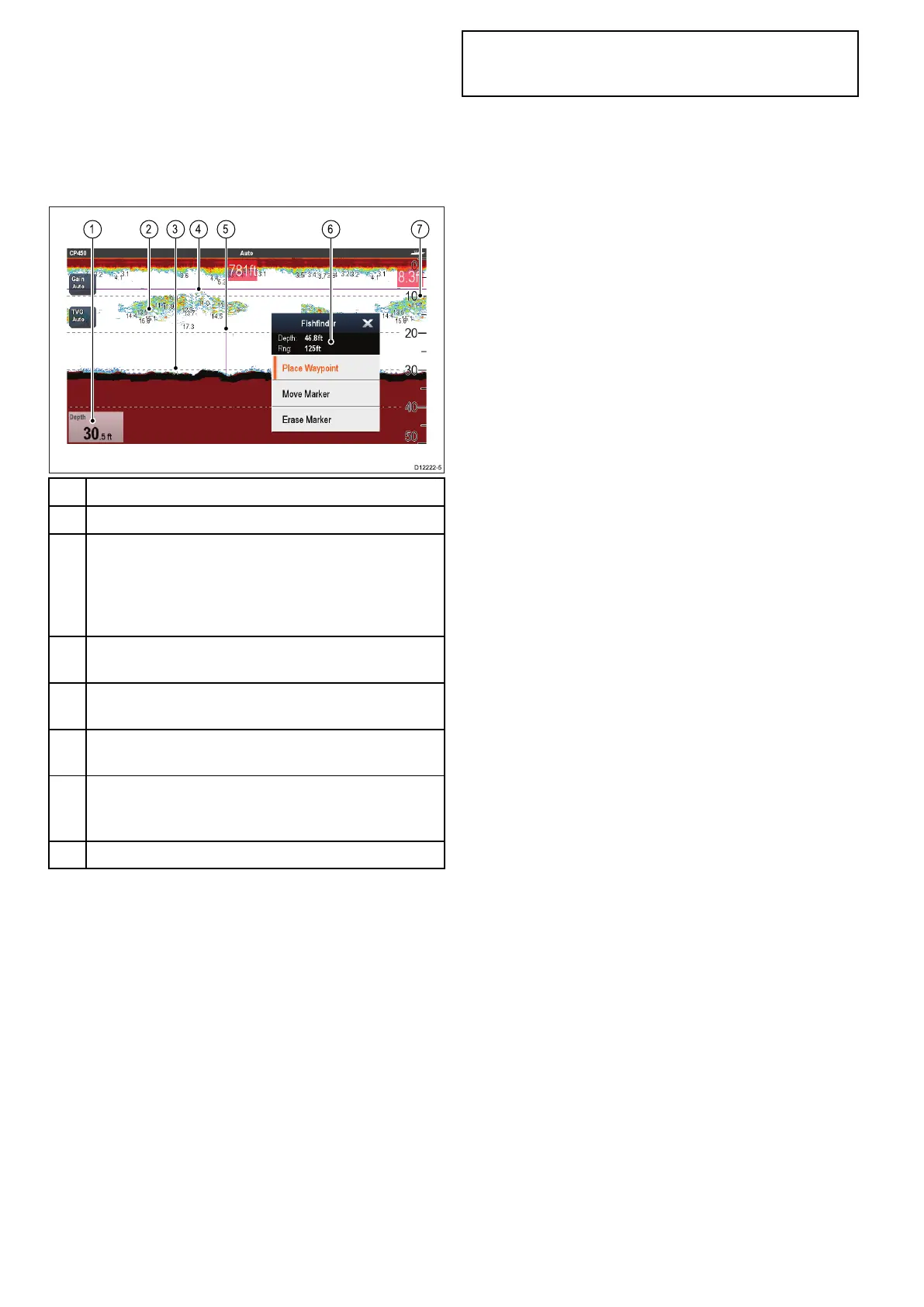
19.14Depthanddistance
Legacy,TraditionalCHIRPandDownVision
TM
sonar
modulesusethererespectivetransducerstoobtain
depthreadings.SideVision
TM
canonlydisplay
depthreadingswhenaseparatesourcefordepthis
availableonthenetwork.
TheFishnderapplicationprovidesanumberof
featurestohelpyoudeterminedepthanddistance.
Description
1
Depthreading—currentdepthofbottom.
2DepthTargetID—depthsaredisplayedagainst
recognizedtargets.ThesensitivityoftheseIDsis
directlylinkedtotheFishAlarmsensitivity;thegreater
theshalarmsensitivity,thegreaterthenumberof
labelledtargets.
3Depthlines—horizontaldashedlinesdrawnatregular
intervalstoindicatethedepthfromthesurface.
4
HorizontalVRMmarker—indicatesthedepthofthe
target.
5
VerticalVRMmarker—indicatesthedistancebehind
yourvessel.
6
CursorDepth—thisisthedepthofthecursorposition.
CursorRange—thisistherangefromyourvesselto
thecursorposition.
7
Depthmarkers—thesenumbersindicatedepth.
MeasuringdepthanddistancewithVRM
YoucanuseaVariableRangeMarker(VRM)to
determineanobject'sdepthanddistancebehindyour
vessel.Thesemarkersconsistofahorizontal(depth)
lineandavertical(distance)line,eachofwhichare
labelledwiththeappropriatemeasurement.
FromtheFishnderapplication:
1.SelectMenu
2.SelectScrollsothatPauseishighlighted(This
maymakeiteasiertopositionthemarker).
SelectingScrollwillswitchthescrollbetween
PauseandResume.
3.Selectthelocationyouwanttoplacethemarker.
4.OpentheFishndercontextmenu.
5.SelectPlaceMarker.
Onceplacedyoucanmovethemarkerby
selectingMoveMarkerfromtheFishnder
contextmenu.
Note:TheVRMisonlyavailableinBottomLock
modewhenviewingthedisplaymodeinSplit
screen.
280aSeries/cSeries/eSeries



 To Next Page