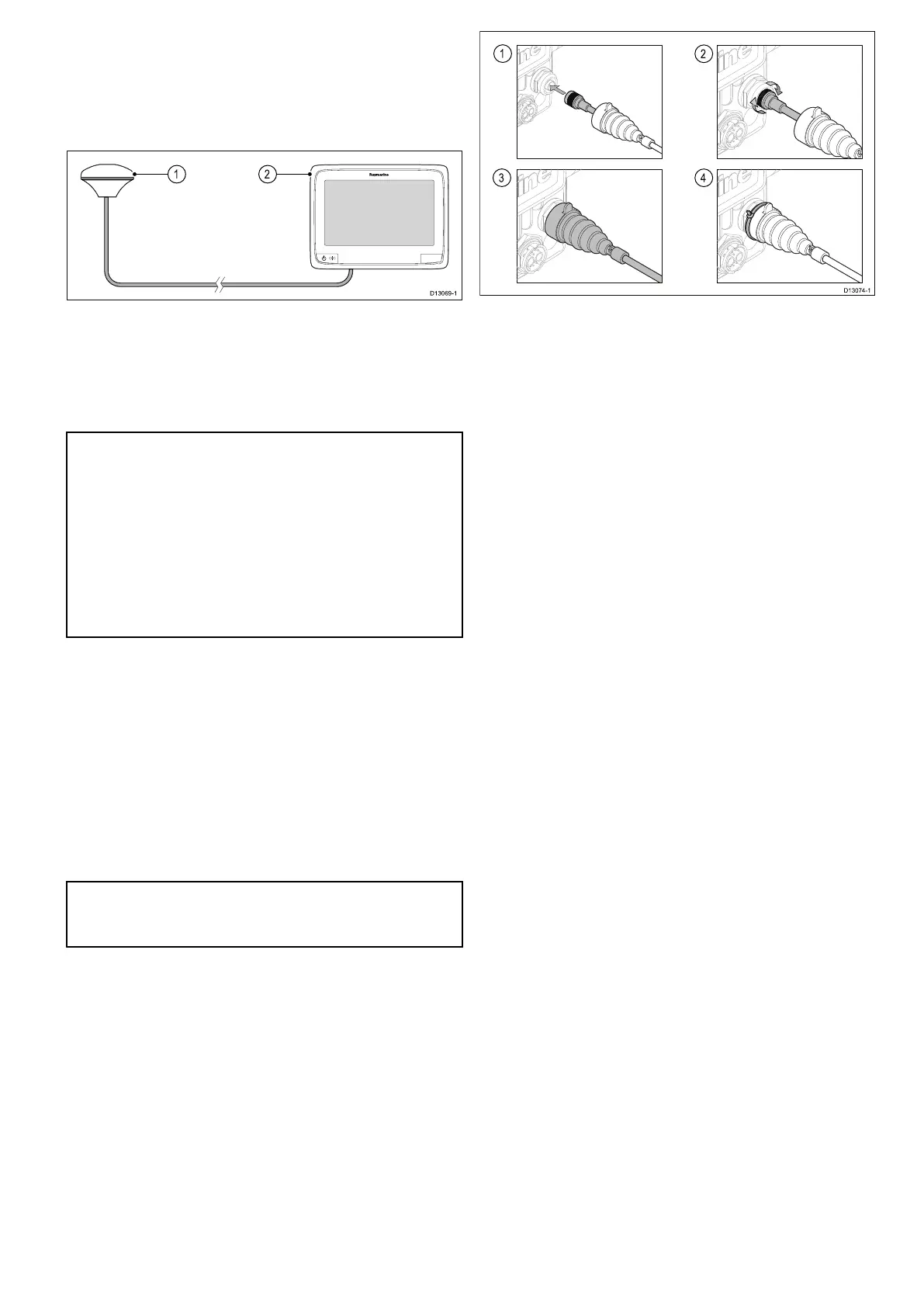
4.15GA150connection
a9xanda12xMFDsincludeaninternalGNSS(GPS
/GLONASS)receiver.TheGA150antennacan
beusedtoimprovetheGNSS(GPS/GLONASS)
receiver’sreception.
1.GA150antenna
2.a9xora12xvariantMFD
Forinstallationdetailsforyourexternalantenna,
refertothedocumentationthataccompaniedthe
antenna.
Note:
•TheBeidouGNSSissupportedbutnotcurrently
available.
•AGA150mustbeconnectedinordertoreceive
theBeidousystemwhenitbecomesavailable.
•Asoftwareupdatewillberequiredtoadd
supportforBeidouoncethesystemisavailable.
PleasecheckwithyourRaymarinedealerfor
furtherdetails.
Antennacablelength
TheGA150issuppliedwithatted10m(33ft.)
cable.Thelengthoftheantennacablecanbe
extendedifrequired.
Theantennacablelengthcanbeextendedbyupto
10m(33ft.)givingatotalmaximumcablelength
of20m(66ft.)
50ohmcoaxialcableandreliableconnectors
(offeringprotectionagainstwateringress)mustbe
usedwhenextendingtheantennacable.
Note:Extendingthecablelengthbymorethan
therecommendedmaximumlengthwillresultin
signaldegradation.
Connectinganexternalantenna
FollowthestepsbelowtoconnecttheGA150
externalantennatoyoura9xora12xvariantMFD.
1.Fullyinserttheantenna’scableconnectorinto
theGA150connectorontherearofyourdisplay.
2.TurnthelockingcollarclockwiseuntilTIGHT.
3.Pushtoprotectivebootovertheconnectionon
thebackofthedisplay.
4.Usethesuppliedcabletietosecuretheprotective
bootovertheconnection.
Cablesandconnections69



 To Next Page