6.12Multi-Touchgestures
RaymarineaSeriesandgSSeriesmultifunction
displayssupportmulti-touch.
Multi-touchmeansthatthedisplayiscapableof
recognizingmultiplesimultaneoustouchinputs.
Thismeansthatyoucanuse2ormorengerson
thescreenatthesametimetoperformmulti-touch
gestures.
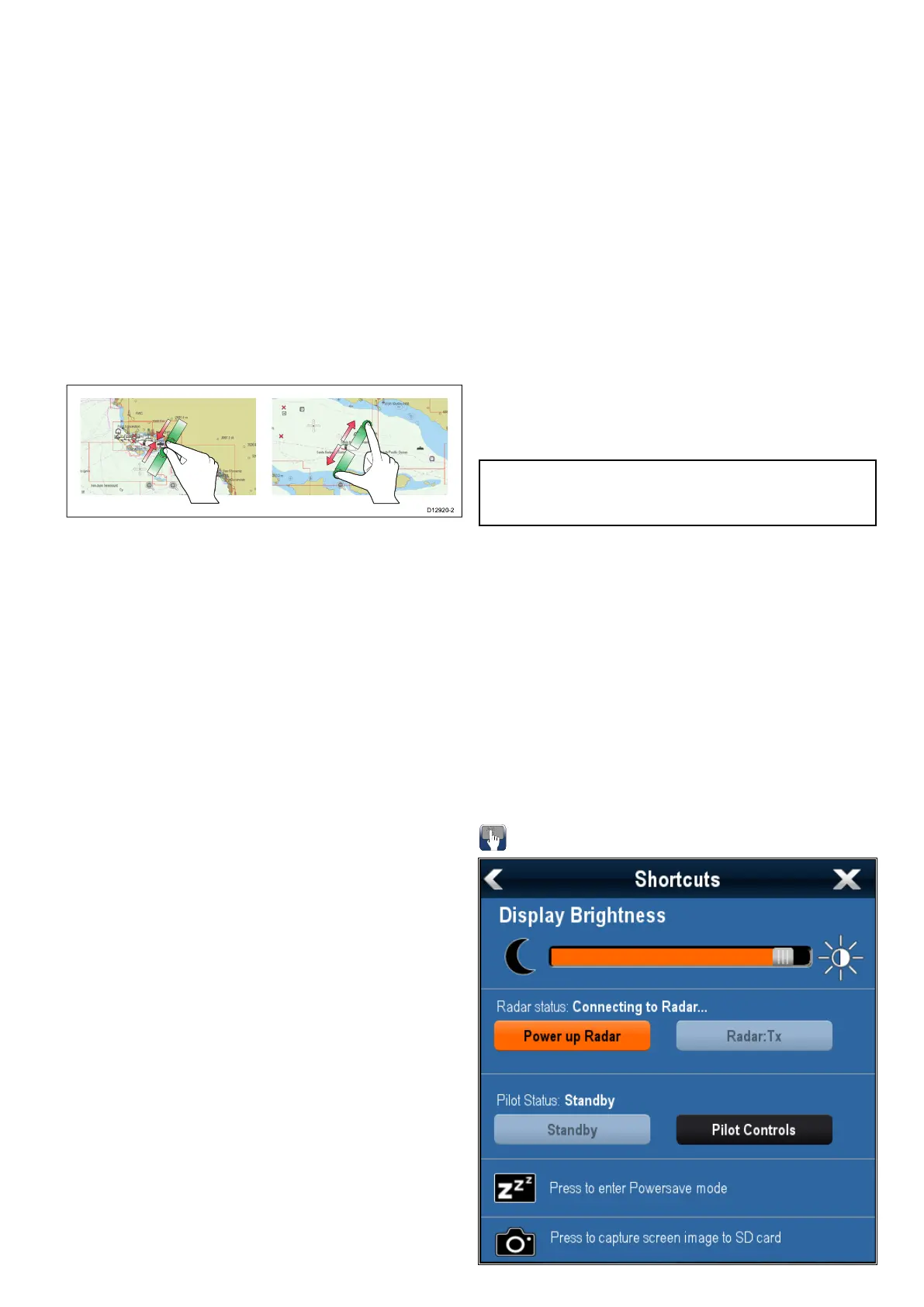
PinchtoZoom
Thepinchtozoomgesturescanbeperformedon
multifunctiondisplaysthatsupportmulti-touch.
Pinchtozoomconsistsof2actions:
•Move2ngersaparttozoomin.
•Move2ngerstogethertozoomout.
PinchtoZoomcanbeusedinthefollowing
applications:
•Chartapplication.
•Weatherapplication.
6.13Initialsetupprocedures
Onceyourdisplayhasbeeninstalledand
commissioned,Raymarinerecommendsthatyou
performaninitialsetupprocedure.
Startupwizard
Whenyoupower-upthedisplayforthersttimeor
afterasystemresetaStartupWizardisdisplayed.
Thewizardguidesyouthroughthefollowingbasic
congurationsettings:
1.Language
2.Boattype
3.CongureUnits(Unitsofmeasure)
4.BoatDetails
•MinimumSafeDepth
•Numberofengines
•Totalfuelcapacity(TFC)
•Numberoffueltanks
•Numberofbatteries
Note:Thesesettingscanalsobesetatanytime
usingthemenusaccessiblefromHomescreen
>Customize.
Additionalsettings
InadditiontothesettingscoveredbytheWizard,
itisalsorecommendedthatthefollowinginitialset
uptasksarecompleted:
•Setyourdateandtimepreferences.
•Adjustthedisplaybrightness(andsetupashared
brightnessschemeifappropriate).
•Designatethedatamaster.
•SelecttheGPSdatasource.
•Familiarizeyourselfwiththeproductusing
SimulatorMode.
Adjustingthedisplaybrightness
Gettingstarted
103



 To Next Page