2.2Handbookconventions
Thefollowingconventionsareusedthroughoutthishandbookwhenreferringto:
TypeExampleConvention
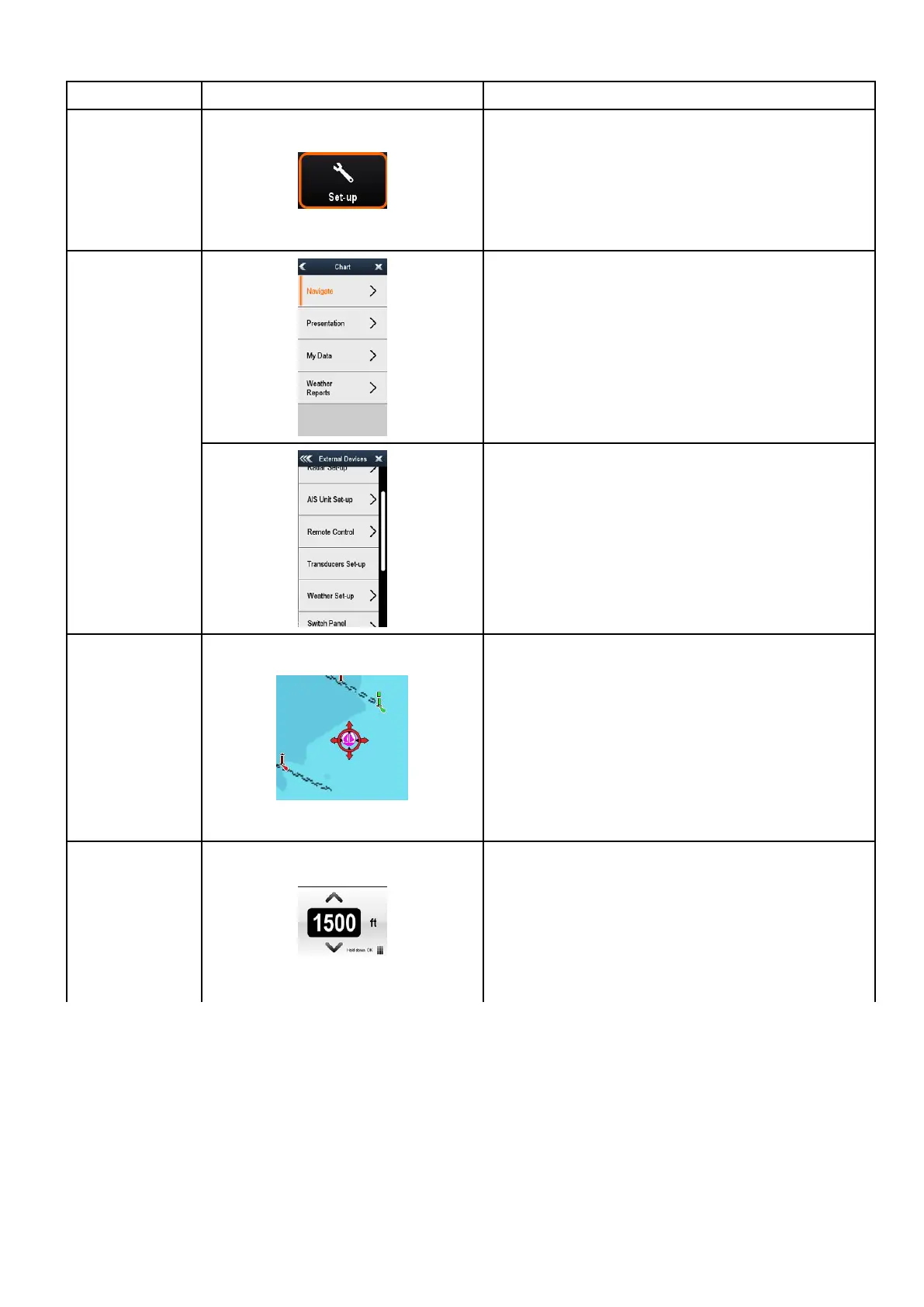
Icons Theterm"select"isusedinproceduresinvolvingiconsto
refertotheactionofselectinganon-screenicon,eitherusing
touchorphysicalbuttons:
•Touch—Pressyourngerontheicontoselect.
•Physicalbuttons—UsetheJoysticktohighlightthe
iconandpresstheOkbutton.
Theterm"select"isusedinproceduresinvolvingmenus
torefertotheactionofselectingamenuitem,eitherusing
touchorphysicalbuttons:
•Touch—Pressyourngerontheicontoselect.
•Physicalbuttons—UsetheJoysticktohighlightthe
iconandpresstheOkbutton.
Menus
Theterm“scroll”isusedinproceduresinvolvingmenusand
dialogstorefertotheactionofscrollingalistormenu,either
bytouchorphysicalbuttons:
•Touch—Pressyourngeronthemenuandslideupor
downtoscroll.
•Physicalbuttons—TurntheRotarycontrolclockwise
oranti—clockwisetoscroll.
.
Applications Theterm“select”isusedinproceduresinvolvingapplications
torefertotheactionofselectingalocation,objectortarget
on-screenusingtouchorphysicalbuttons:
•Touch—Pressandholdyourngeronalocationto
select,or
•Touch—Pressandreleaseyourngeronanobjector
target.
•Physicalbuttons—UsetheJoysticktohighlightthe
location,objectortargetandpresstheOkbutton.
Numericadjust
controls
Theterm“adjust”isusedinproceduresinvolvingnumerical
adjustcontrolstorefertotheactionofchangingthenumeric
valueusingtouchorphysicalbuttons:
•Touch—Pressyourngerontheupordownarrowto
increaseordecreasethenumericvalue.
•Physicalbuttons—UsetheRotarycontroltoincrease
ordecreasethenumericvalue.
Documentandproductinformation
19



 To Next Page