Usingtheradarrangerings
Radarrangeringsenableyoutomeasurethe
distancebetweentwopointsontheradardisplay.
Usetherangeringstogaugetheapproximate
distancesbetweenpoints.Rangeringsare
concentriccirclesdisplayedonthescreenand
centredfromyourvesselatpre-setdistances.The
numberandspacingoftheringschangesasyou
rangeinandout.
Examples:
Range—1/4nm
RangeRings—
760ftapart
Range—3/4nm
RangeRings—
1/4nmapart
Range—11/2nm
RangeRings—
1/4nmapart
Enablinganddisablingradarrangerings
Fromtheradarapplication:
1.SelectMENU.
2.SelectPresentation.
3.SelectRangeRings.
SelectingRangeringswillswitchtherangerings
OnandOff.
20.7Radarmodeandorientation
Radarorientationmodes
Theradarcanoperateinanumberoforientation
modestosuitdifferenttypesofnavigation.
Theorientationoftheradarreferstotherelationship
betweentheradarandthedirectionthatyouare
travellingin.Therearethreeorientationmodesto
choosefrom:
•Head-Up
•North-Up
•Course-Up
Theseorientationmodesareusedinconjunction
withmotionmodetocontrolhowyourboatandradar
relatetooneanotherandhowtheyaredisplayed
onscreen.Anychangesthatyoumaketothe
orientationoftheradarareretainedwhenyouswitch
offyourmultifunctiondisplay.
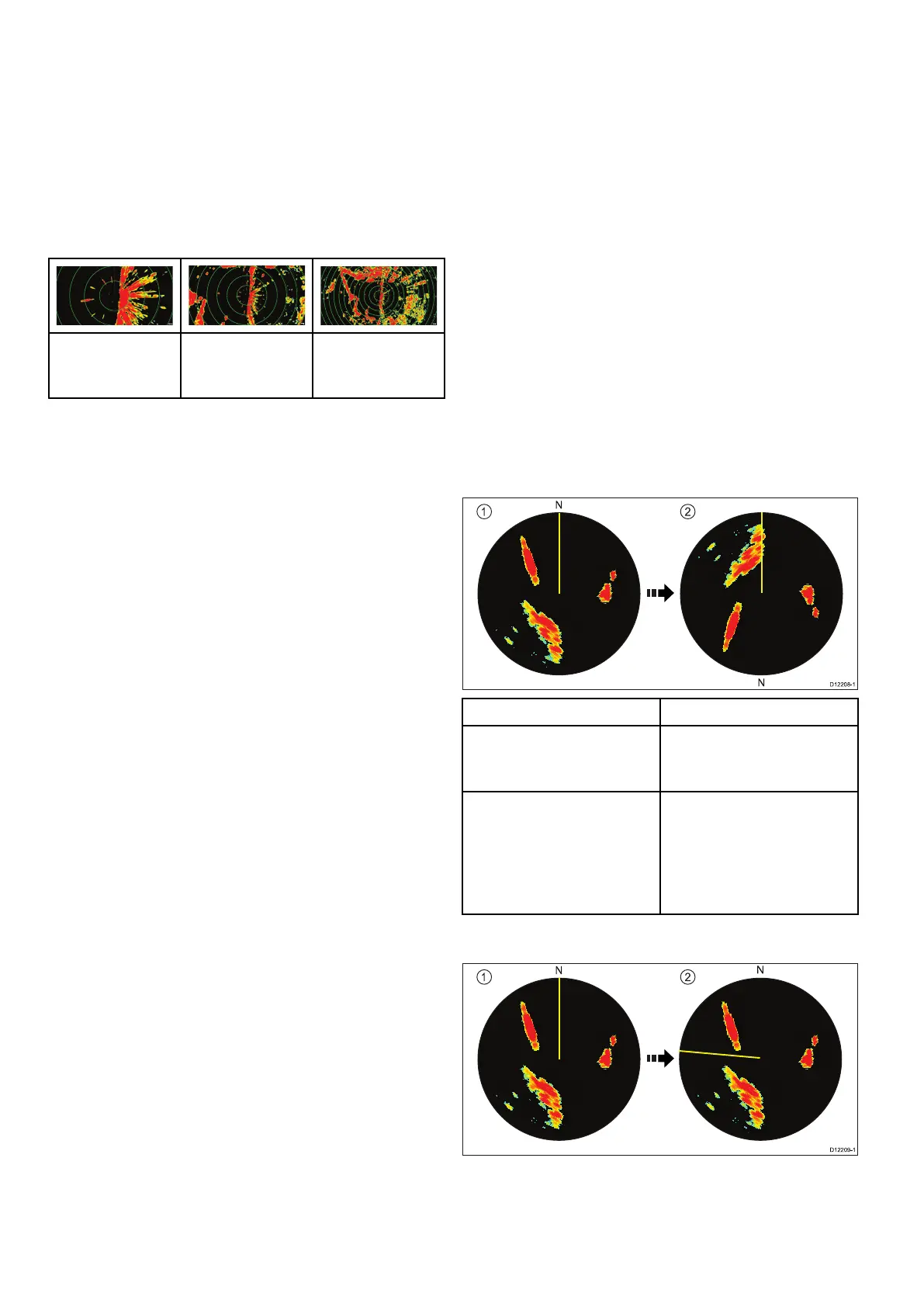
Head-Up
Thisisthedefaultmodefortheradarapplication.
ItemDescription
1
Ship'sHeadingMarker
(SHM)(indicatingthevessel's
currentheadingisupwards).
2Asthevessel'sheading
changes:
•SHMisxedupwards
•Radarpicturerotates
accordingly
North-Up
304aSeries/cSeries/eSeries



 To Next Page