17.2Routes
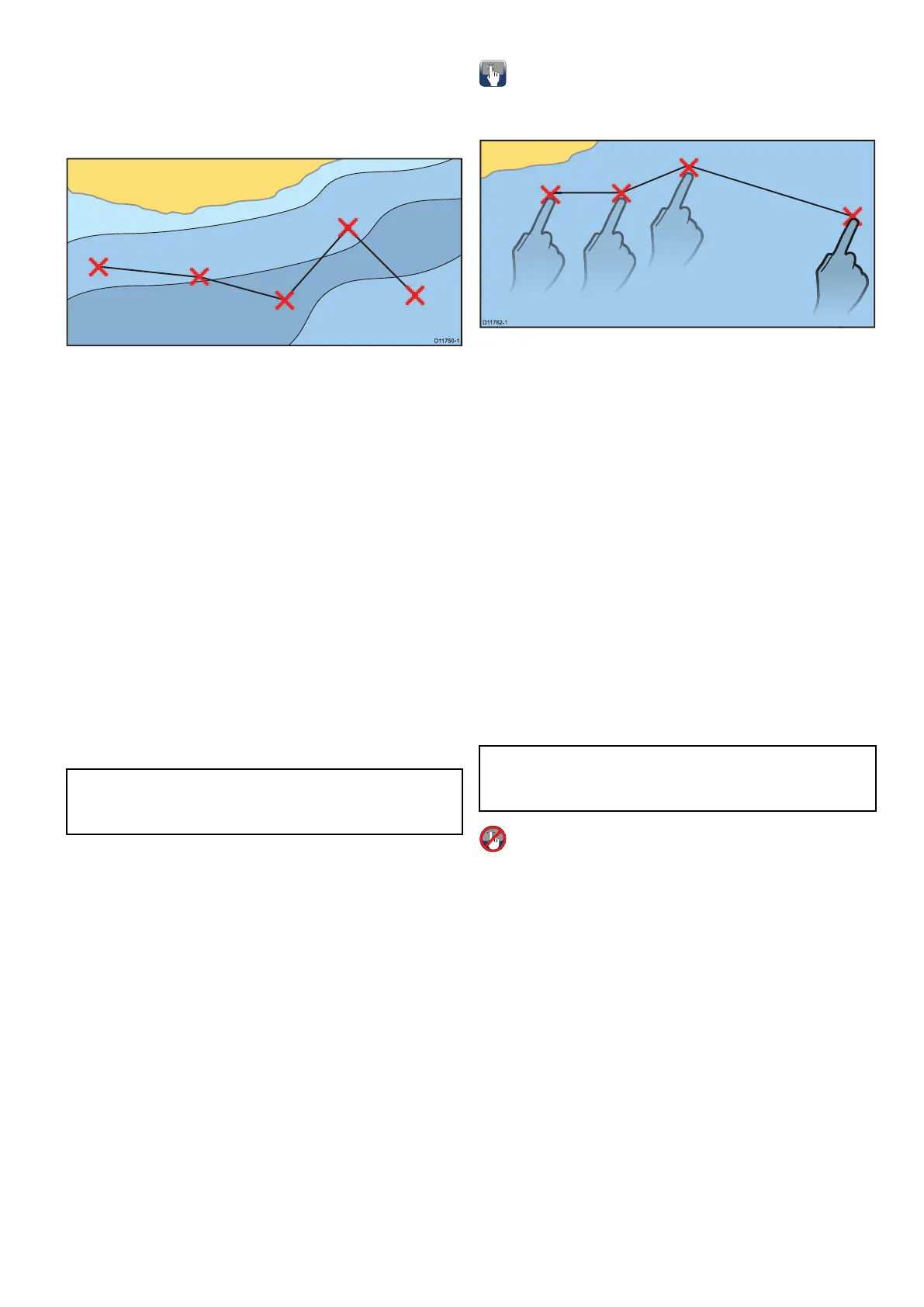
Arouteisaseriesofwaypointstypicallyusedto
assistwithpassageplanningandnavigation.
Arouteisdisplayedonscreenasaseriesof
waypointslinkedbyaline.
Routefeatures
Therearearangeofroutefeaturesforbuilding,
navigatingandmanagingroutes.
Theroutefeaturesallowyouto:
•Buildandsavearouteforusewhenrequired
(storedintheroutelist).
•Navigate(follow)routes.
•Manageandeditroutesstoredonthesystem.
•Buildaroutefromanexistingtrack.
Routefeaturesareaccessedfromthechart
application:
•byselectinganexistingroute.
•byusingtheBuildRouteoptionfromthechart
contextmenu.
•byusingtheChartapplicationmenu:Menu>
Navigate>FollowRouteorBuildRoute.
Note:TheRouteListcanalsobeaccessedfrom
thehomescreenbyselectingMyDataandthen
Routes.
Routebuilding
Aroutecanconsistofacombinationof:
•Newwaypoints
•existingwaypoints
•anexistingtrack
Aseachwaypointisadded,itisassignedanindex
numbercorrespondingtoitspositionintheroute
anddrawnonthechartusingthecurrentlyspecied
symbol.Thefollowingshouldbenoted:
•Whenarouteisbeingbuiltitisnotactiveanddoes
notaffectanycurrentnavigation.
•Youcannotsaveanewrouteifanyofthe
waypointswithinitarecurrentlyactive.
Buildingaroute
Youcanbuildarouteonatouchscreenmultifunction
displaybyfollowingthestepsbelow.
Fromthechartapplication:
1.Selectandholdalocationonscreen.
Thechartcontextmenuisdisplayed.
2.SelectBuildRoute.
Thebuildroutemenuisdisplayed.
3.Selectalocationonscreentobethestarting
position.
4.Selectrelevantlocationstoplacesubsequent
waypointsinorder.
Therouteissavedanddisplayedaseach
waypointisplaced.
5.WhencompleteselectFinishBuild.
Thenishroutebuildpopupmessageis
displayed.
6.SelectFollowtoimmediatelyfollowtheroute.or
7.SelectEdittochangetheroutenameorchange
theroutecolor.or
8.SelectExittosavetherouteandreturntothe
chartapplication.
Note:Ifyouplaceawaypointatthewrong
position,selectUndoWaypointfromtheRoute
Menu.
Buildingaroute
Fromthechartapplication:
1.SelectMenu.
2.SelectNavigate.
3.SelectBuildRoute.
Thebuildroutemenuisdisplayed.
4.SelectPlaceWpt.
5.UsingtheJoystickselectalocationonscreen.
6.PresstheOkbuttontoplacetherstwaypoint
intheroute.
7.UsetheJoystickandtheOkbuttontoplace
subsequentwaypoints.
Therouteissavedanddisplayedaseach
waypointisplaced.
8.WhenyourrouteiscompleteselectFinishBuild.
Thenishroutebuildpopupmessageis
displayed.
9.SelectFollowtoimmediatelyfollowtheroute.or
10.SelectEdittochangetheroutenameorchange
theroutecolor.or
Waypoints,RoutesandTracks
219



 To Next Page