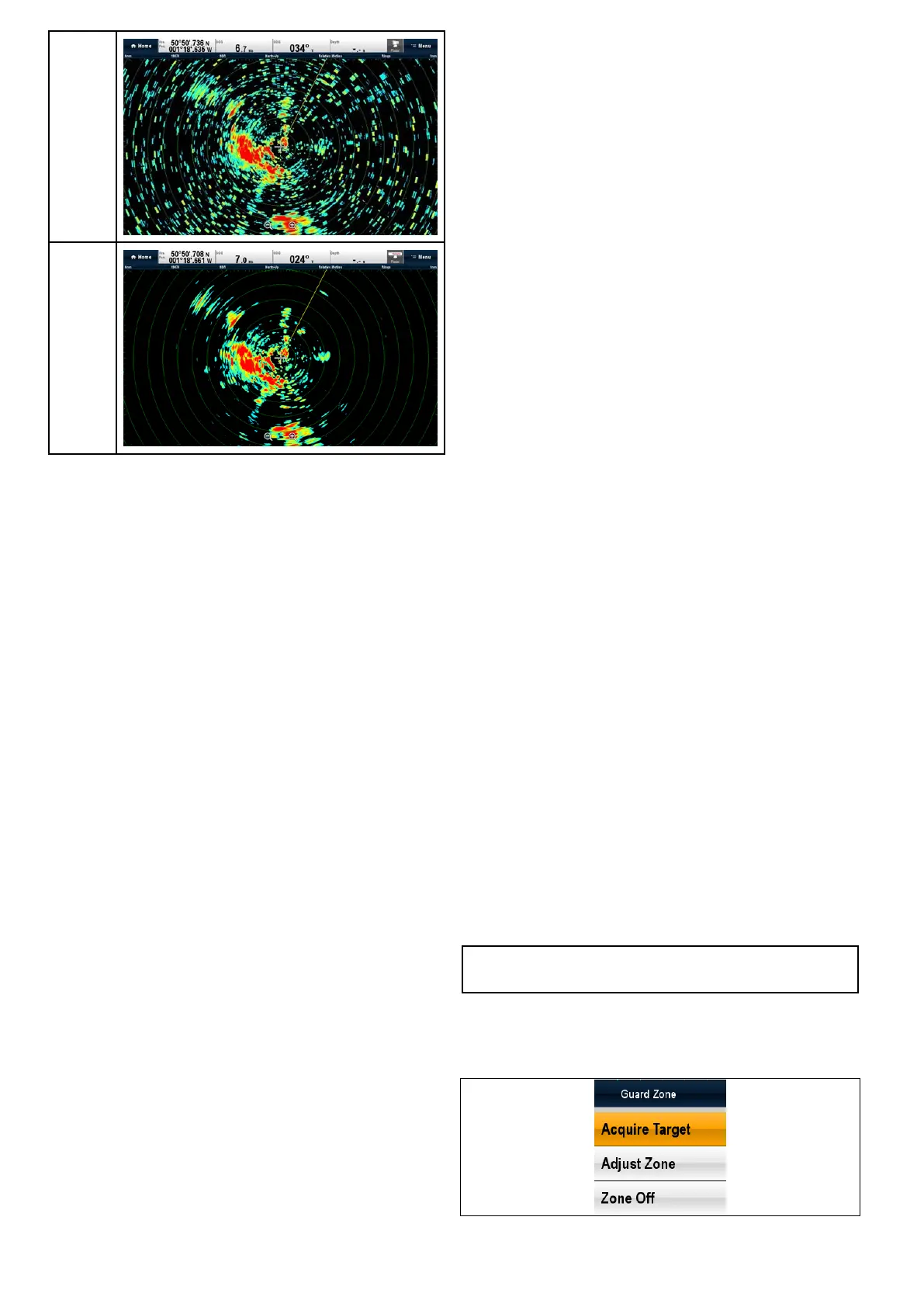
Interfer-
encere-
jection
off
Interfer-
encere-
jection
on
20.5Targettracking
TheGuardZone,VRM/EBLandMARPAfunctions
willhelpyoutracktargetsandavoidcollisions.
Witharadarconnectedtoyourmultifunctiondisplay,
youcan:
•Assesshowfarawayatargetisanditsbearing
(VRM/EBL).
•Setanalarmtotriggerwhenatargetiswithina
speciedzone(GuardZone).
•Displaydetailedinformationontrackedtargets
(MARPA).
•Displaytherangeandbearingofatarget.
Settinguparadarguardzone
Fromtheradarapplication:
1.SelectMenu.
2.SelectZones.
3.SelectGuardZonesothatOnishighlighted.
SelectingGuardZonewillswitchthezoneOn
andOff.
4.SelectGuardZoneSet-up.
5.SelectShape:toswitchbetweenSectoror
Circle.
6.SelectOuter:.
TheOuternumericadjustcontrolisdisplayed.
7.Adjusttheouteredgeoftheguardzonetothe
requireddistance.
8.SelectOktoclosethenumericadjustcontrol.
9.SelectInner:.
TheInnernumericadjustcontrolisdisplayed.
10.Adjusttheinneredgeoftheguardzonetothe
requireddistance.
11.SelectOktoclosethenumericadjustcontrol.
12.SelectWidth:.
TheWidthnumericadjustcontrolisdisplayed.
13.Adjustthewidthoftheguardzoneindegrees.
14.SelectOktoclosethenumericadjustcontrol.
15.SelectBearing:.
TheBearingnumericadjustcontrolisdisplayed.
16.Adjustthebearingoftheguardzoneindegrees
portordegreesstarboard.
17.SelectOktoclosethenumericadjustcontrol.
Note:Guardzonewidthandbearingcanonlybe
adjustedwhentheShape:issettoSector.
Guardzonecontextmenu
Theguardzonefunctionincludesacontextmenu
whichprovidesadditionalmenuitems.
Thecontextmenuprovidesthefollowingmenuitems:
•AcquireTarget.
298aSeries/cSeries/eSeries



 To Next Page