6.1Displaypower
Poweringthedisplayon
1.PressthePOWERbuttononthedisplay.
2.SelectAccepttoacknowledgethedisclaimer
message.
Poweringthedisplayon
1.PressthePOWERbutton.
2.PresstheOKbuttontoacceptthedisclaimer
message.
Poweringthedisplayoff
1.PressandholdthePOWERbuttonuntilthe
countdownreacheszero.
Note:IfthePOWERbuttonisreleasedbefore
thecountdownreacheszero,thepoweroffis
cancelled.
Standby(PowerSave)mode
InPowerSavemodeallfunctionsofthemultifunction
displayremainactive,buttheunitisplacedinto
alowpowerstate.TheLEDlightsaroundthe
Rotarycontrollerwillblinkonceevery1.5seconds
toindicatethattheunitisinPowerSavemode.
PowerSavemodeiscancelledbypressingaphysical
buttonorwhenanalarmeventoccurs.
Note:T oensureusersafetythePowerSave
featurewillnotbeavailableif:
•anyconnectedradarsareswitchedon
•themultifunctiondisplayisprovidingautopilot
controlinasystemwithoutadedicatedpilot
headandtheautopilotisengaged.
EnablingPowerSavemode
ToenablePowerSavemodefollowthestepsbelow.
1.Ensureanyradarsconnectedtothesystemare
switchedoff.
2.PressthePOWERbutton.
Theshortcutsmenuisdisplayed.
3.SelectPowerSaveMode.
ThemultifunctiondisplaysisnowinPowerSave
mode.
4.YoucanwaketheunitfromPowerSavemode
atanytimebypressingaphysicalbuttononthe
multifunctiondisplay.
Note:PowerSavemodeisautomaticallycancelled
ifanalarmeventoccurs.
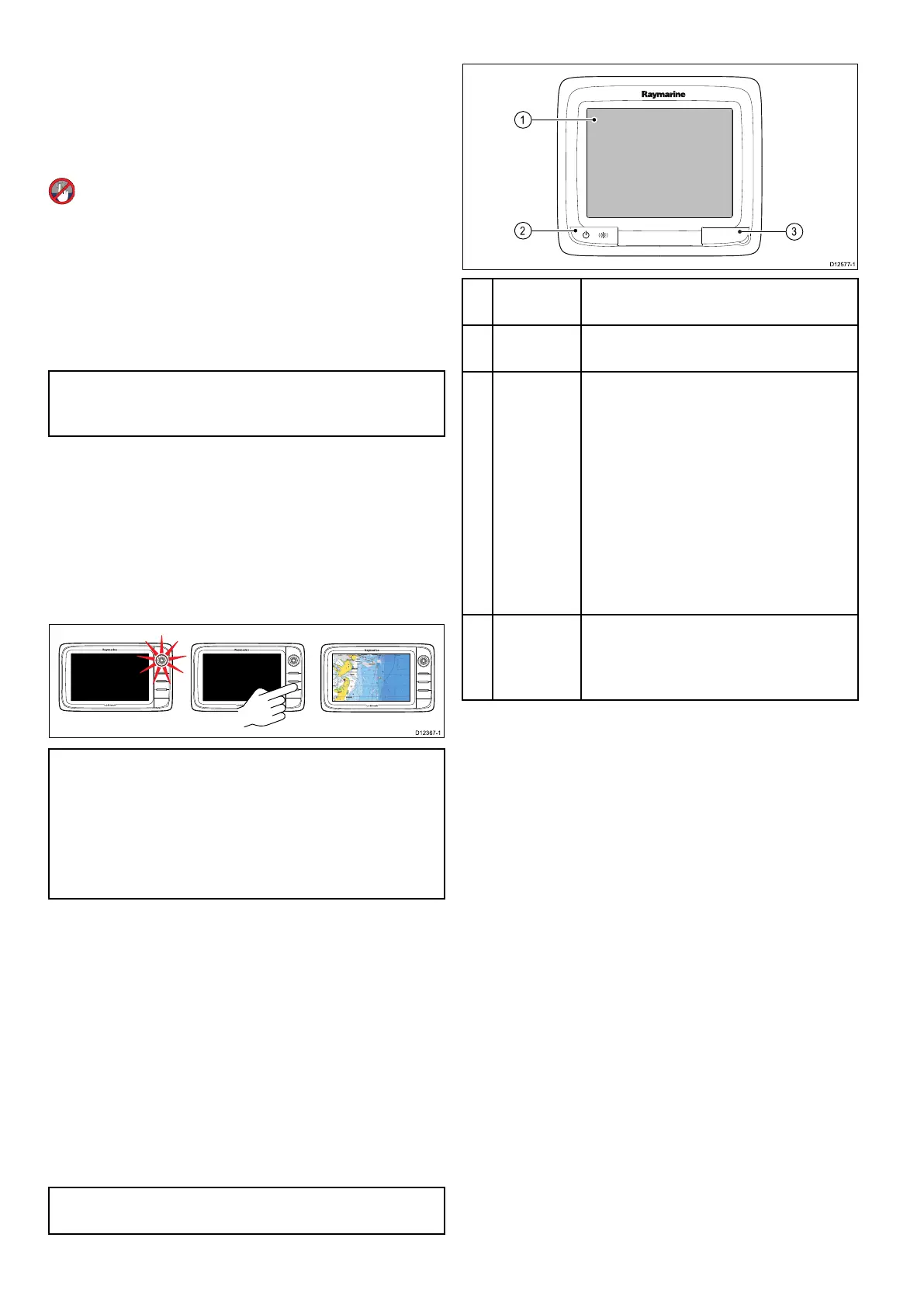
6.2aSeriesControls
Descrip-
tionFunctions
1Touch-
screen
Touchthescreentooperatefunctions,
includingallmenuoperations.
2Power
•PressoncetoswitchtheunitON.
•Oncepoweredon,pressthePower
buttonagaintoopentheshortcutspage
whereyoucanadjustthebrightness,
performascreencapture,access
Powersavemodeoraccessthepower
controlsofexternaldevices.
•PressandholdtoswitchtheunitOFF.
•Ifanintegratedpilotisengaged,press
andholdtoputtheautopilotinto
STANDBYmode.
3
Card
readerslot
MicroSDcardreader
•a6xanda7x=1xMicroSDcardslot
•a9xanda12x=2xMicroSDcardslots
90aSeries/cSeries/eSeries



 To Next Page