•GotoWaypoint
•FollowFromHere(onlyavailablewhenwaypoint
ispartofaroute.)
•EditWaypoint
•EraseWaypoint
•RemoveWaypoint(onlyavailablewhenwaypoint
ispartofaroute.)
•MoveWaypoint
•Measure
•BuildRoute
•AcquireTarget(onlyavailableifRadaroverlayis
switchedon.)
•Slewthermalcamera(onlyavailablewhen
thermalcameraisconnectedandoperating.)
Foractivewaypointsthefollowingmenuitemsare
available:
•StopGoto
•RestartXTE
•AdvanceWaypoint
•Measure
•BuildRoute
•AcquireTarget(onlyavailableifRadaroverlayis
switchedon.)
•Slewthermalcamera(onlyavailablewhen
thermalcameraisconnectedandoperating.)
Accessingthecontextmenu
Youcanaccessthecontextmenubyfollowingthe
stepsbelow.
1.Non-touchscreenandHybridT ouchdisplays:
i.Selectingalocation,objectortargeton-screen
andpressingtheOkbutton.
2.HybridTouchandTouchonlydisplays:
i.Selectinganobjectortargeton-screen.
ii.Selectingandholdingonalocationon-screen.
Waypointplacement
Placingawaypoint
Youcanplaceawaypointonamultifunctiondisplay
withatouchscreenbyfollowingthestepsbelow.
Fromthechart,radarorshnderapplication:
1.Selectandholdtherequiredlocationonscreen.
Thecontextmenuisdisplayed.
2.SelectPlaceWaypoint.
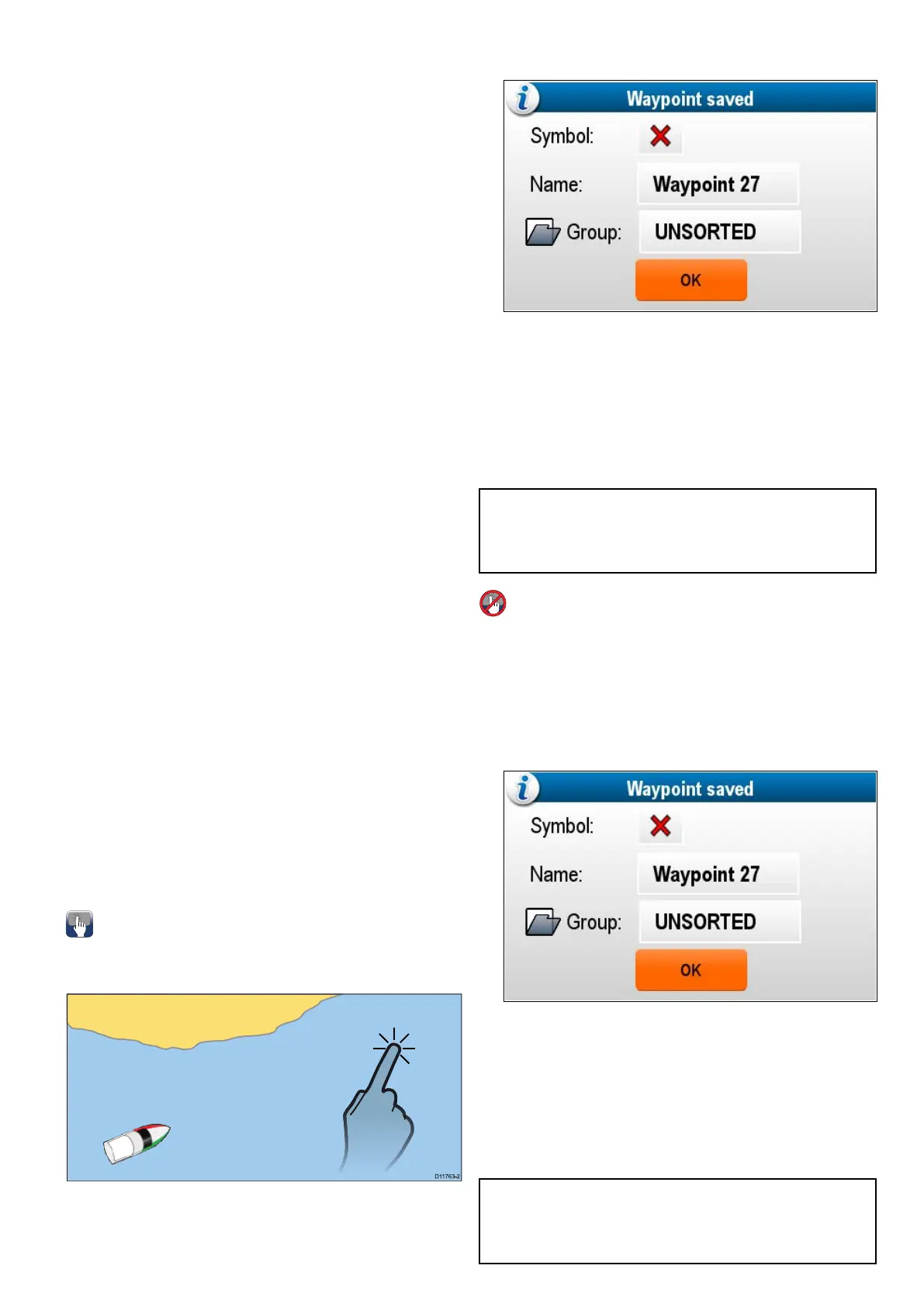
TheWaypointSaveddialogisdisplayed.
3.SelecttheSymboleldtochangethesymbol
thatwillbeusedtodisplaythewaypointinthe
ChartorRadarapplication.
4.SelecttheNameeldtochangethenameof
thewaypoint.
5.SelecttheGroupeldtochangethegroupthat
thewaypointisassignedto.
6.SelectOKtoconrmthewaypointdetails.
Note:Ifthereisnouserinteractionwith
theWaypointsaveddialogforapproximately5
secondsthenthewaypointissavedwiththedefault
settingsandthedialogisclosedautomatically.
Placingawaypoint
Fromthechart,radarorshnderapplication:
1.Positionthecursorattherequiredposition.
2.PresstheWPTbutton.
Thecontextmenuisdisplayed.
3.SelectPlaceWaypoint.
TheWaypointSaveddialogisdisplayed.
4.SelecttheSymboleldtochangethesymbol
thatwillbeusedtodisplaythewaypointinthe
ChartorRadarapplication.
5.SelecttheNameeldtochangethenameof
thewaypoint.
6.SelecttheGroupeldtochangethegroupthat
thewaypointisassignedto.
7.SelectOKtoconrmthewaypointdetails.
Note:Ifthereisnouserinteractionwith
theWaypointsaveddialogforapproximately5
secondsthenthewaypointissavedwiththedefault
settingsandthedialogisclosedautomatically.
Waypoints,RoutesandTracks
211



 To Next Page