3.SelectPort(searchbyname)fromthelist.
Theon–screenkeyboardisdisplayed.
4.Usetheon-screenkeyboardtoenterthedesired
portname.
5.SelectSAVE.
Thesearchresultsaredisplayed.
6.Selectthepositionagainstanentryinthelistto
repositionthecursoroverthatposition.
Displayingpilotbookinformation
Fromthechartapplication,whenaportsymbolis
displayedforaportwhichhasapilotbook:
1.Selecttheportsymbol.
Thechartcontextmenuwillbedisplayed.
2.SelectPilotBook.
3.Selecttherelevantchapter.
Displayingpanoramicphotos
Fromthechartapplication,whenacamerasymbolis
displayed,indicatingtheavailabilityofaphoto:
1.Selectthecamerasymbol.
Thechartcontextmenuisdisplayed.
2.SelectPhoto.
Thephotoisdisplayedonscreen.
Note:Notallcartographytypesarecapableof
displayingpanoramicphotos.
Currentinformation
Animatedcurrentinformation
Theelectronicchartsmayallowanimationofthe
currentinformationcurrentstations.
Animatedcurrentinformationisavailableinthechart
applicationwhereveradiamond-shapedsymbolwith
a"C"isdisplayed:
Thissymbolidentiesthelocationofacurrentstation
andtheavailabilityofcurrentinformationforthe
location.
Whenyouselectacurrentstationsymbolthechart
contextmenuisdisplayed,whichprovidesthe
Animateoption.
WhenyouselectAnimatetheanimatemenuis
displayedandthediamond-shapedcurrentsymbols
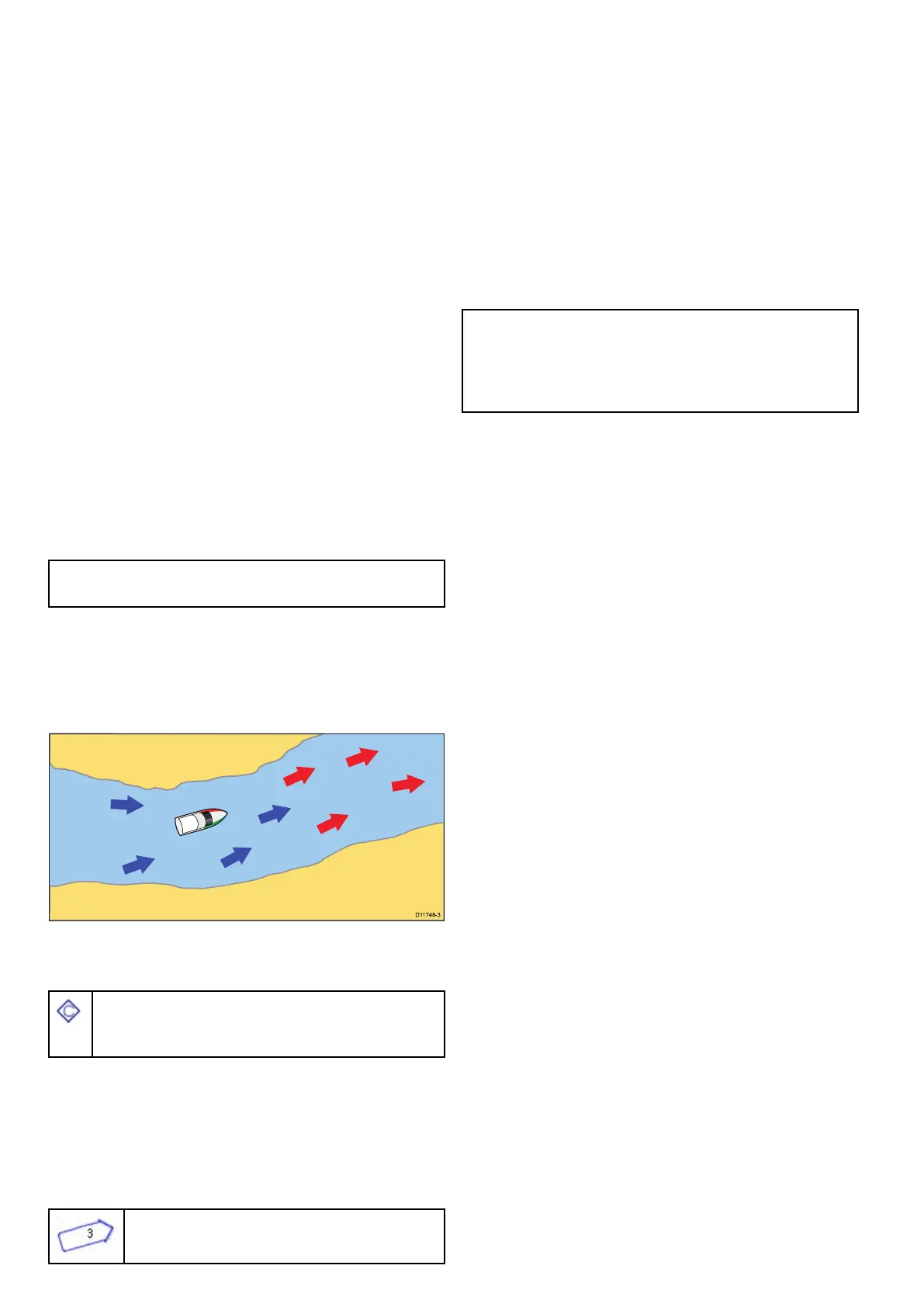
arereplacedwithdynamiccurrentarrowswhich
indicatethedirectionandstrengthofthecurrents:
Currentanimation.
•Arrowsindicatethedirectionofcurrentows.
•Thelengthofthearrowindicatestheowrate.
•Thecolorofthearrowindicatestheowspeed:
–Red:increasingcurrentowspeed.
–Blue:decreasingcurrentowspeed.
Theanimationcanbeviewedcontinuouslyor
incrementallyatatimeintervalthatyouspecify.You
canalsosetthedatefortheanimation,andstartor
restarttheanimationatanypointwithina24-hour
period.Ifthesystemdoesnothaveavaliddateand
timethedateusedwillbemiddayforthesystem
defaultdate.
Note:Notallelectronicchartssupportthe
animatedcurrentsfeature.ChecktheNavionics
website:www.navionics.comtoensurethe
featuresareavailableonyourchosencartography
level.
Viewinganimatedcurrentinformation
Fromthechartapplication:
1.Selectdiamond-shapedcurrenticon.
Thechartcontextmenuisdisplayed.
2.SelectAnimate.
Theanimatemenuisdisplayedandthecurrent
iconsarereplacedwithdynamiccurrentarrows
Controllinganimations
Fromthechartapplication,withtheanimatemenu
displayed:
1.Tostartorstoptheanimation,selectAnimate:to
switchbetweenPlayandPause.
2.Toviewtheanimationinsteps,selectStepBack
orStepForward.
3.Tosettheanimationstepinterval,pauseany
playinganimations,andthenselectSetTime
Interval.
4.Tosettheanimationdate,selectSetDateand
thenusingtheonscreenkeyboardenterthe
requireddate.
5.Tosettheanimationdatetothecurrentdate
selectToday.
6.Tosettheanimationdateto24hourspreviousto
thecurrentdateselectPreviousDay.
7.Tosettheanimationdateto24hoursaheadof
thecurrentdateselectNextDay.
256aSeries/cSeries/eSeries



 To Next Page