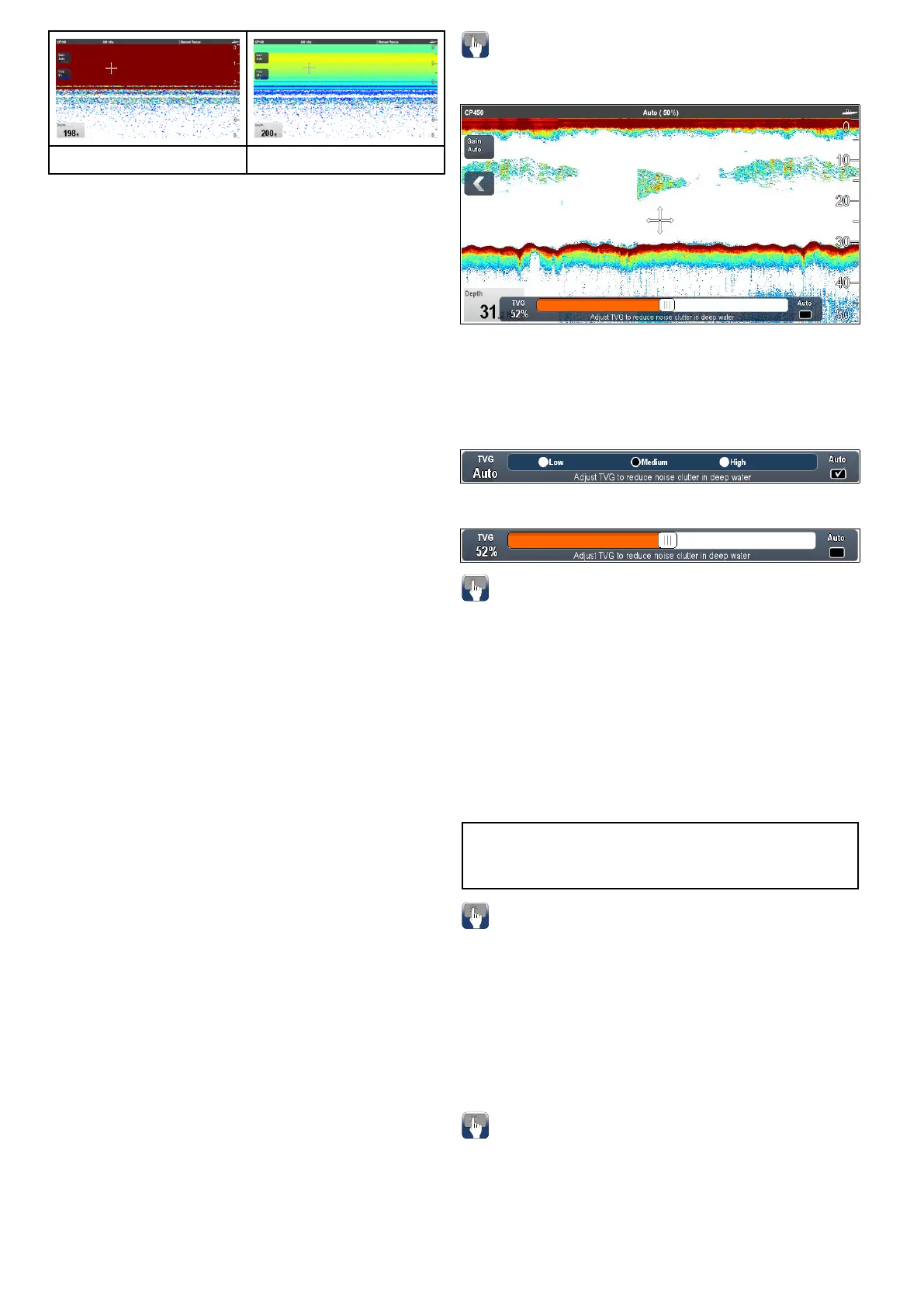
0%TVG30%TVG
SettingTVGtoAutomatic
TheTVGsettingcanbesettoautomaticbyfollowing
thestepsbelow.
FromtheFishnderapplication:
1.SelectMenu.
2.SelectSensitivitySettings.
3.SelectTVG.
TheTVGsliderbarcontrolisdisplayed.
4.SelectAutosothatatickisplacedintheauto
box.
AutoTVGmode
WhenTVGissettoautomatic3autoTVGmodes
areavailable,dependingonsonarmoduleinuse.
TheautoTVGmodesavailableareasfollows:
•Low
•Medium
•High
AutoTVGmodesareonlyavailableonLegacysonar
modulesandTraditionalinternalsonarmodules.
SelectinganautoTVGmode
FollowthestepsbelowtoselectanAutoTVGmode.
FromtheFishnderapplication,withTVGsetto
Auto:
1.SelectMenu.
2.SelectSensitivitySettings.
3.SelectAutoTVG.
4.Selecttherequiredsetting:Low,MediumorHigh.
ManuallyadjustingTVG
FromtheFishnderapplicationmenu:
1.SelectSensitivitySettings.
2.SelectTVG.
TheTVGsliderbarcontrolisdisplayed.
3.Adjustthesliderbarcontroltotherequired
setting.
Valuesbetween31%and100%representTVG
control.
4.SelectBackorOKtoclosesliderbarcontrol.
On-screenTVGcontrols
TouchonlyandHybridTouchmultifunctiondisplays
haveon-screenTVGcontrols.
Selectingtheon-screenTVGcontrolwilldisplaythe
TVGsettings.
WhenconnectedtoanexternalCHIRPsonar
modules(excludingDownVision
TM
)andexternal
Traditionalsonarmodules(excludinglegacy)the
automaticTVGhas3modes.
Wheninmanualmodethesliderbarcontrolis
shown.
Enablinganddisablingon-screengain
controls
Youcanenableanddisabletheon-screengain
controlsbyfollowingthestepsbelow.
Onatouchscreenmultifunctiondisplay,withthe
relevantapplicationdisplayed.
1.SelectMenu.
2.SelectPresentation.
3.SelectGainControls.
SelectingGainControlswillswitchbetween
showingandhidingtheon-screencontrols.
Note:Whentheon-screenGaincontrolsareset
toHiddenthentheGainsettingscanbeaccessed
directlyfromtheapplicationmenu:Menu>Gain.
AdjustingTVGmanuallyusingon-screen
controls
TouchonlyandHybridTouchmultifunctiondisplays
haveon-screenTVGcontrols.
1.Selecttheon-screenTVGcontrollocatedonthe
lefthandsideoftheFishnderapplication.
2.SelecttheAutoboxtoswitchbetweenAutoand
ManualTVG.
3.Adjustthesettingtotherequiredvalue.
SettingautoTVGusingtheon-screen
controls
TouchonlyandHybridTouchmultifunctiondisplays
haveon-screenTVGcontrols.
1.Selecttheon-screenTVGcontrollocatedonthe
lefthandsideoftheshnderapplication.
2.SelecttheAutoboxtoselectAutoTVGmode.
284aSeries/cSeries/eSeries



 To Next Page