Note:IfyouhavetheDisableColorThermalVideo
optionselectedinthecamera'son-screenVideo
Setupmenu,only2colormodesareavailable—
greyscaleandred.
Changingthethermalcameracolormode
Withthethermalcameraapplicationdisplayed:
1.SelectMenu.
2.SelectImageOptions.
3.UsetheColourmenuitemtoswitchbetweenthe
availablecolorpalettes,asappropriate.
Thermalcamerareversevideo
Youcanreversethepolarityofthevideoimageto
changetheappearanceofobjectson-screen.
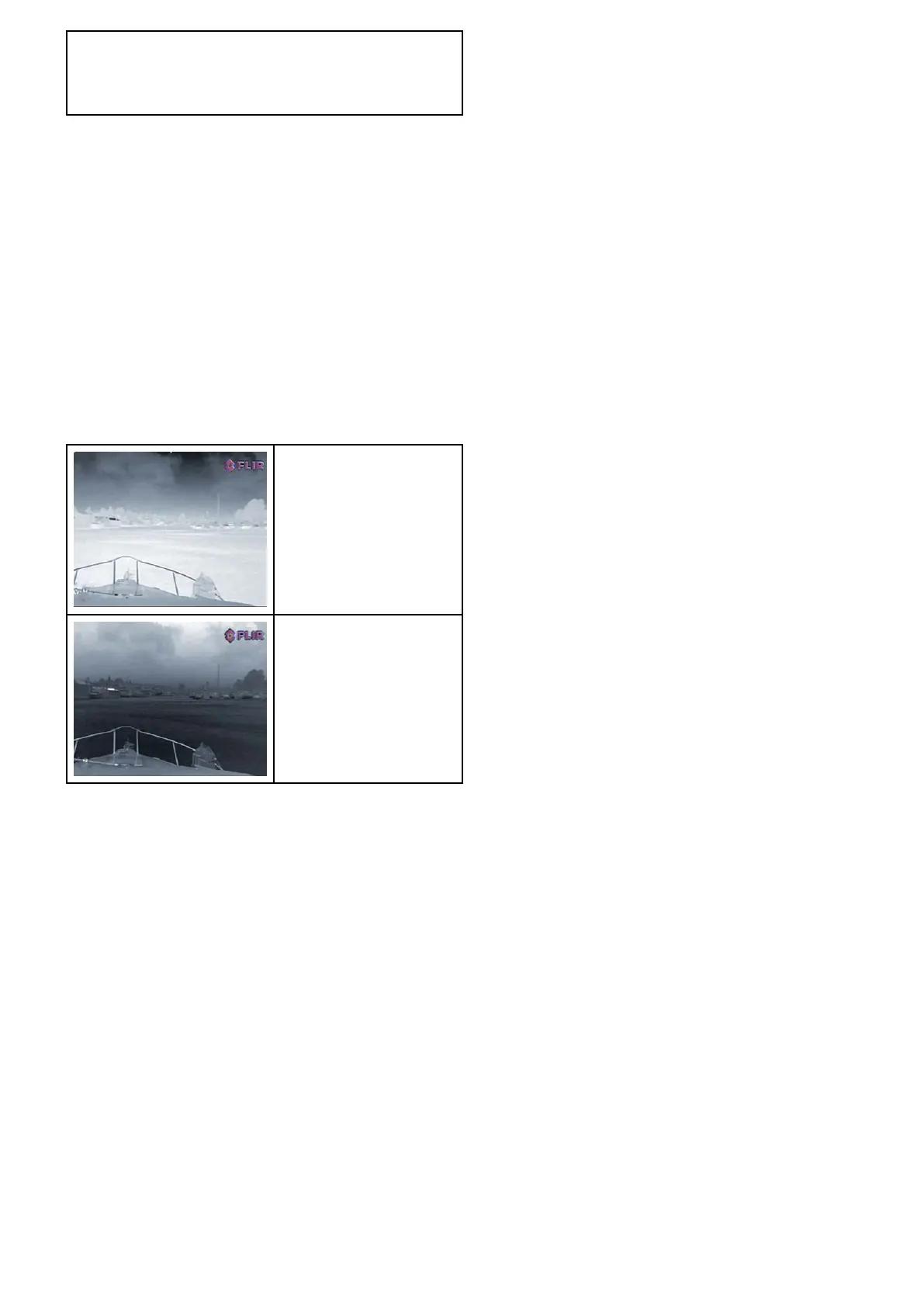
Thereversevideooption(videopolarity)switchesthe
thermalimagefromwhite-hot(orred-hotifthecolor
modesettingisactive)toblack-hot.Thedifference
betweenwhite-hotandblack-hotisshownbelow:
White-hotthermalimage.
Black-hotthermalimage.
Youmaynditusefultoexperimentwiththisoption
tondthebestsettingtosuityourneeds.
Enablingthermalcamerareversevideo
Withthethermalcameraapplicationdisplayed:
1.SelectMenu.
2.SelectImageOptions.
3.SelectReverseVideo.
Thermalcamerarearviewmode
Therearviewmodeipsthevideoimagehorizontally,
providinga“mirrorimage”.
Thisisusefulforexampleininstanceswherethe
cameraisrear-facingandyouareviewingtheimage
onaforward-facingmonitor.
Enablingthermalcamerarearviewmode
Withthethermalcameraapplicationdisplayed:
1.SelectMenu.
2.SelectImageOptions.
3.SelectRearView.
Thermalcameraapplication—xedmountcameras
361



 To Next Page