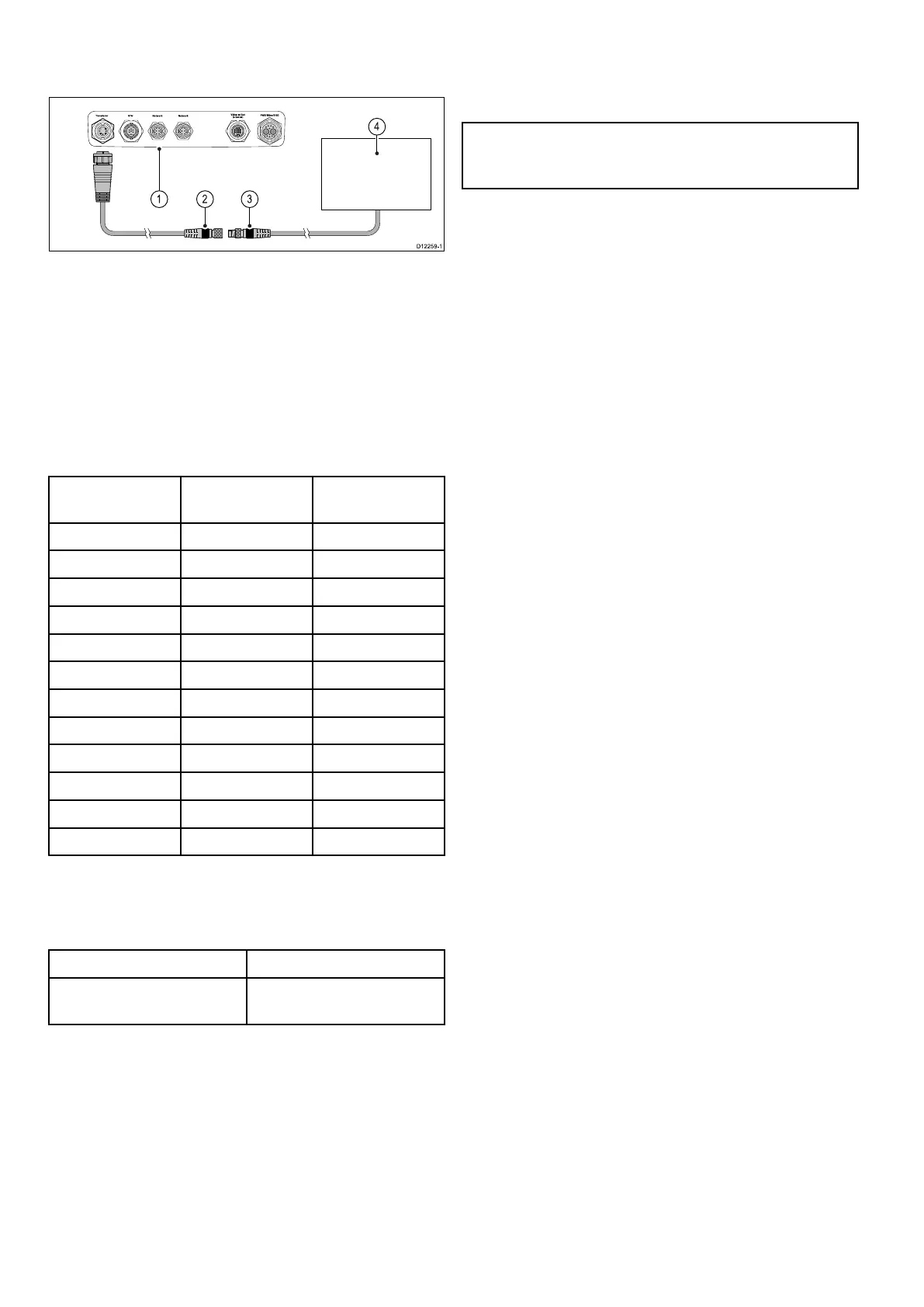
MinnKotasonartransducerconnection
viaoptionaladaptorcable(Sonarvariant
multifunctiondisplaysonly)
1.RearconnectorpanelofMFD(Sonarvariant).
2.MinnKotatransduceradaptorcable.
3.MinnKotatransducercable.
4.MinnKotatransducer.
Sonarvariantmultifunctiondisplays
Thetablebelowdetailswhichmultifunctiondisplay
variantsfeatureabuilt-insonarmoduleandcanbe
connecteddirectlytocompatiblesonartransducers.
Non-sonar
variantsSonarvariants
DownVision
TM
variants
a65a67a68
a65Wi-Fia67Wi-Fia68Wi-Fi
a75a77
a78
a75Wi-Fia77Wi-Fia78Wi-Fi
a95a97a98
a125a127a128
e7
e7D
c95c97
c125c127
e95e97
e125e127
e165
MinnKotatransduceradaptorcable
ConnectsaMinnKotasonartransducertoa
compatibleRaymarinemultifunctiondisplay.
CablePartnumber
1m(3.28ft)MinnKota
transduceradaptorcable
A62363
Importantsoftwarerequirementsformultiple
sonarsystems
Ifyoursystemincludesmorethanonesourceof
sonardatayoumustensurethatanyCP300or
CP450Csonarmodulesarerunningsoftwareversion
v4.04orlater.
Thisappliestosystemswhichinclude:
•AnynumberofMFD(s)withaninternalsonar
moduleplusaCP300and/orCP450Csonar
module;or
•NoMFD(s)withaninternalsonarmodule,but
morethanoneCP300orCP450Csonarmodule.
ThisdoesNOTapplytoanysystemsthatdoNOT
includeaCP300orCP450Csonarmodule.
Note:Forsoftwaredownloadsandinstructions
onhowtoupdatethesoftwareforyourproduct(s),
visitwww.raymarine.com/software.
64aSeries/cSeries/eSeries



 To Next Page