LX8000 version 0.96 April 2008
Page 33 of 85
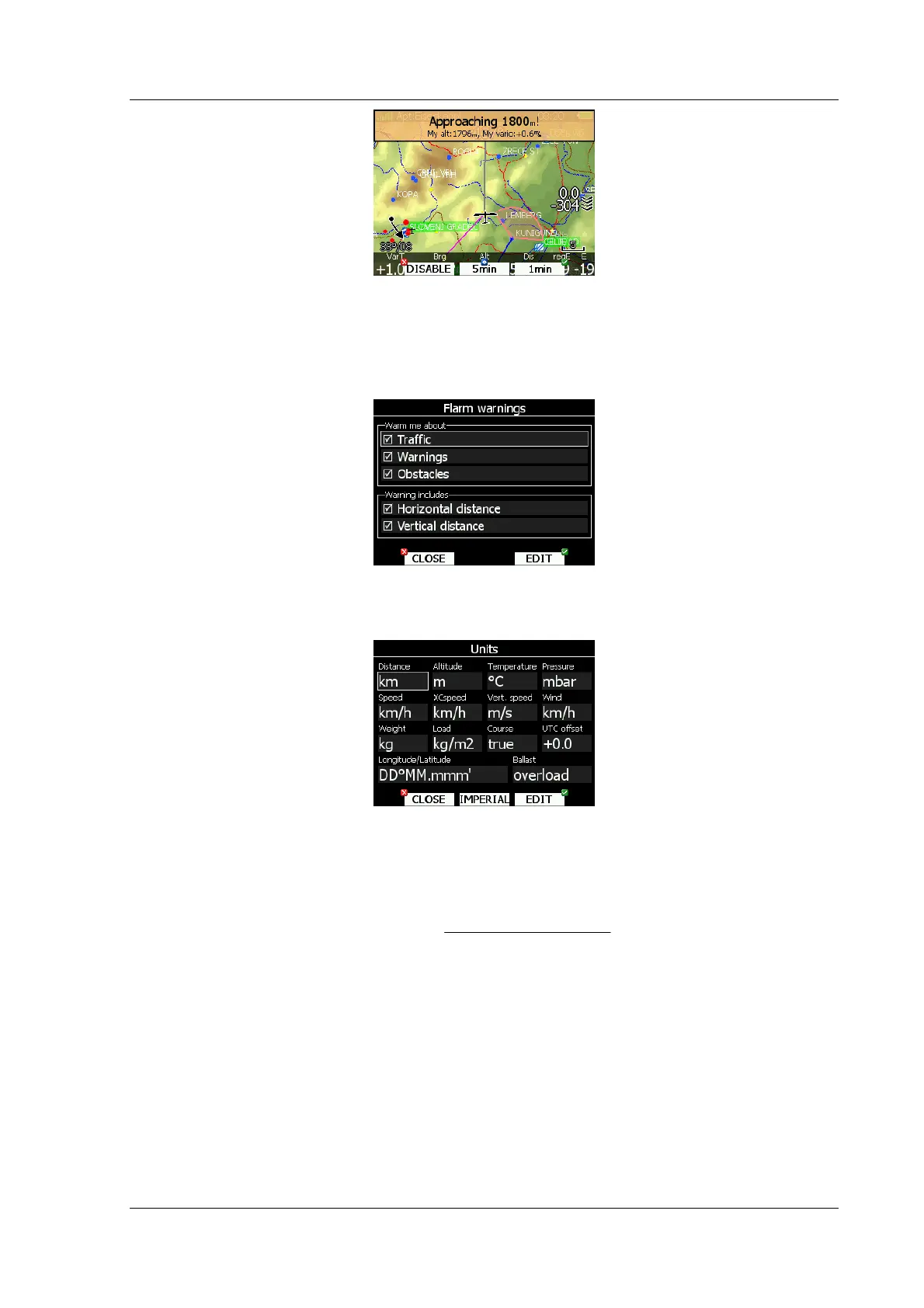
Altitude warning can be dismissed for 1 minute, 5 minutes or disabled.
5.1.10.3 Flarm warnings
Flarm warnings will be raised only when FLARM module is built in LX8000. Using this dialog
user can define which data will be presented by LX voice module.
5.1.11 Units
Use this dialog to setup units, UTC time offset and type of ballast input.
Middle bottom button will change all units to imperial system of measure, if current system
of measure is metric one and vice versa.
Glider ballast can be entered as:
• overload factor, which is defined as,
pilotglider
waterpilotglider
overload
+
=
• Load, which is entered in kg/m2 or lb/ft2.
• Weight of water ballast. If this option is used weight of glider and pilot must be entered.
See chapter 5.1.14 and 5.1.2, for more details how to enter glider and pilot weight.
5.1.12 Profiles and Pilots
All LX8000 settings are stored in a profile. Profiles can be used in different ways:
• For club operation or more pilot sharing same glider. Each pilot can have his personal
profile.
• When user is flying a glider which can have a different wing spans. In this situation, the
pilot has two profiles, one for each configuration.



 To Next Page