214327 173 Revision B
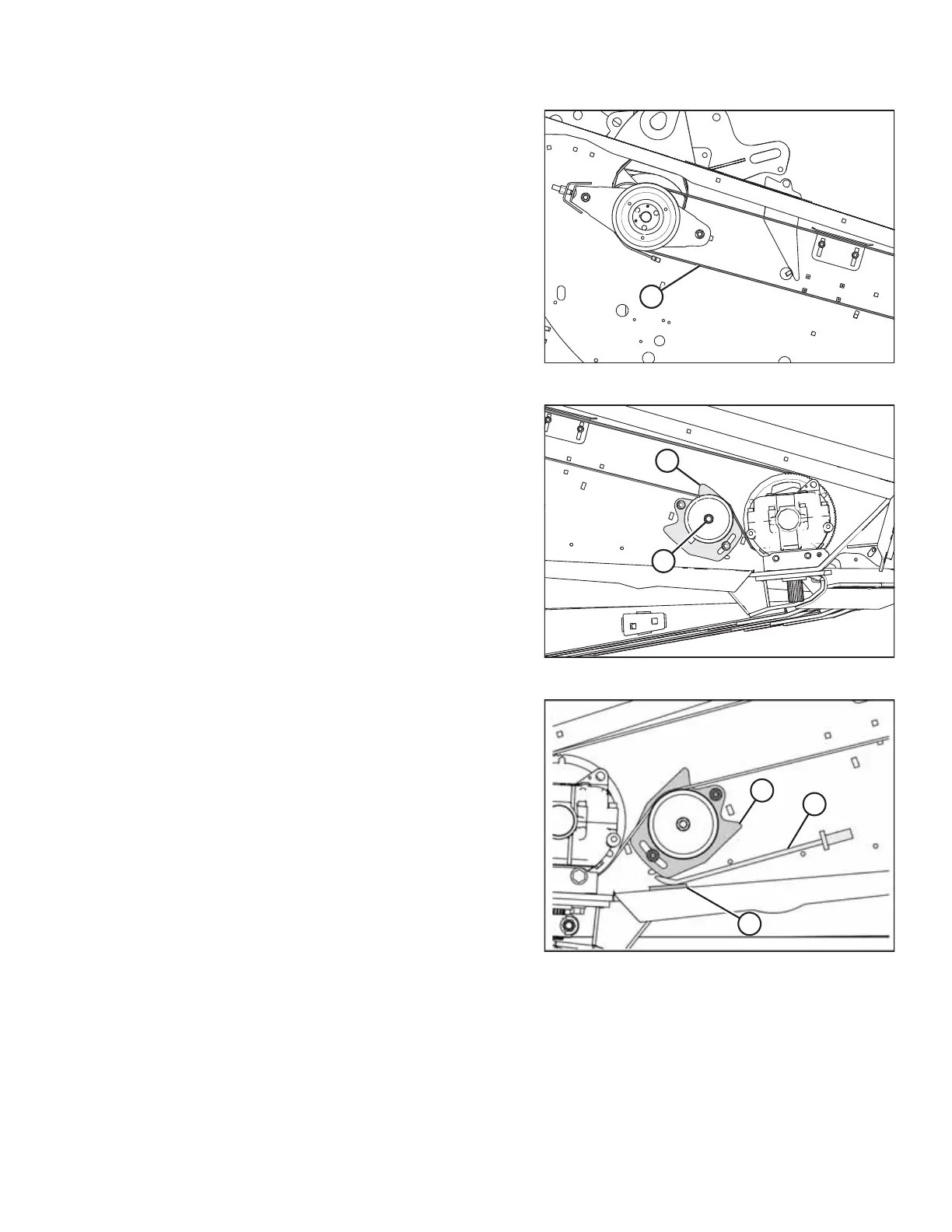
Figure 5.95: Right Knife Drive
6. Install right knife drive belt (A).
NOTE:
Ensure the knife drive box driver and driven pulleys do NOT
rotate during belt installation.
Figure 5.96: Right Knife Drive
7. Rotate idler pulley bracket (A) downward, and slide the
idler pulley up by hand to remove most of the belt slack.
Tighten nut (B).
Figure 5.97: Left Shown – Right Opposite
8. Position pry bar (A) under idler bracket (C), and push the
bracket upward until a force of 27 N (6 lbf) deflects the belt
13 mm (1/2 in.) at the midpoint of the upper span.
NOTE:
Protect the paint by placing a piece of wood (B) under pry
bar (A).
MAINTENANCE AND SERVICING



 To Next Page