214327 220 Revision B
Installing center disc and tail-end bushings:
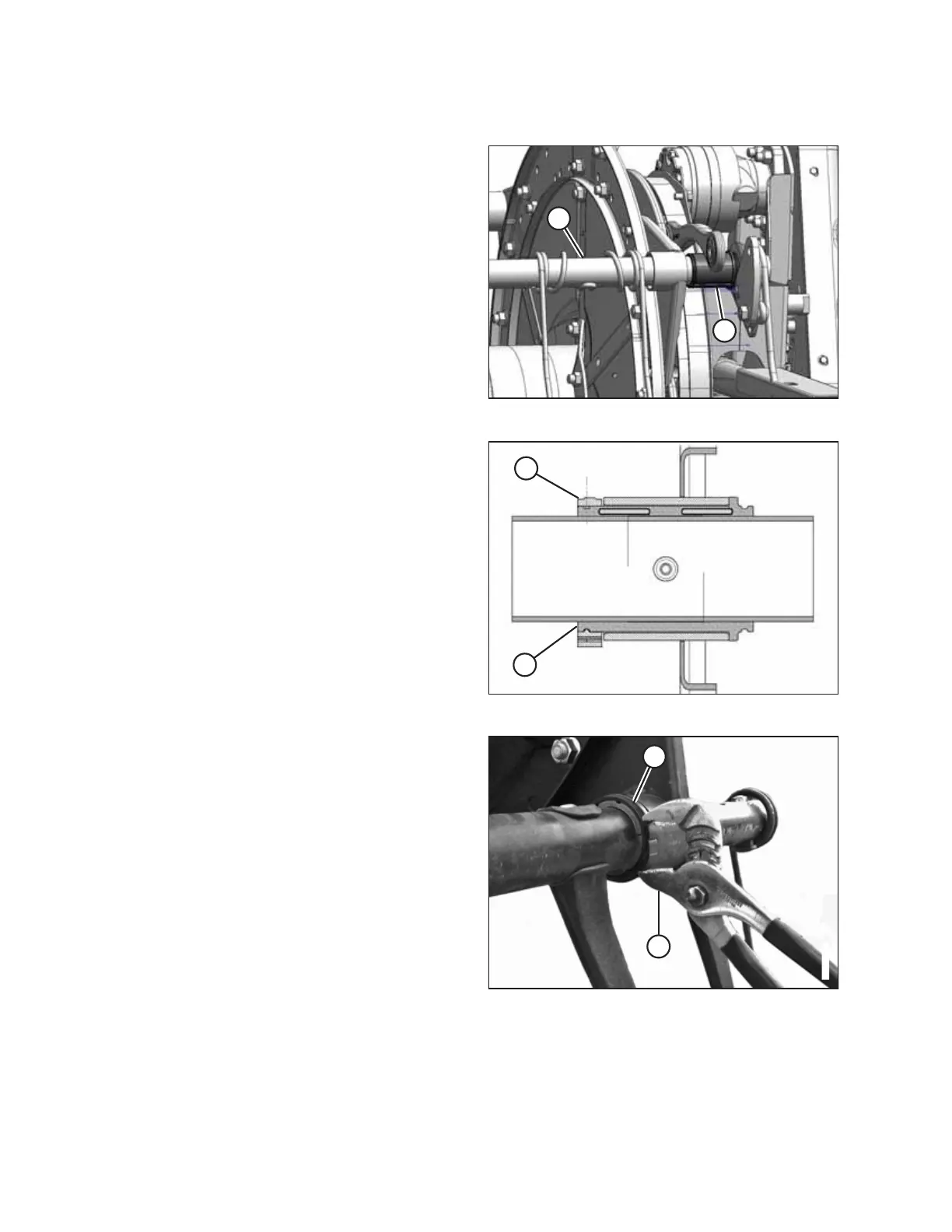
Figure 5.192: Cam End
12. Position bushing halves (B) on the tine tube with the
flangeless end adjacent to the reel arm, and position the
lug in each bushing half into the hole in tine tube (A).
13. Slide the reel arm onto bushing (B) and position them
against the disc at the original location.
14. Reinstall the previously removed fingers or tines. Refer to
the following procedures as necessary:
• Removing Plastic Fingers, page 209
• Removing Steel Tines, page 208
Figure 5.193: Bushing
15. Install bushing clamp (A) onto the tine tube adjacent to the
flangeless end of bushing (B).
16. Position clamp (A) on bushing (B) so the edges of the clamp
and bushing are flush when the clamp is fit into the groove
on the bushing and the lock tabs are engaged.
Figure 5.194: Clamp on Bushing
17. Tighten clamp (A) using modified channel lock pliers (B)
until finger pressure will NOT move the clamp.
IMPORTANT:
Overtightening the clamp might break the clamp.
MAINTENANCE AND SERVICING



 To Next Page