Medrad™ Intego™
PET Infusion System
34
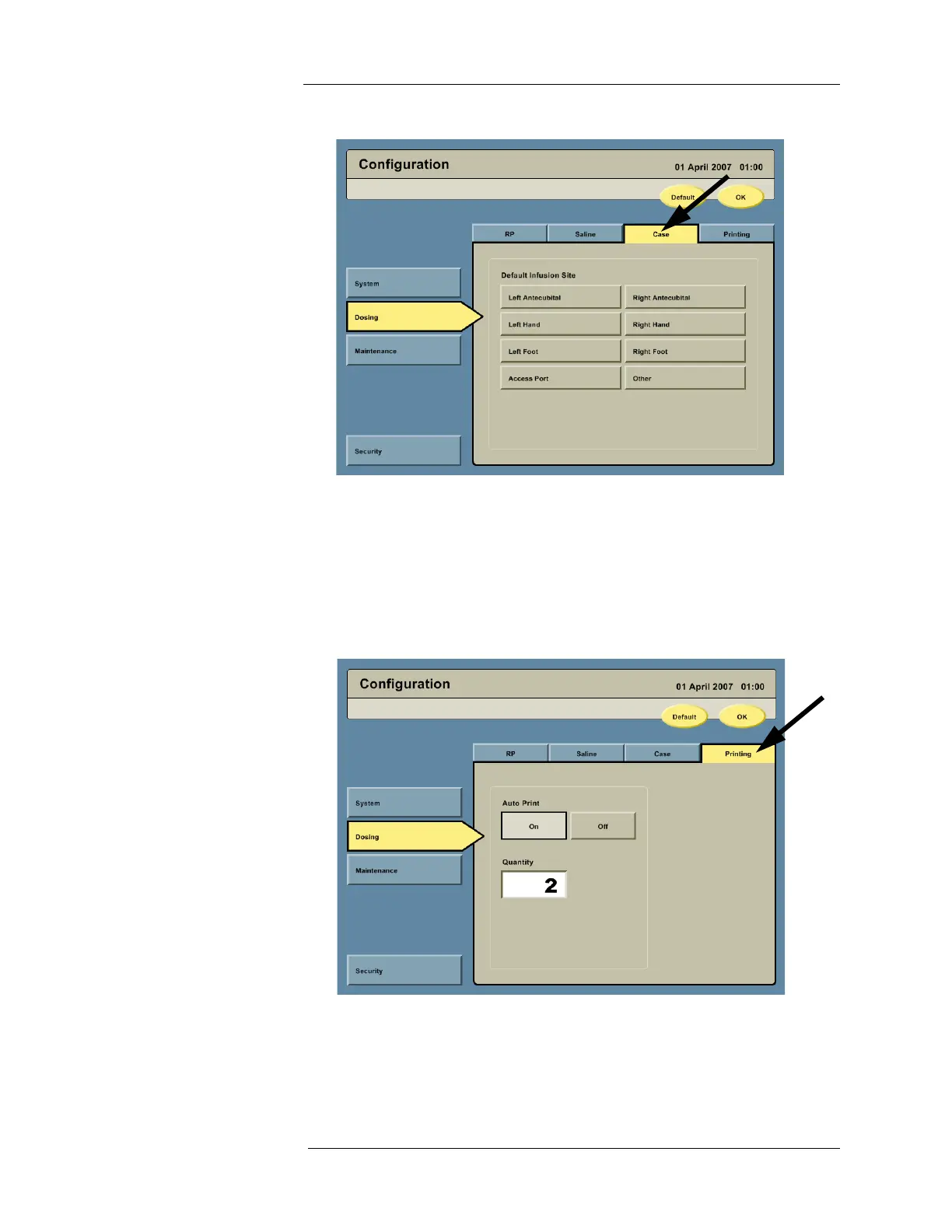
3. Press the Case tab to access the Case configuration options.
a. Configure the Intego™ PET Infusion System by pressing the button with the desired
default infusion site.
NOTE: If a default infusion site is not configured, the user will be given the option to
select the infusion site when entering patient information on the Dosing screen.
If a default infusion site is configured, it can be overridden when entering patient
information on the Dosing screen.
4. Press the Printing tab to access the Printing configuration options.
a. Configure the Auto Print by pressing the ON or OFF button.
b. Press the Quantity field and enter the desired number of labels to automatically be
printed if the Auto Print option is set to On.
NOTE: If the Auto Print option is not configured to be On to print labels, the user may
still print manually.



 To Next Page