33
3 - System Configuration
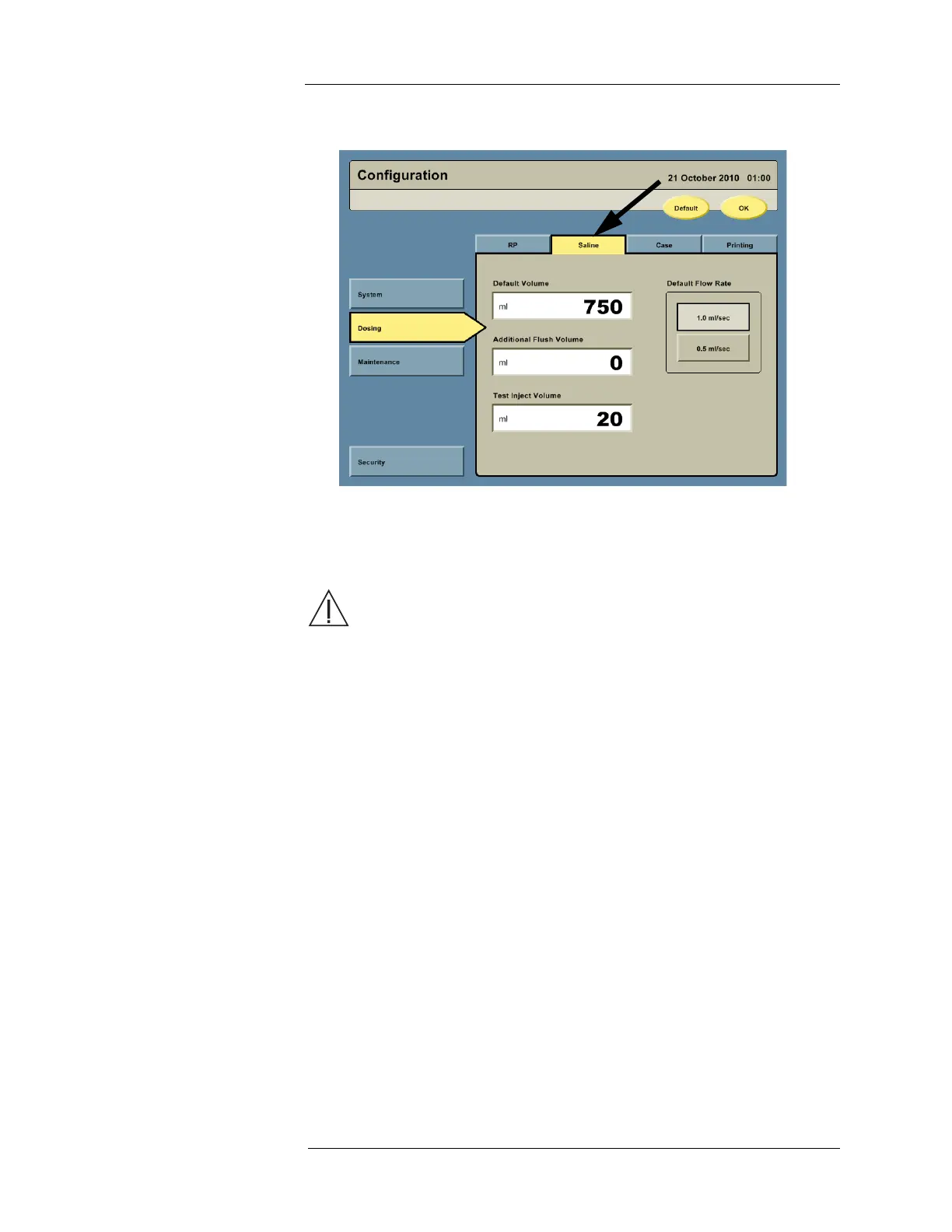
2. Press the Saline tab to access the saline configuration options.
a. Configure the default Saline Container volume by pressing the Default Volume field
and entering the desired value via the keypad.
b. Configure the additional flush volume by pressing the Additional Flush Volume field
and entering the desired value via the keypad.
WARNING: Injury or death may result from injecting air. If an additional flush
volume is used with extension tubing, the Intego™ PET Infusion System will not prime
the additional tubing automatically. Air may be injected into the patient if the extension
tubing is not primed before use. The additional tubing must be primed before
connecting to the patient by selecting the “Prime PAS” function until all air is purged
from the PAS.
NOTE: The additional flush volume is added to the fixed 35 ml saline flush used during
a patient infusion.
c. Configure the test inject volume by pressing the Test Inject Volume field and entering
the desired value via the keypad.
d. Configure the default flow rate by pressing either the 1.0mL/s or 0.5mL/s button.



 To Next Page