OM-278680 Page 33
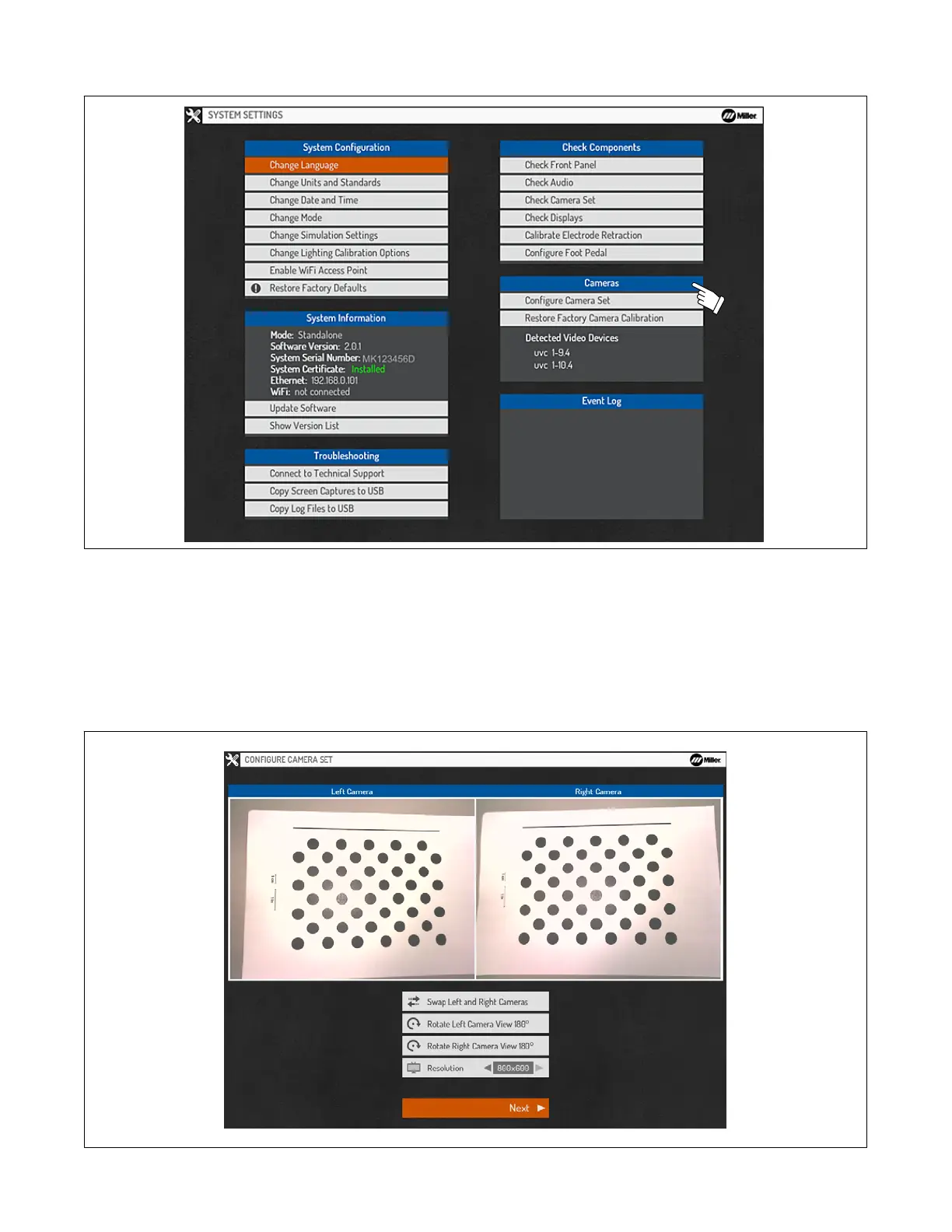
8-6. Cameras
Figure 8-12. Camera Settings
A. Configure Camera Set
Selecting Configure Camera Set begins the processes required to calibrate the helmet’s cameras. The processes include Configure Camera Set,
Check Camera Set, Focusing Cameras, and Calibrating the Cameras.
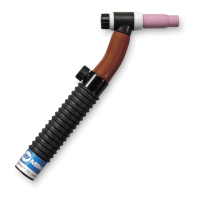
Confirm the left and right camera views are displayed properly (Left and right are from the perspective of the user wearing the helmet). If the
camera views are swapped, select Swap Left and Right Cameras. If the left or right camera view is rotated, select the appropriate options to
rotate the left or right camera to its proper orientation. The resolution can also be changed, but 800x600 will provide for the most consistent and
accurate tracking experience. Select Next to proceed.
Figure 8-13. Configuring Camera Set








 To Next Page