3-CONTROLSANDINSTRUMENTS
Productpumpscreen
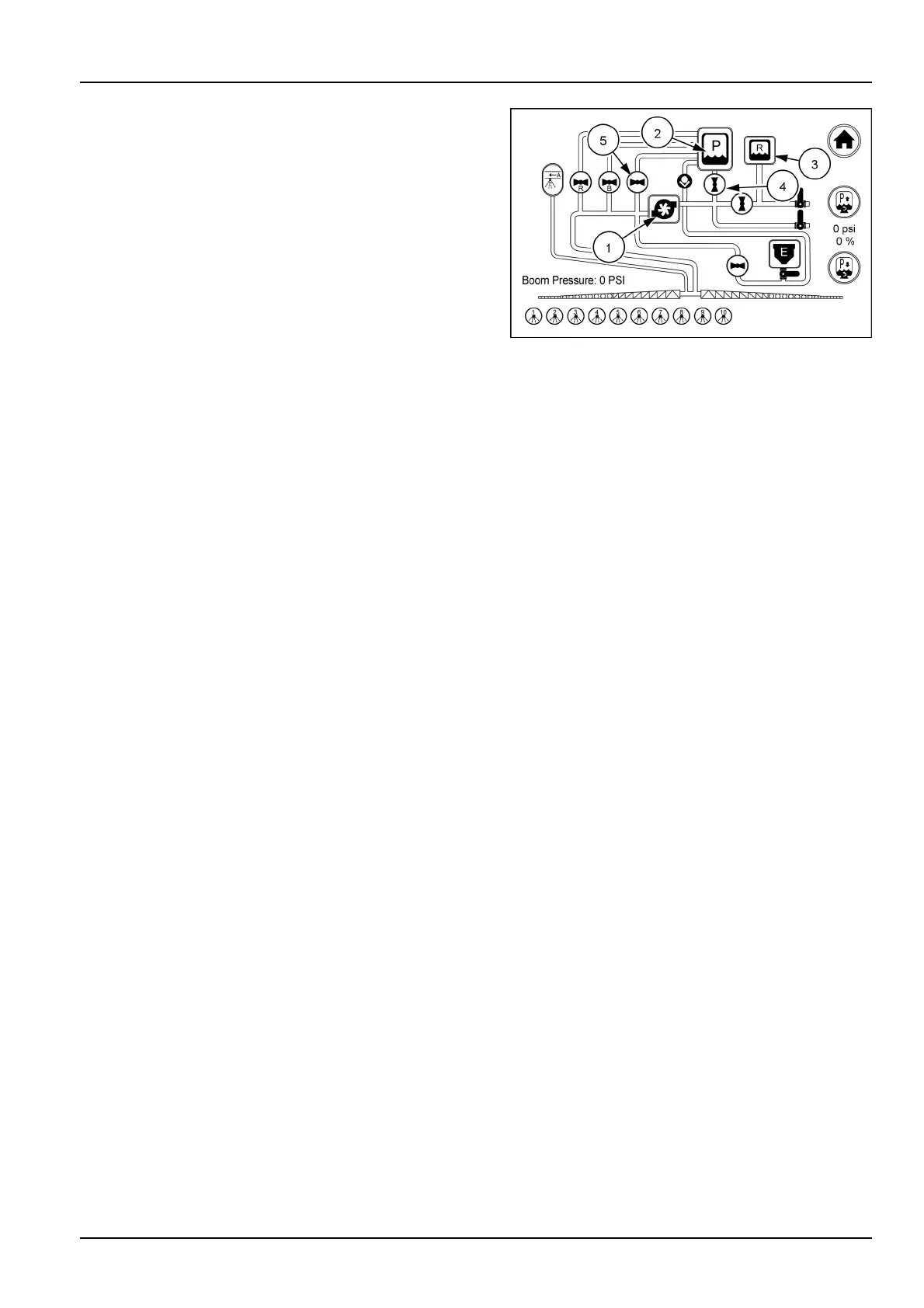
Ontheproductpumpscreenthepumpcanbeturned
ON/OFFwithatouchoftheicon(1)orwiththeswitch.
ONisindicatedwithcolorchangeoflinesandanimation
ofimpeller.Interlockspreventinadvertentcavitationofthe
pump.
Fromtheproductpumpscreenyoucanselecttheproduct
circuit(2)ortherinsecircuit(3).Youcanalsoturnonor
offthesectionsoftheboom.Simplytoucheitherthe“P”or
“R”systemiconsforproductcircuitorrinsecircuit.Touch
theappropriatesectionballvalveicons(4)toturnonor
off.Whenthevalveiconisparallelwiththepiping,the
valveisON.Whenthevalveiconisperpendiculartothe
piping,thevalveisOFF.Manualvalvesareshownwithout
astatusbarinsidethecircle.
Ballvalvesymbols:ONissymbolizedwiththestatusbar
inline(parallel)(4)withthecircuitlinesorow.OFFis
symbolizedwiththebarperpendicular(5)totheow.
YellowindicatesanOFFsectionvalvethatwillturnonif
youusethemasterswitch.RedindicatesanOFFsection
valvethatwillnotturnonifyouusethemasterswitch.
GreenindicatesanONsectionvalve.
RAIL17SP00183AA3
3-65



 To Next Page