3-CONTROLSANDINSTRUMENTS
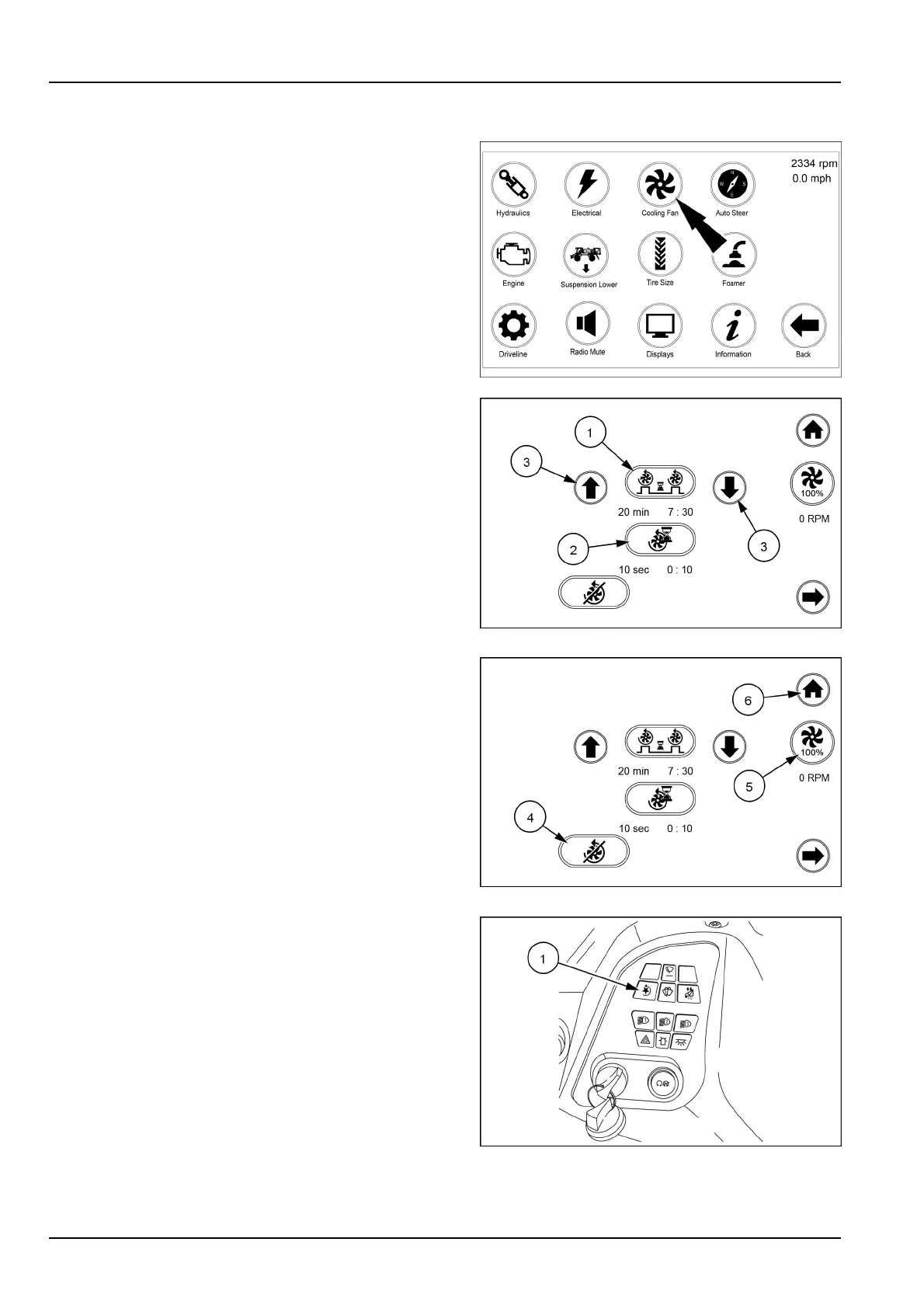
Coolingfaniconsandscreens
Fromthearmrestdisplaysecondhomepagetouchthe
coolingfanicon.
Thisscreenisusedtochangethereversingtimeinterval
aswellasthelengthoftimeitwillreverse.
NOTE:ThefanwillnotreverseatlowengineRPM.
Fromthisscreenyoucanchangetheautotimeinterval
(1),thereversetimeinterval(2)bytouchingtheappro-
priateicontobringuptheadjustmentscreens.Adjustas
desiredusingtheupordownarrows(3)onthesetting
screen.T oleavetheadjustmenttouchtheselectedicon
again.
Oncethetimesareset,theright-handsideofthescreen
willactasacountdownfromtheoriginalsetvalues.The
AutoTimeIntervalandtheReverseTimeIntervalwillboth
countdown.
RAIL18SP00743FA1
RAIL18SP00292AA2
Touchthe“Disable”reversingfan(4)icon(lowerleft)to
disablethefansreversingability.
Touchthe“Fan”(5)icon(belowthehomeicon)tosetthe
fanspeedto100%.Fanisinautomodeunlessthefan
iconispressed.Whentheiconistouchedthefanwillturn
yellowandpercentagewillbesetto100%.
Touchthehomeicon(6)toreturntothehomepage.
RAIL18SP00292AA3
Thereversingfanoverrideswitch(1)onthesideconsole
isusedtooverridetheautomaticsettingofthereversing
fan.
Ifthecoolingsystembecomescloggedwithdebrisandthe
automaticsettinghasnotyetengaged,pushtheoverride
switchandthereversecyclewillinitiate.
RAIL17SP00263AA4
3-78



 To Next Page