3-CONTROLSANDINSTRUMENTS
Ultraowiconandscreens
Ultraowiconandscreens
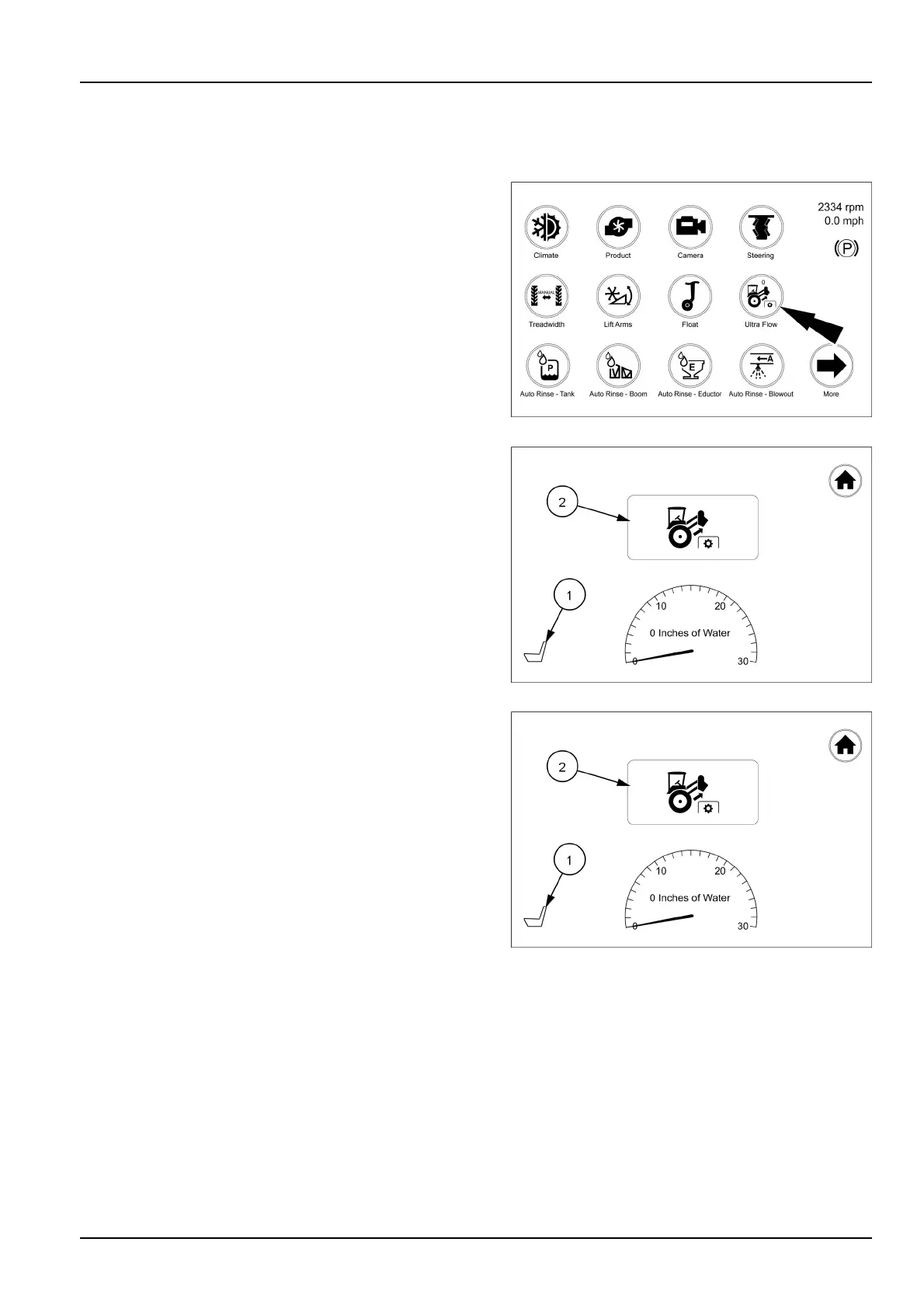
Fromthearmrestdisplayrsthomepagetouchtheultra
owicon.Thiswillbringupthescreenwereyoucanturn
theultraowonoroffandadjusttheultraowpressure..
RAIL18SP00852FA1
Theultraowscreenwilldisplaywiththeoperatorsseat
icon(1)andtheultraowicon(2)grayedout,indicating
thatthesystemisnotactive.
RAIL18SP00849FA2
Sitintheseatandtouchtheseaticon(1).Theseaticon
willturngreenandtheultraowiconwillturnblueand
beactive.Touchtheultraowicon(2)tobringupthe
conrmationscreen.
NOTE:Iftheoperatorleavestheoperatorsseatwiththe
systemrunning,thesystemwilldeactivate.Theoperator
willneedtositintheseatagain,inordertore-activatethe
system.
RAIL18SP00849FA3
3-71



 To Next Page