3-CONTROLSANDINSTRUMENTS
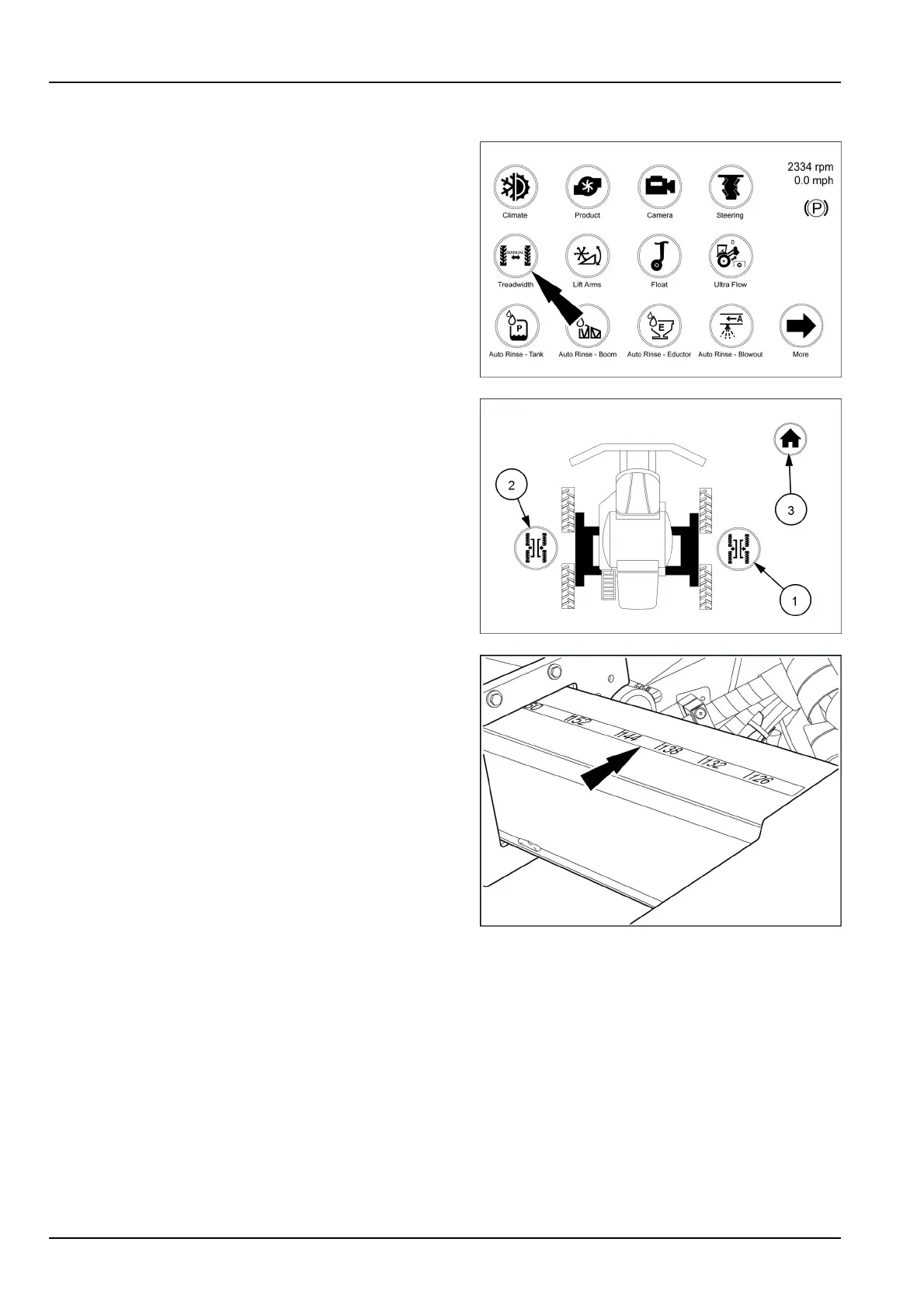
Treadwidth(manual)iconandscreens
Fromthearmrestdisplayrsthomepagetouchthetread
width(manual)icon.Thiswillbringupthescreenwhich
isthetreadwidthscreen.
NOTE:Theiconswillremaingrayedoutuntilmovement
ofthevehiclehasstarted.Theiconswillturntotheap-
propriateinoroutoncemoving.
Fromthisscreenyoucanmovebothsidesinoroutat
thesametime.Theiconswillbegrayedoutindicating
novehiclemovement.WhilemovingslowlytouchtheIN
icon(1)tomovebothsidesinatthesametime.Watch
thetreadwidthindicatordecalontheright-handfrontleg
forwidthvalue.
NOTE:Dimensionsarefromcentertothecenterofthe
tires.
WhilemovingslowlytouchtheOUTicon(2)tomoveboth
sidesoutatthesametime.Watchthetreadwidthindica-
tordecalontheright-handfrontlegforwidthvalueasthe
wheelsmoveout.
NOTE:Dimensionsarefromcentertothecenterofthe
tires.
Touchthehomeicon(3)intheupperright-handcornerto
returntothehomepage.
NOTE:Themachinemustbemoving0.8–8km/h(0.5–
5mph)whileadjustingthetreadwidth.
RAIL18SP00852FA1
RAIL18SP00847FA2
RCPH11SPR010BAM3
3-68



 To Next Page