3-CONTROLSANDINSTRUMENTS
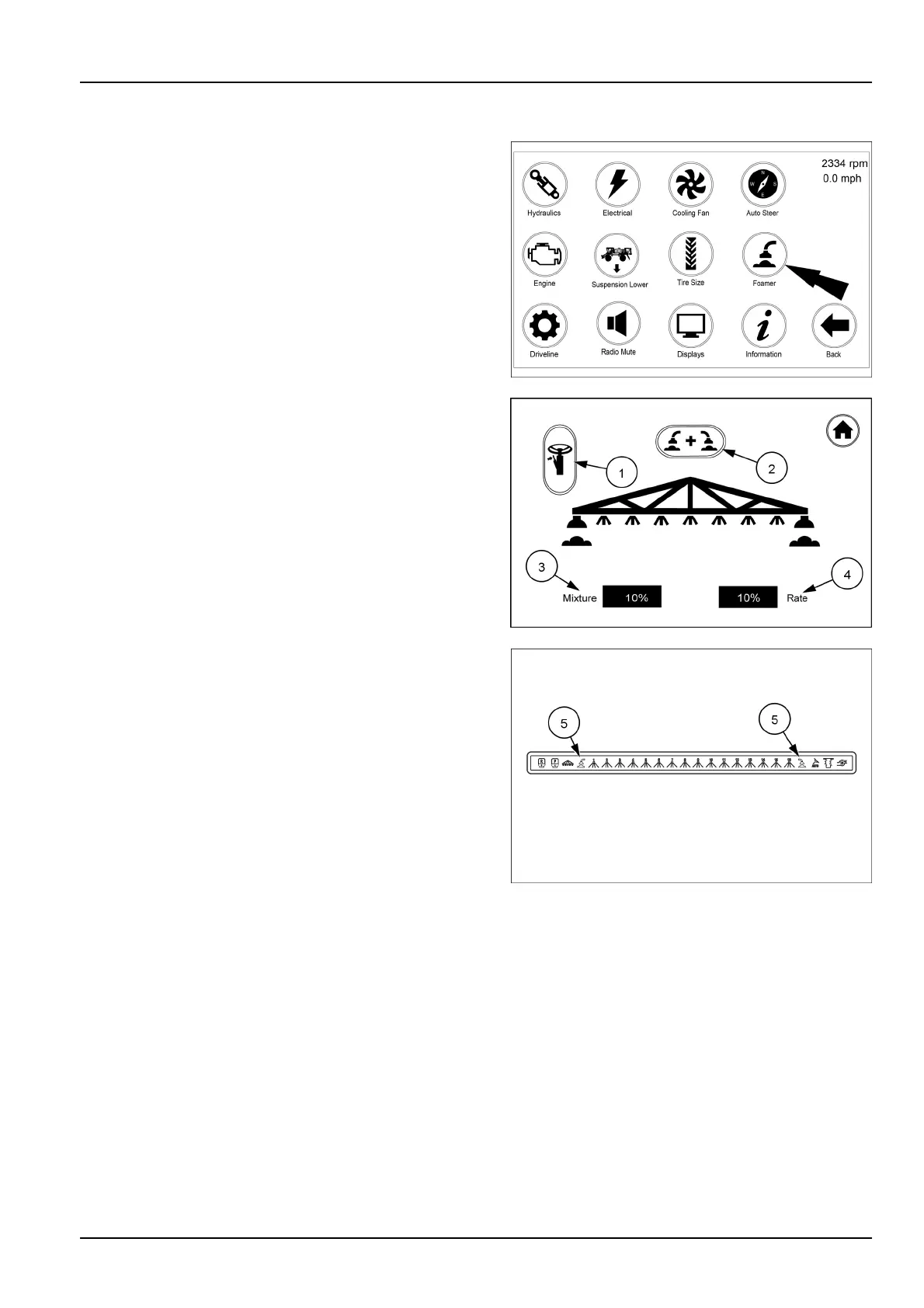
Foamericonandscreens
NOTE:Besurethefoamerwatersupplyvalveunderthe
rinsewatertankisturnedonbeforeoperatingthefoamer.
Fromthearmrestdisplaysecondhomepagetouchthe
Foamericon.Thiswillbringupthescreenwhereyoucan
selecttheturnsignallevercontrolicon(1),dualfoamer
on/officon(2),settheconcentrateMixture(3)andRate
(4).
Whentheturnsignallevericon(1)isactivetheiconwill
turnyellowandwillcontroltheleft-handandright-hand
foamer.Whenafoamersideisactivethefoamericon(5)
inthefrontoverheaddisplaywillturnorangeindicating
whichsideison.
Touchthedualfoamericon(2)andtheiconwillturnyellow
indicatingthatbothfoamersareactive.Bothfoamericons
inthefrontoverheaddisplaywillalsoturnred.
WiththedualfoamerON,thesystemignorestheturnsig-
nalswitchstatus(turnsignalposition)andcontinuously
dispensesfoamoutbothsidesuntilbuttoniscycledOFF.
Withhedualfoamerturnedonwiththejoystickbutton
whenturnsignalnotselectedonscreen.Alsoswitchleft-
handandright-handfoamerwithjoystickbuttonwhennot
indualfoamermodeonscreen.
RAIL18SP00743FA1
RAIL17SP00203AA2
RAIL17SP00309FA3
3-85



 To Next Page