3-CONTROLSANDINSTRUMENTS
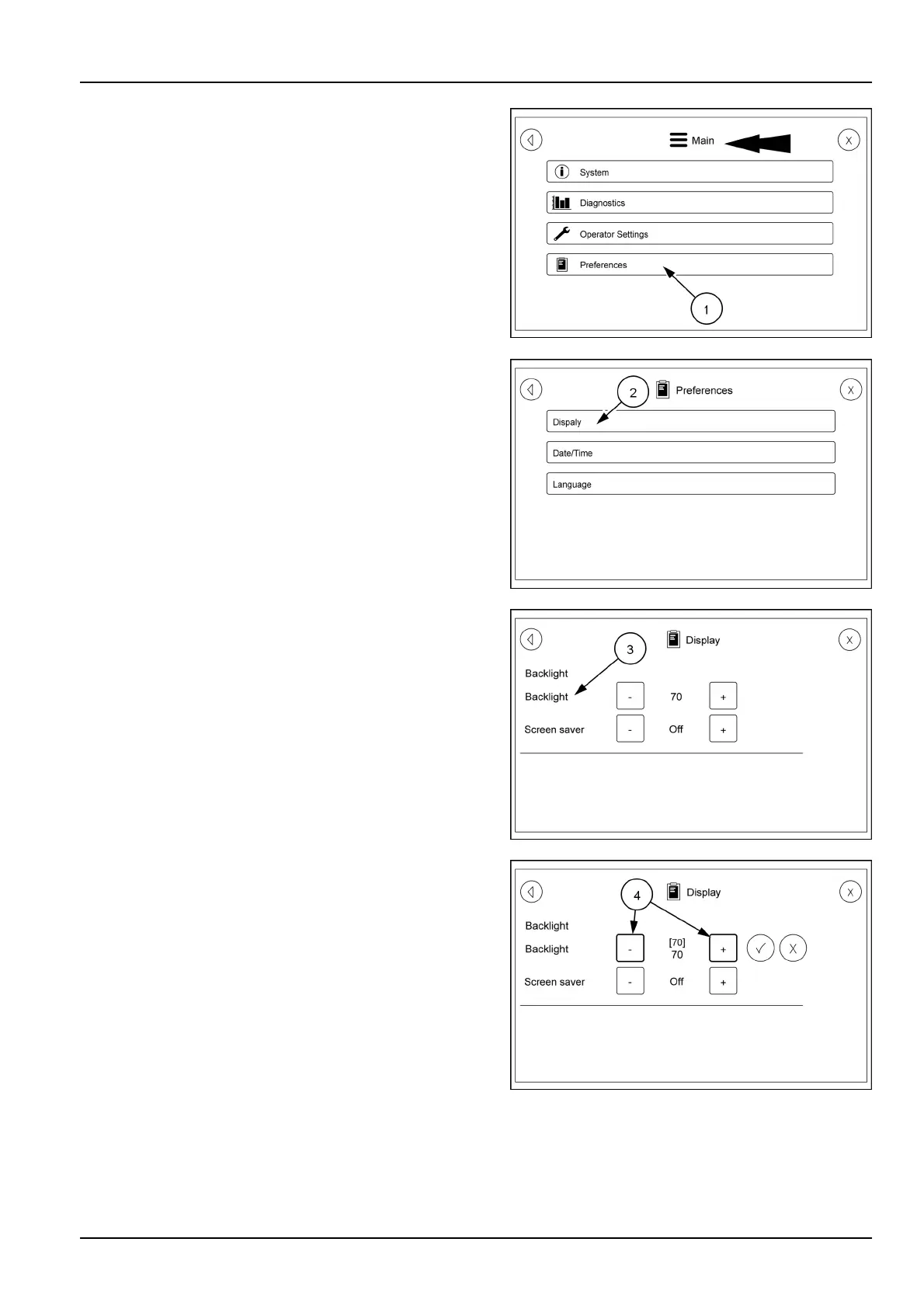
Usethebackarrowonthescreensuntilyougetbackto
themainpage.
OnthemainpagetouchthePreferencesicon(1).T ouch-
ingthePreferencesiconwillbringupascreenthathas
threeselectablecategories.T ouchtheDisplayicon(2)
whichwillbringupabacklightandscreensaverscreen.
TouchtheBacklightselection(3)tobringupthesetting
screen(4).Usetheplus(+)orminus(-)tochangethe
backlightintensity.Oncethecorrectsettingisreached
touchthecheckmarktolockthesettingin.
RAIL17SP00118AA34
RAIL17SP00158AA35
RAIL17SP00159AA36
RAIL17SP00160AA37
3-101



 To Next Page