3-CONTROLSANDINSTRUMENTS
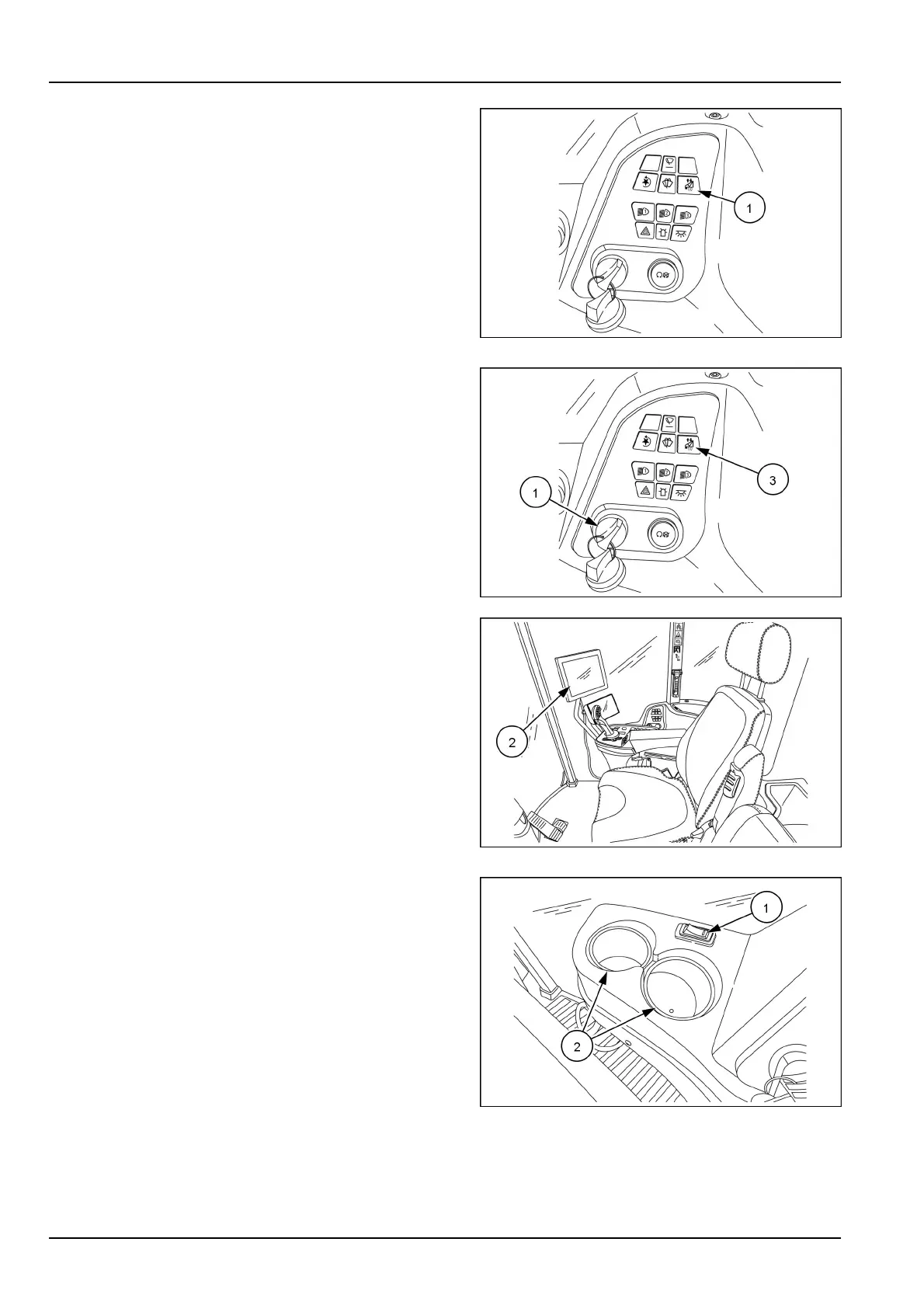
Autoboomswitch
Presstheautoboomswitch(1)tounlocktheautoboom
(turnonswitchamber).Presstheautoboomswitchagain
tolocktheautoboom(turnoffswitchblue).
Theautoboomsystemmustbeactivatedeachtimethe
ignitionkeyisturnedtotheONposition.
RAIL17SP00263AA11
1.Turntheignitionkey(1)totheONposition.
2.TheIntelliView™monitor(2)willbecomeactive.After
thesplashscreentheRaven™monitoringscreenwill
appear.
3.Touchtheautoboomiconontheleft-handsideofthe
screen.Aliabilitywarningscreenwillappearwitha
greencheckmarkontheright-handsideofthescreen.
4.Touchthegreencheckmarkandtheautoboom
screenwillappear.Thereisaredswitchiconinthe
upperright-handcornersignifyingthesystemisOFF.
Toactivatethesystempresstheautoboomswitch(3)
onthesideconsole.Theswitchicononthescreenis
nowgreenandtheswitchonthesideconsoleisnow
amber.
5.ToturntheautoboomOFF,presstheswitchonthe
sideconsole,theswitchwillturnblueandtheswitch
icononthescreenwillturnred.
RAIL17SP00263AA12
RAIL17SP00310AA13
Autosteerroadinglockswitch
Theautosteerroadinglockswitch(1)isarockertype
switchusedtodisabletheautosteerfunctionwhendriv-
ingonroadways.Theswitchislocatedontherightside
consolenexttothecupholder(2).
Pushthefrontoftherockerswitchtoenabletheautosteer
function.
Pushtherearoftherockerswitchtolockout(disable)the
autosteerfunction.
NOTE:Theautosteerlockoutshouldactivateautomati-
callyaboveacertainspeediftheswitchisleftonwhile
roading.Ifthisoccursyoumustcyclethelockswitchto
reset.
RAIL17SP00288AA14
3-30



 To Next Page