3-CONTROLSANDINSTRUMENTS
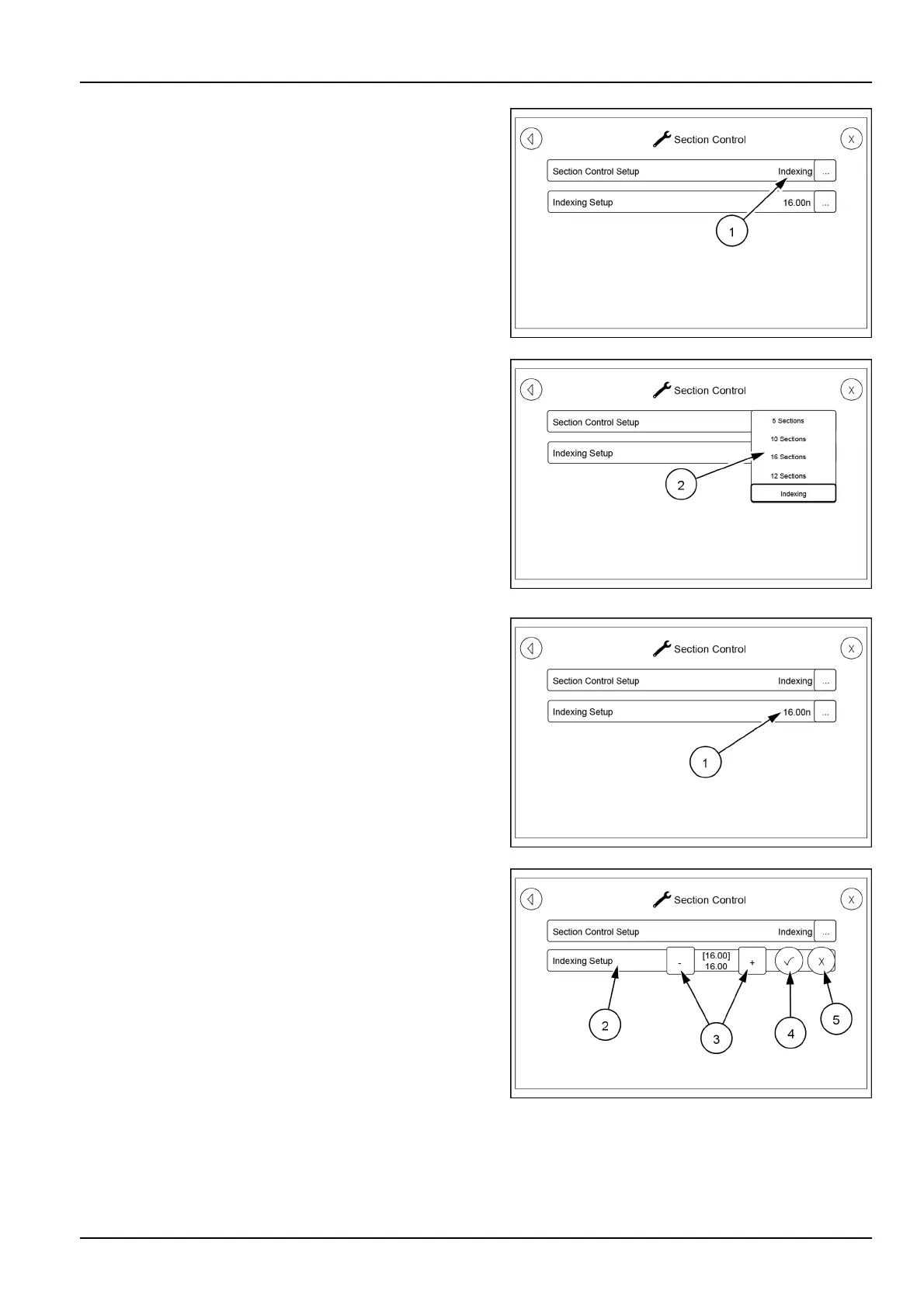
TheSectionControlscreenwillappear.Thisscreenhas
twoselectableoptions.TouchtheSectionControlSetup
icon(1)attheright-handsidetobringupamenu(2)where
thenumberofsectionstobeindexedcanbeselected.
RAIL17SP01463AA23
RAIL17SP01464AA24
OntheSectionControlscreentouchtheIndexingSetup
icon(1)attheright-handsidetobringuptheIndexing
Setupicon(2)wherethenumberofsectionstobeindexed
canbesetbyusingthe(+)or(-)icons(3).Afterthesetting
iscorrect,touchthecheckmarkicon(4)tolockthesetting
in.ThentouchtheXicon(5)toclosetheselectionand
save.Ifthenumberofsectionshasnotbeenchanged,
closetheselectionwiththeXicon
RAIL17SP01463AA25
RAIL17SP01465AA26
3-39



 To Next Page