93
M
ANAGING CALLS DIRECTORY
IP Phone UI
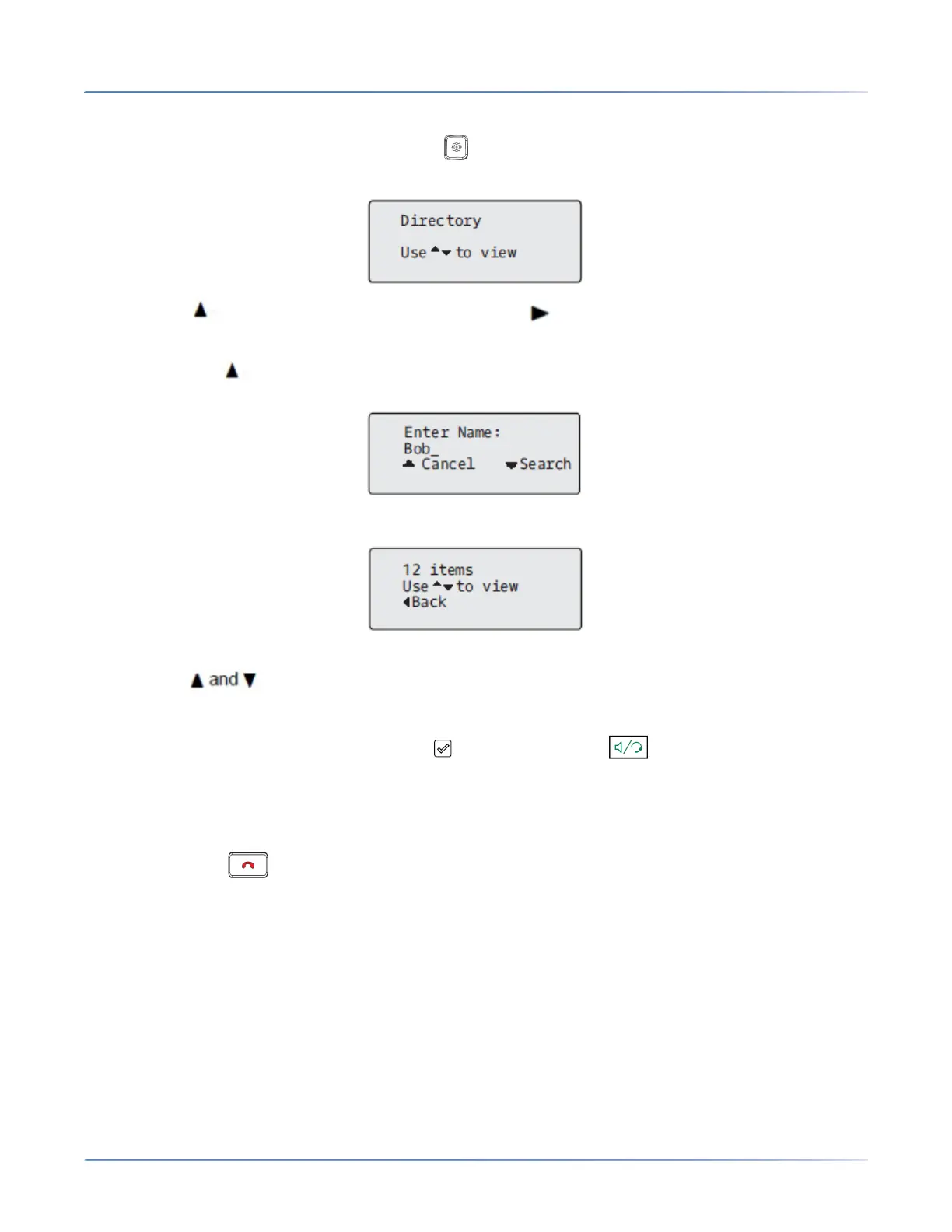
1. Press the configured Directory key or press on the phone to enter the Options List and navigate
to the Services > Directory menu.
2. Press the key to view the All folder and press the Search key.
3. Use the dialpad keys to enter the name (first, last, full, or partial) of the entry you are searching for
and press the Search key.
A screen displays detailing the number of search hits.
NOTE: If there are no hits, a "No Matches Found" message is displayed.
4. Press the keys to view the entries in the consolidated search list.
NOTE:
a. To place a call to the entry, press the button, Line button, button, or simply pick up the
handset.
b. To copy the entry to the Local Directory (if the entry is from an external Directory source), press
the # Copy key.
c. To edit the entry’s details (if the entry is from the Local Directory), press the # Edit key.
d. Press the key at any time to exit.
Local Directory Features
The internal Local Directory contains the contacts that have been created or copied directly to the phone
using the phone UI. If no external directory sources are available, pressing on the Directory key will open
the Local Directory menu.
WARNING: If you plan on upgrading at any time in the future and would like to retain your Local
Directory information, it is recommended to save your Local Directory entries before any upgrade
or downgrade by using the phone’s Web UI under the Operation > Directory menu See “Down-
loading the Directory to Your PC” for details.



 To Next Page