62
L
INE KEY AND PROGRAMMABLE KEYS PARK/PICKUP KEYS
Configuring Park/Pickup Keys
Mitel Web UI
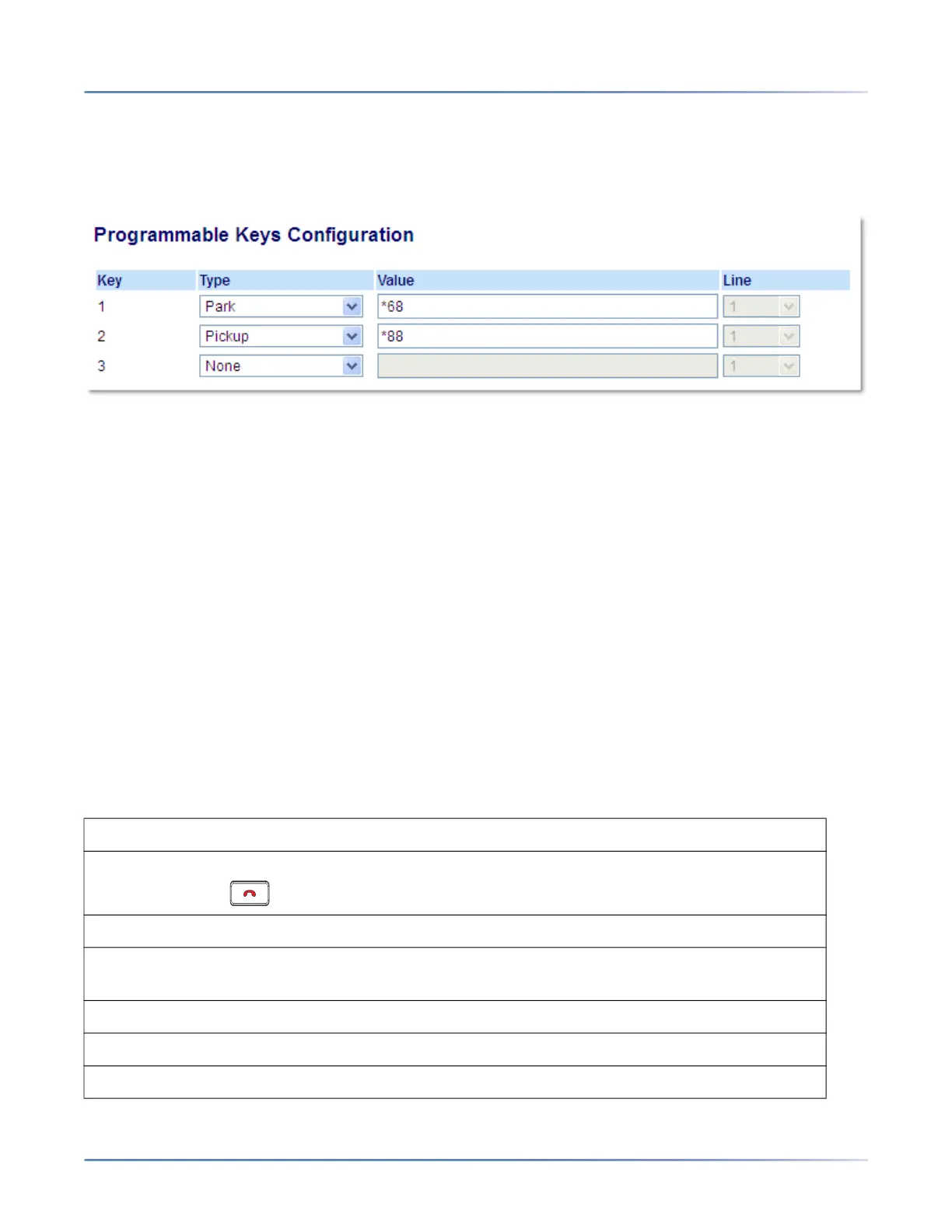
1. Click on Operation > Programmable Keys.
2. Select from Key 1 through Key 3.
3. In the Type field, select Park.
NOTE: The Value field should be configured by the Administrator.
4. Select from Key1 through Key 3.
5. In the Type field, select Pickup.
NOTE: The Value field should be configured by the Administrator.
6. Click Save Settings.
7. Click on Reset, then click Restart to restart the IP phone and apply the changes.
Using the Park Call/Pickup Parked Call Feature
Use the following procedure on the IP phone to park a call and pick up a parked call.
Parking a Call
1. While on a live call, press the Park key.
2. Perform the following for your specific server:
ASTERISK
Server announces the extension number where the call has been parked. Once the call is
parked, press the key to complete parking.
BROADWORKS
After you hear the greeting from the CallPark server, enter the extension where you want to park
the call.
SYLANTRO
Enter the extension number where you want to park the call, followed by # key.
ININ



 To Next Page