22
P
HONE STATUS PHONE STATUS THROUGH THE MITEL WEB UI
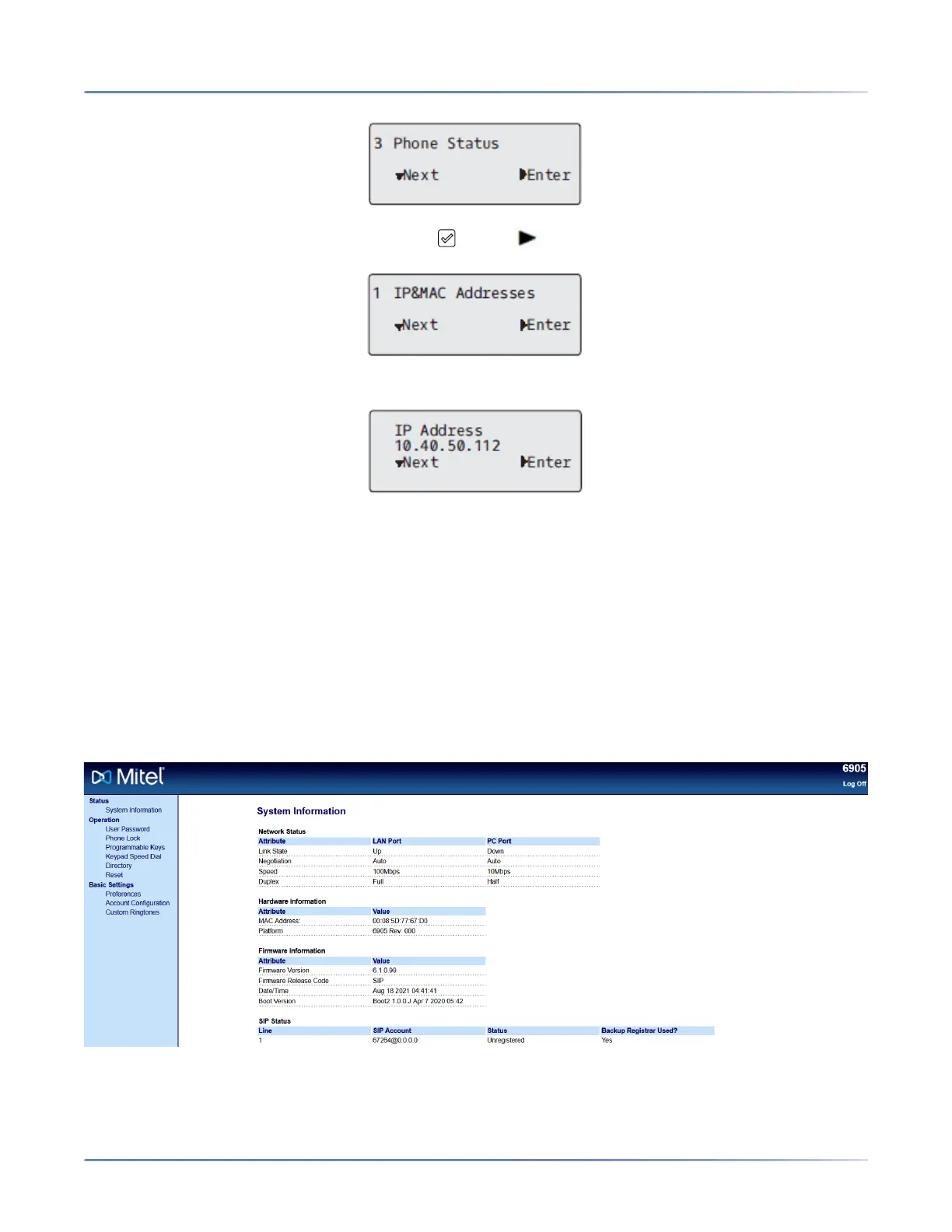
3. Select IP&MAC Addresses and press the key or Enter key.
The IP address of your 6905 IP phone displays in the IP Address field.
Phone Status through the Mitel Web UI
Use the following procedure to view the phone status through the Mitel Web UI .
1. Open your web browser, enter the phone’s IP address or host name into the address field and press
Enter.
2. In the Username/Password window, enter your username and password and click OK . The Status
window displays for the IP phone you are accessing.
NOTE: The default username is user and the password field is left blank.
This Status window displays the status of your phone, which includes the following information:
• Network Status



 To Next Page