131
A
DDITIONAL FEATURES MESSAGE WAITING INDICATOR
If you enable this parameter, which is the default, pressing the key rejects calls coming into the
phone while you are on an active call. When you disable this parameter, pressing the key hangs up
the active call.
If you disable this feature, and the phone receives another call when an active call is already present, the
6905 displays 2 Ignore on the LCD. For the 6905, you must use the 2 navigation key to ignore the call.
Configuring Goodbye Key to Cancel Incoming Calls
Mitel Web UI
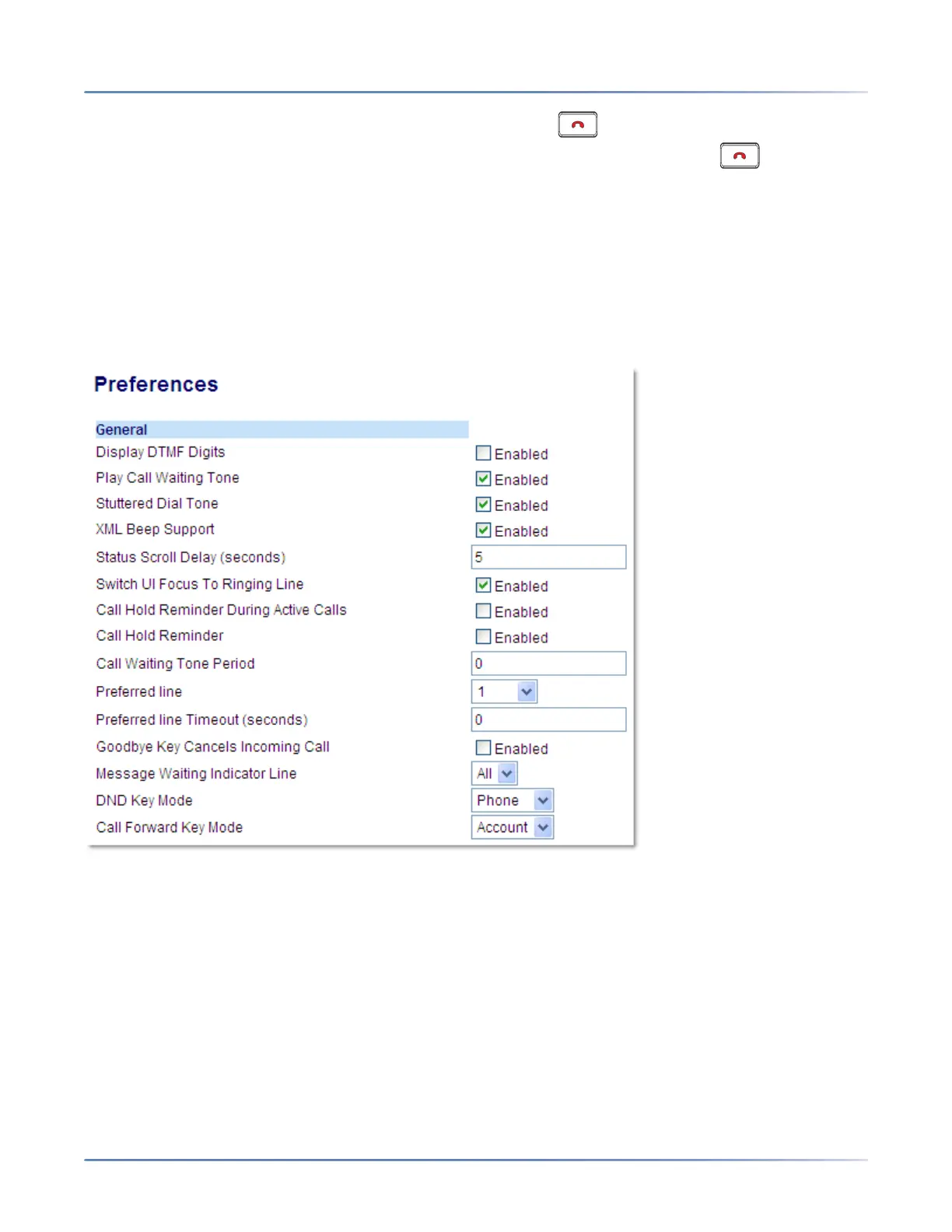
1. Click on Basic Settings > Preferences > General.
2. The Goodbye Key Cancels Incoming Call field is enabled by default. If required, disable this field
by unchecking the check box .
3. Click Save Settings.
Message Waiting Indicator
You can configure the Message Waiting Indicator (MWI) to illuminate for a specific line or for all lines. For
example, if you configure the MWI LED on Line 2 only, the LED illuminates if a voicemail is pending on
Line 2. If you configure the MWI LED for all lines, the LED illuminates if a voicemail is pending on any line
on the phone (lines 1 and 2).



 To Next Page