70
L
INE KEY AND PROGRAMMABLE KEYS INTERCOM KEY
NOTE: For more information about transferring calls, see Transferring Calls .
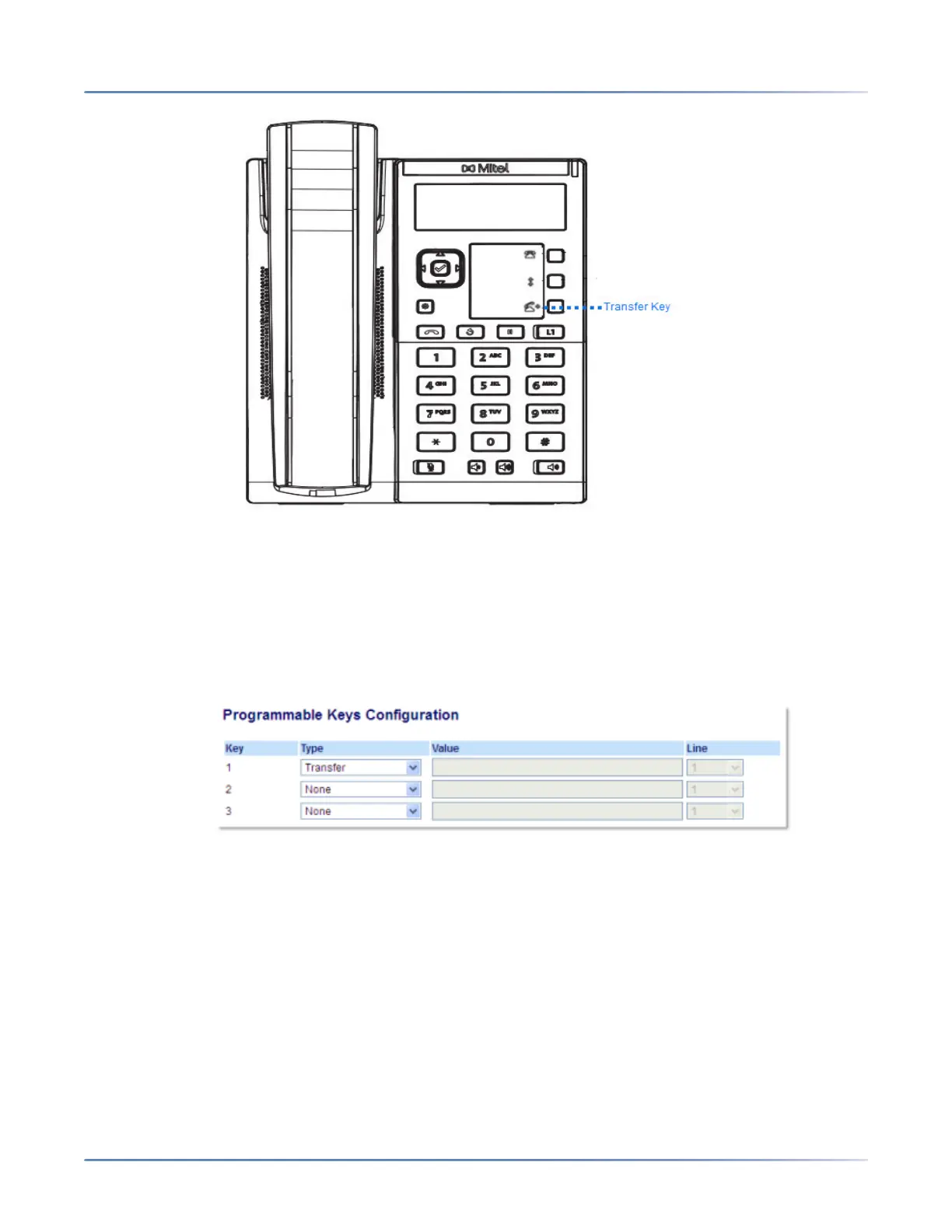
Configuring a Transfer Key
Mitel Web UI
1. Click on Operation > Programmable Keys .
2. Select from Key 1 through Key 3.
3. In the Type field, select Transfer .
4. Click Save Settings .
Intercom Key
By default, the IP phone allows incoming intercom calls to be automatically answered without having to
set up an Icom key on your phone.
NOTE: For more information about changing the behavior of incoming Intercom calls, see the section
“Incoming Intercom Call Features”.



 To Next Page