43
C
USTOMIZING YOUR PHONE RESTARTING YOUR PHONE
Mitel Web UI
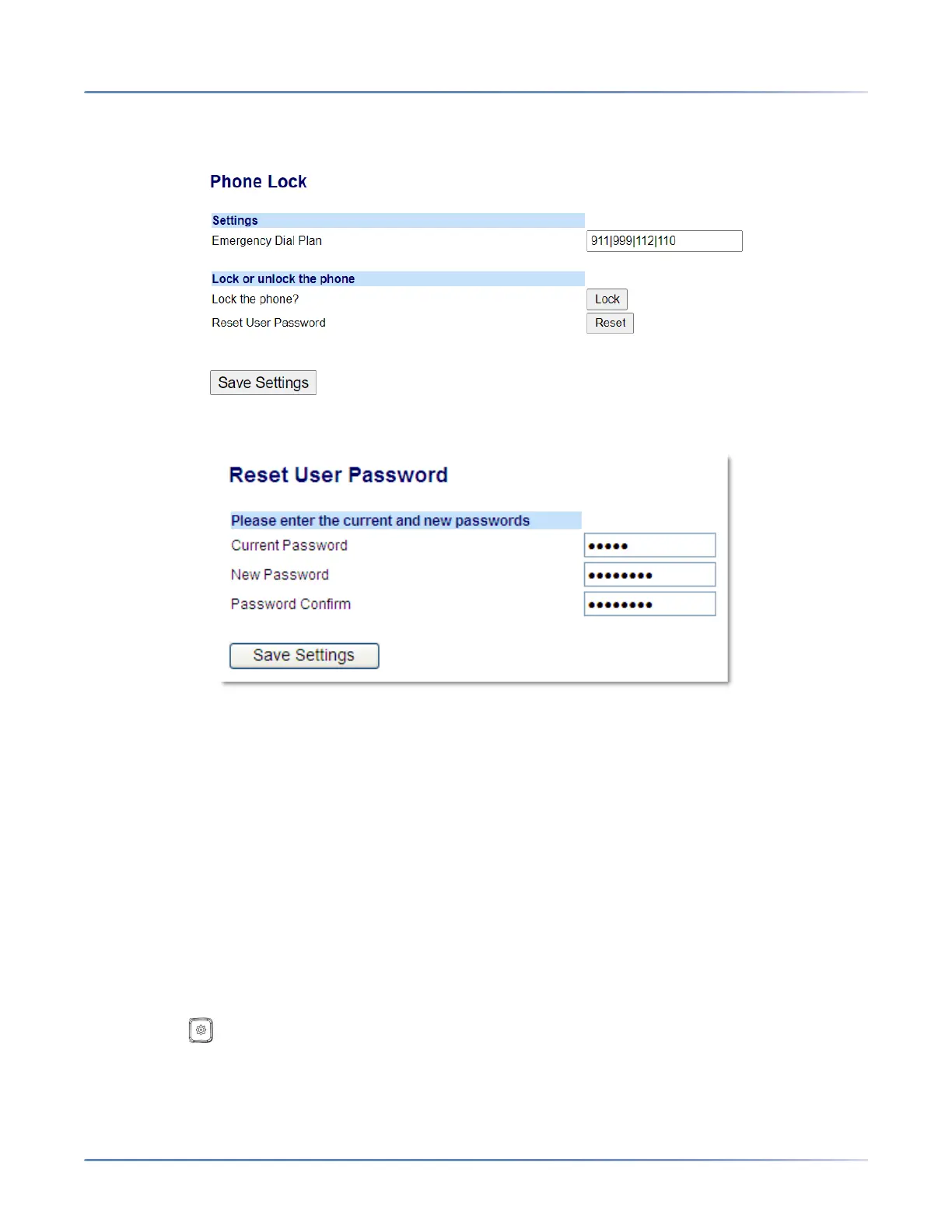
1. Click on Operation > Phone Lock.
2. CIick on the Reset User Password field, click Reset . The following screen displays
3. In the Current Password field, leave this blank.
4. In the New Password field, enter a new password.
5. In the Password Confirm field, re-enter your new user password.
6. Click Save Settings.
Restarting Your Phone
You may want to restart your phone to check for updates on the server or you may occasionally need to
restart your phone for configuration changes to your phone or network settings to take effect. You may
also need to restart your phone if you have been asked to do so by your System Administrator or should
you experience any unexpected behavior.
IP Phone UI
1. Press the key on the phone to enter the Options List.
2. Select Restart Phone .



 To Next Page