13
G
ETTING STARTED INCOMPLETE CONFIGURATION
• DHCP Failed
• Restarting
• New IP Obtained
• Network Disconnected/Connected
NOTE: Since Network Disconnected/Connected displays on two lines, the date and time does not
show if this event displays.
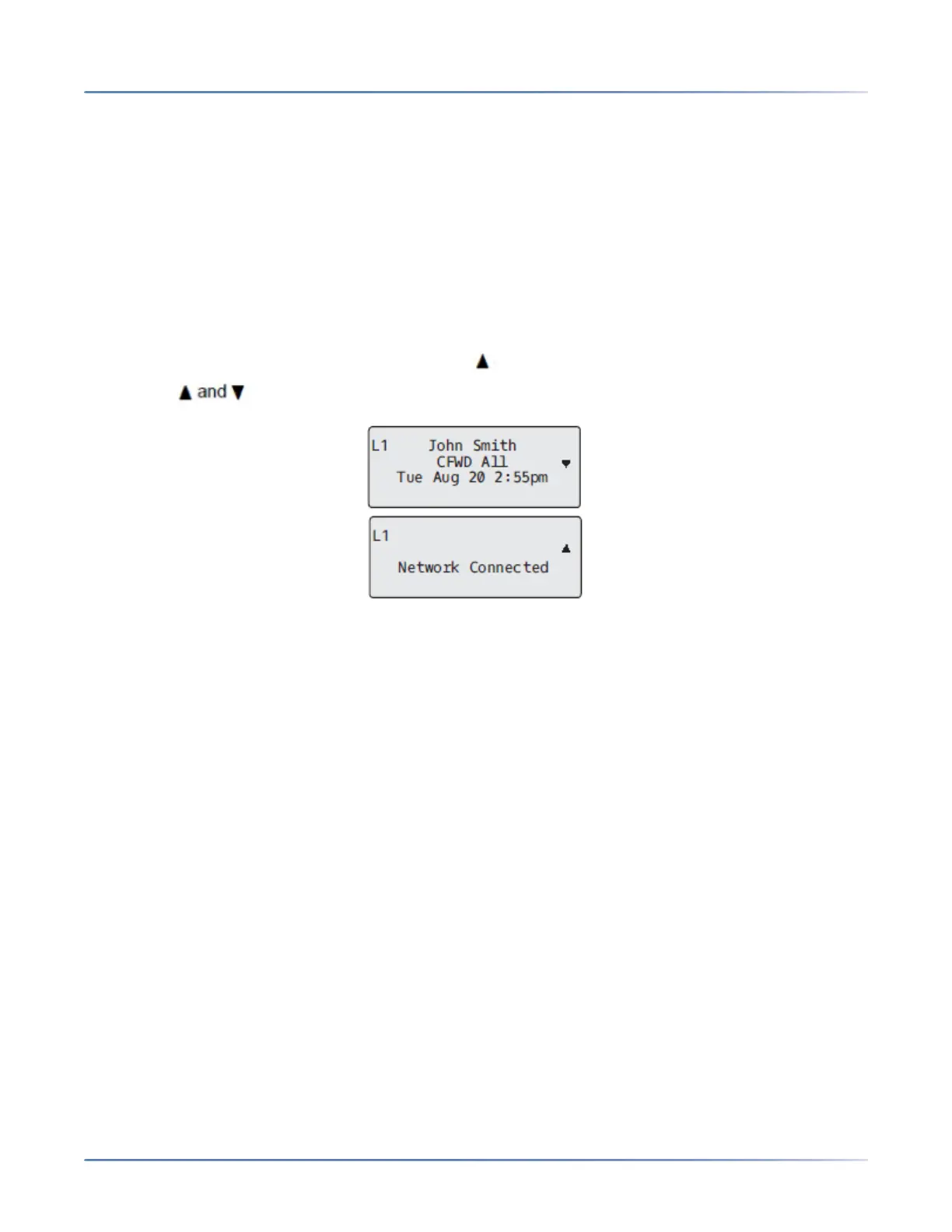
• The second line can also display the following status messages, listed in order of display priority:
• Call Forward status
• DND (Do Not Disturb) On
• Number of missed calls
When more than one status message displays, the is shown after the message to indicate that you
can use the navigation keys to scroll through the remaining messages.
Incomplete Configuration
If your phone displays an Incomplete Config message without any extension or user name at the end
of the start up sequence instead of an Idle state screen, this indicates the phone configuration that was
downloaded from the configuration server is not complete or correct. Contact your System Administrator
for assistance.
No Service
When the phone is not properly connected to the network, or the account has not been configured by the
Network Administrator, the No Service or Network Disconnected prompt appears on the display and
the telephone status light turns ON. Check that the cables are tightly connected to the phone and to the
wall jack. The phone should automatically detect when the connection is reconnected and display the
Network Connected prompt temporarily.
If changes have been made to your phone settings, you may need to restart your phone. For more infor-
mation on restarting your phone, see “Restarting Your Phone” .
For more information about connecting your phone, refer to the Mitel 6905 Installation Guide or check
with your System Administrator for assistance.



 To Next Page