67
L
INE KEY AND PROGRAMMABLE KEYS CALLERS LIST KEY
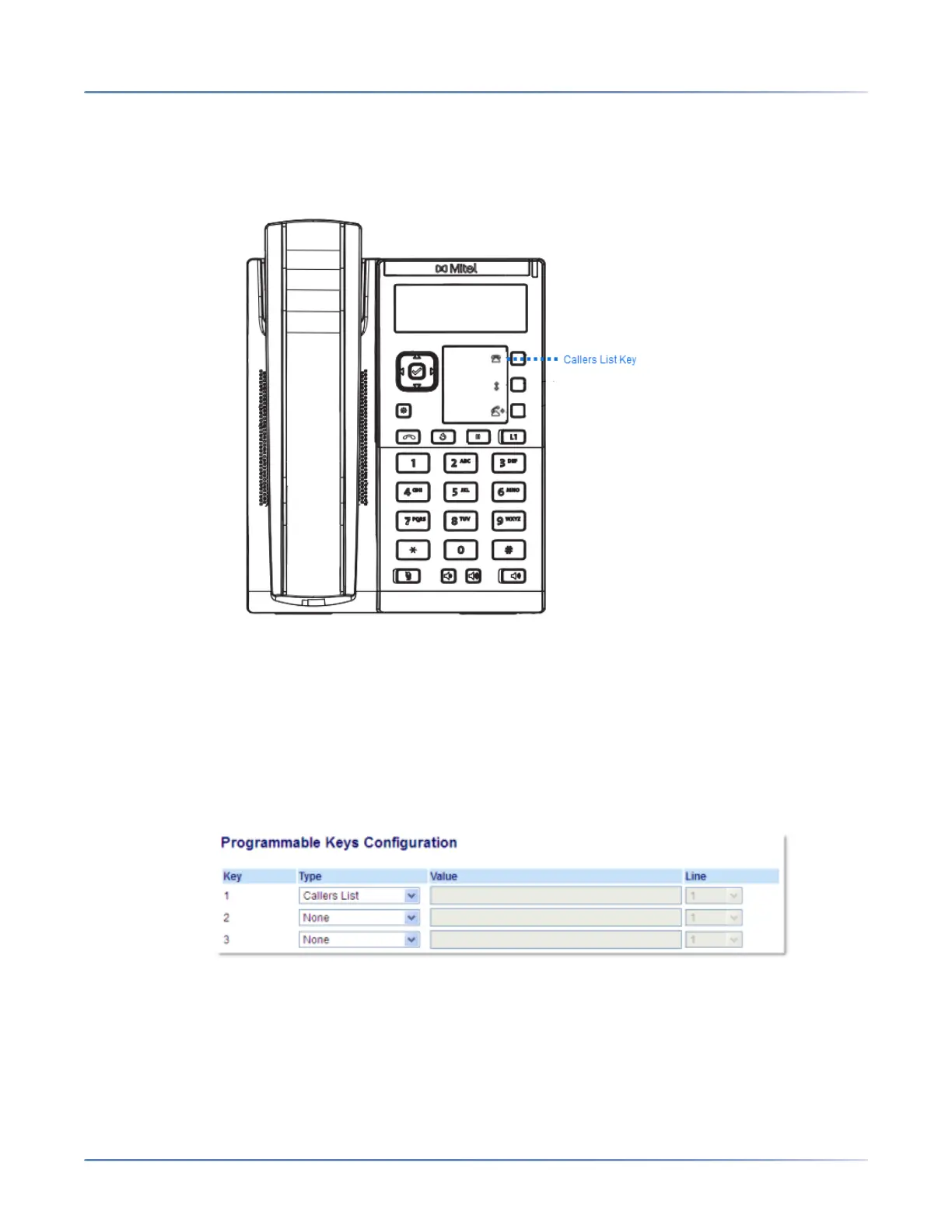
Callers List Key
By default, the Callers List key is programmed on Key 1. However, using the Mitel Web UI, you can reas-
sign the Callers List key to any of the three programmable keys on the phone.
The Callers List is a stored log of your incoming calls. You can use the Callers List key to access a list of
callers that called your phone .
NOTE: For more information about the Callers List, see “Callers List”.
Configuring a Callers List Key
Mitel Web UI
1. Click on Operation > Programmable Keys .
2. Select from Key 1 through Key 3.
3. In the Type field, select Callers List.
4. Click Save Settings.



 To Next Page